- 1. Overview
- 2. Creating Interface Tables in Your Database
- 3. Configuring Database Monitoring in SQLTelebot
- 4. Sending Telegram Messages Using SQL Statements
- 4.1 Sending Text Messages
- 4.2 Sending Images
- 4.3 Sending Files
- 4.4 Tracking Message Delivery Status
- 5. Technical Support
- More Use Cases
1. Overview
SQLTelebot is an SQLMessenger plugin. With this plugin, you can send messages to Telegram contacts, groups, or channels from your database with SQL statements.
SQLTelebot supports sending Telegram messages from the following databases:
- SQL Server (2005 or higher)
- Oracle (11g or higher)
- MySQL (version 5.7.26 or higher)
- PostgreSQL (version 9.0 or higher)
SQLTelebot supports sending text messages, images, and files.
In addition to sending messages from database, SQLTelebot also offers the following features:
- Forward Telegram messages to email
- Forward emails to Telegram
- Convert email body to an image or PDF and forward it to telegram
- Forward email attachments to Telegram
- Send each row of an Excel sheet as a separate message to your Telegram contacts
This document demonstrates how to send Telegram messages from a PostgreSQL database.
- Note: Before getting started with SQLTelebot, ensure you have completed the following:
- 1. Install the SQLTelebot plugin in SQLMessenger. Details
- 2. Create a bot in Telegram. Details
- 3. Add your database to SQLMessenger’s Data Source list. Details
2. Creating Interface Tables in Your Database
First, download the script for your database type, then run the script in your database to create the interface tables (telebot_send_message and telebot_send_message_h).
Download link: https://www.sqlmessenger.com/manual/plugin-2-interface-table-config.htm#part2
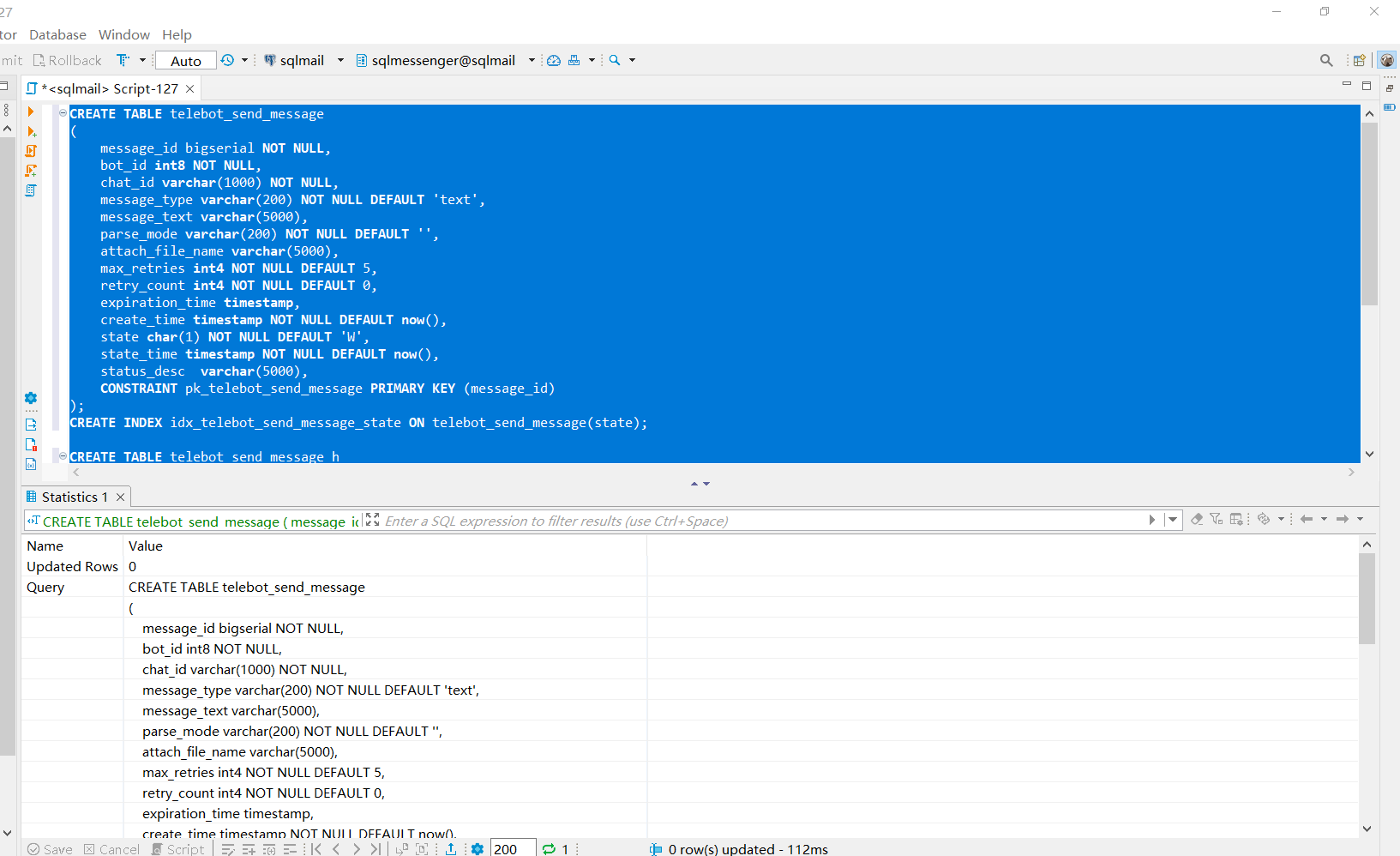
Create the interface tables in your database
Click here for more details about the interface tables.
3. Configuring Database Monitoring in SQLTelebot
After the interface tables have been created, add your database to the SQLTelebot monitoring list.
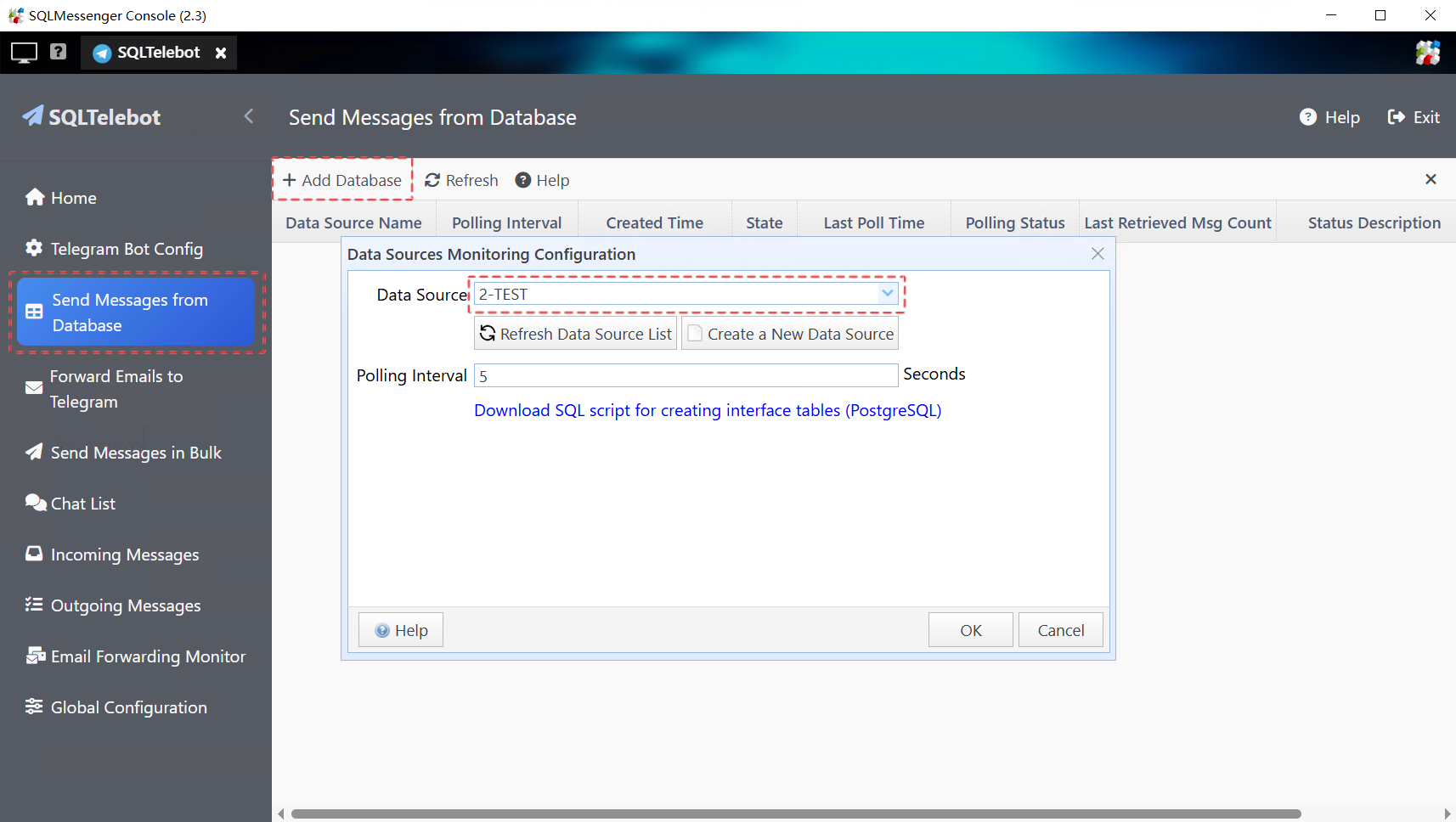
Once configured, SQLTelebot will periodically read the telebot_send_message table based on the Polling Interval setting. If new records are found, SQLTelebot will add them to the Outgoing Messages list and send them to the specified Telegram contacts.
4. Sending Telegram Messages Using SQL Statements
After SQLTelebot is properly configured, you can insert messages into the telebot_send_message table using SQL statements. SQLTelebot will send the inserted records to the corresponding Telegram recipients.
4.1 Sending Text Messages
The following SQL statement sends a text message to a Telegram group.
telebot_send_message (bot_id, chat_id, message_text)
VALUES
(
7898095120, -- Your Telegram Bot ID
'-1002546050440', -- The group Chat ID. To send messages to a channel, you can use the channel username, e.g., "@mychannel"
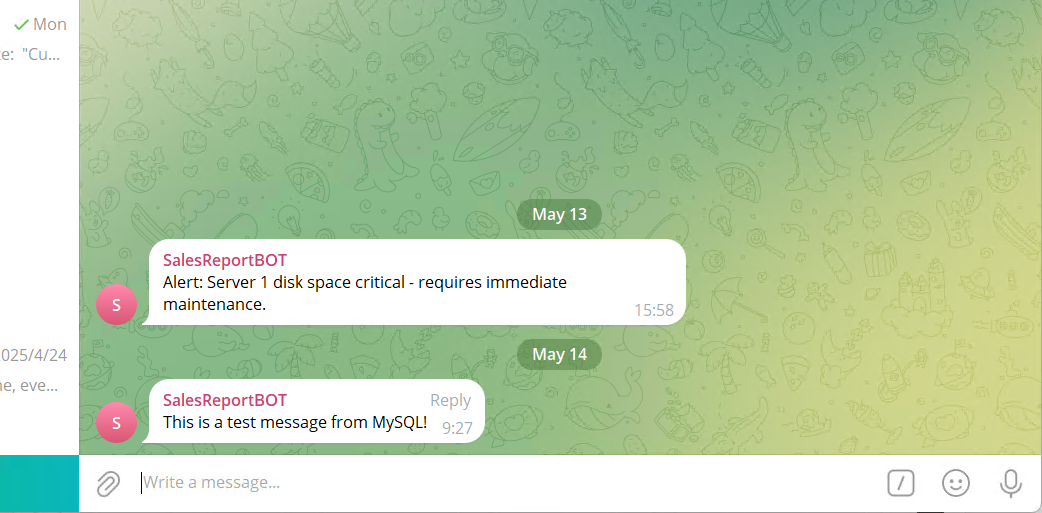
'Alert: Server 1 disk space critical - requires immediate maintenance.' -- The message content to be sent
);
Below is the message received in Telegram.
4.2 Sending Images
Note: For security reasons, any image file you plan to send must be copied in advance to the userfiles folder (or any of its subfolders) under the SQLMessenger installation directory.
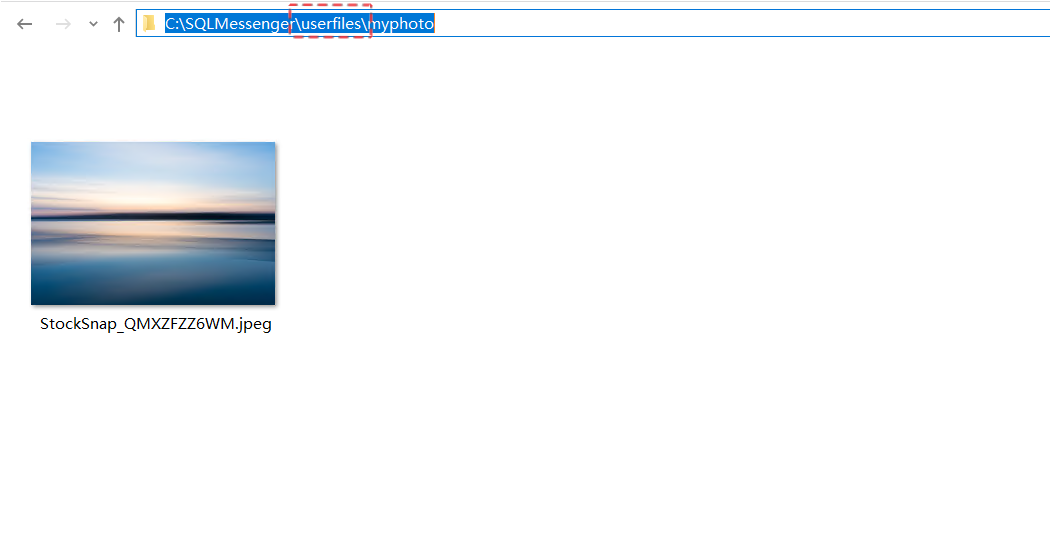
You can view the SQLMessenger installation directory in the “About” dialog.
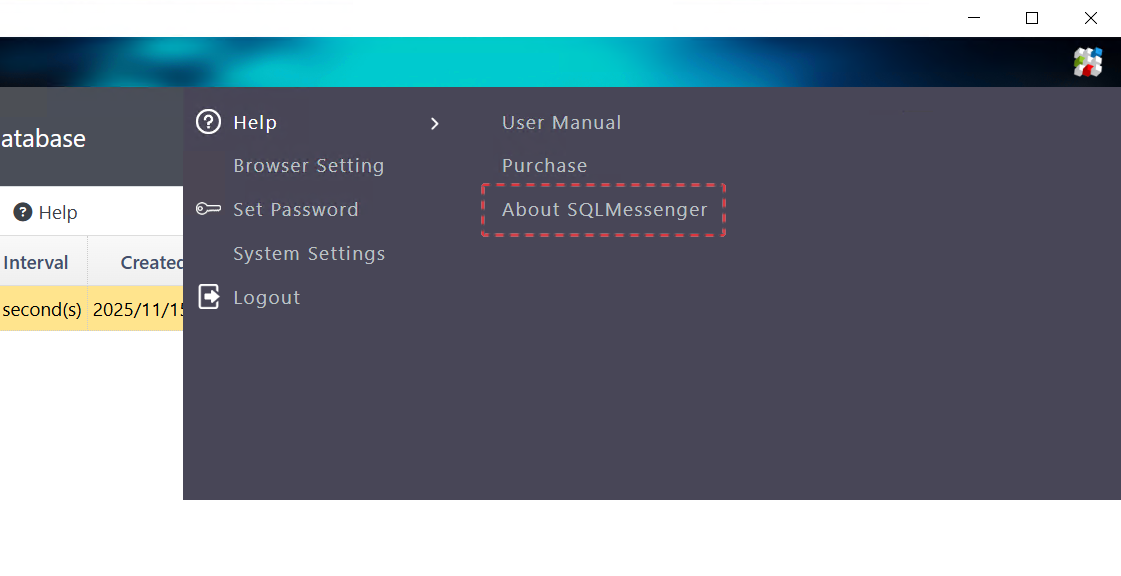
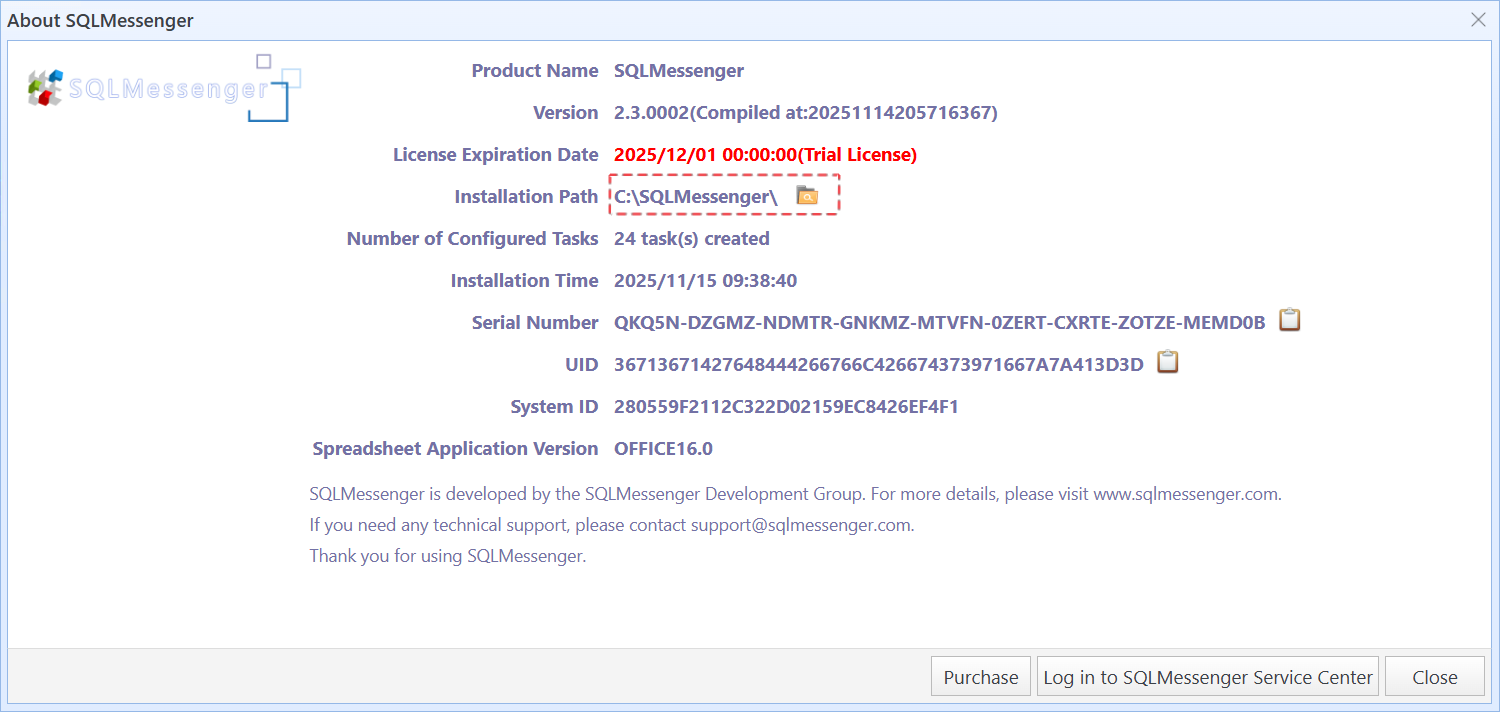
Viewing the SQLMessenger installation directory
The following SQL statement sends an image to a Telegram group. Note that the message_type field must be set to "photo", and attach_file_name must contain the full file path of the image.
(bot_id,
chat_id,
message_type,
message_text,
attach_file_name)
VALUES (
--Bot ID for sending the message. Found in "Bot Configuration".
7898095120,
--Target chat ID (private or group). Found in "Chat List". For channels, use the username (e.g., "@testchannel9012001").
--To send a message to a channel, you can enter the channel's username (including the "@" symbol) in the chat_id field, e.g., "@testchannel9012001".
'5352535507',
--Message type: Use 'document' for a file or 'photo' for an image.
'photo',
-- Optional caption displayed with the photo or file in Telegram.
'This is a photo I took during my trip in Canada',
-- The full path of the file to be sent.
'C:\SQLMessenger\userfiles\myphoto\StockSnap_QMXZFZZ6WM.jpeg' );
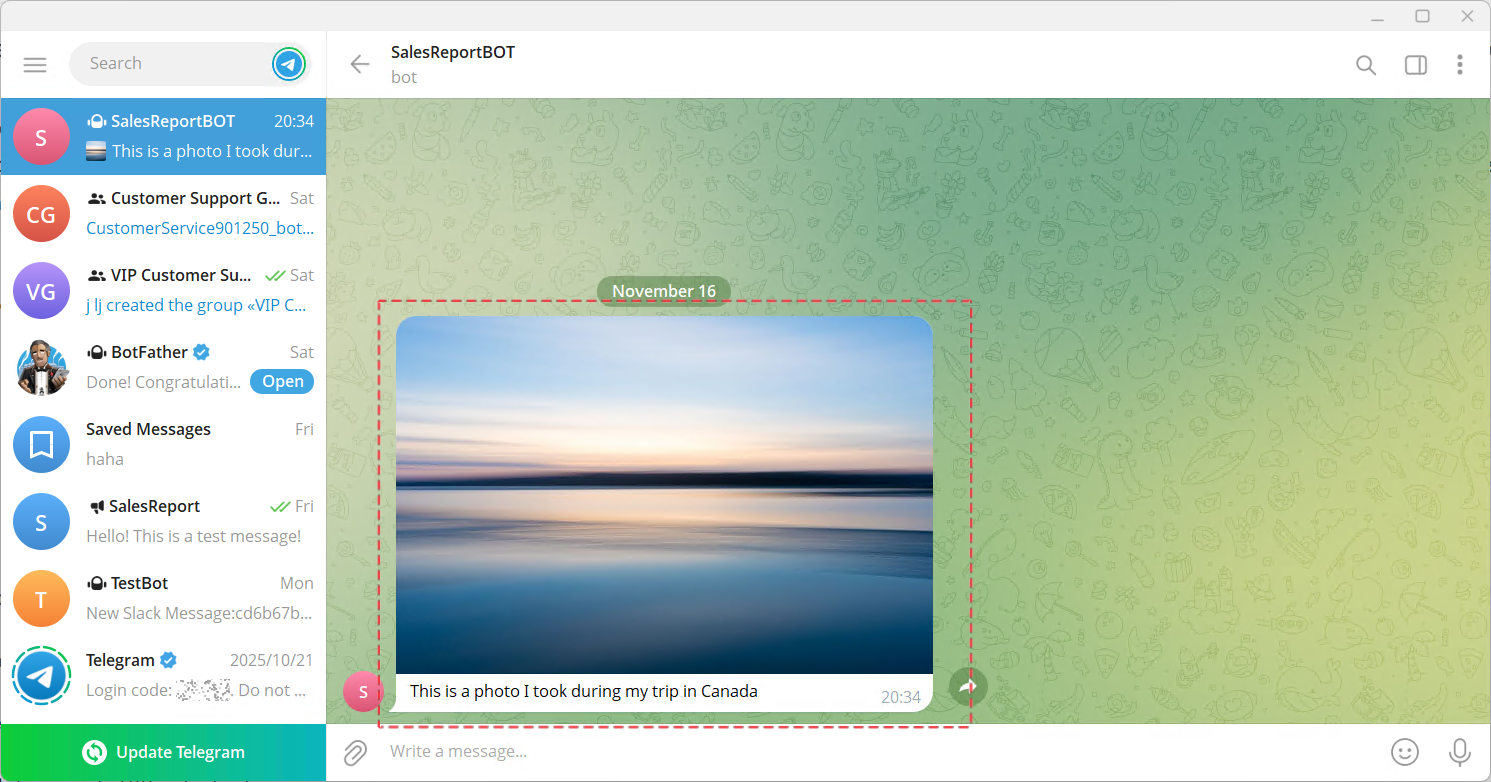
The photo received in Telegram
4.3 Sending Files
The following SQL statement sends a file to a Telegram group. Note that the message_type field must be set to "document", and attach_file_name must contain the full file path of the file. (As with images, the file must first be copied to the userfiles folder under the SQLMessenger installation directory or one of its subfolders.)
(bot_id,
chat_id,
message_type,
message_text,
attach_file_name)
VALUES (
--Bot ID for sending the message. Found in "Bot Configuration".
7898095120,
--Target chat ID (private or group). Found in "Chat List". For channels, use the username (e.g., "@testchannel9012001").
--To send a message to a channel, you can enter the channel's username (including the "@" symbol) in the chat_id field, e.g., "@testchannel9012001".
'5352535507',
--Message type: Use 'document' for a file or 'photo' for an image.
'document',
-- Optional caption displayed with the photo or file in Telegram.
'This is the sales performance report for Emma for November 2025.',
-- The full path of the file to be sent.
'C:\SQLMessenger\userfiles\report202511(Emma).xlsx' );
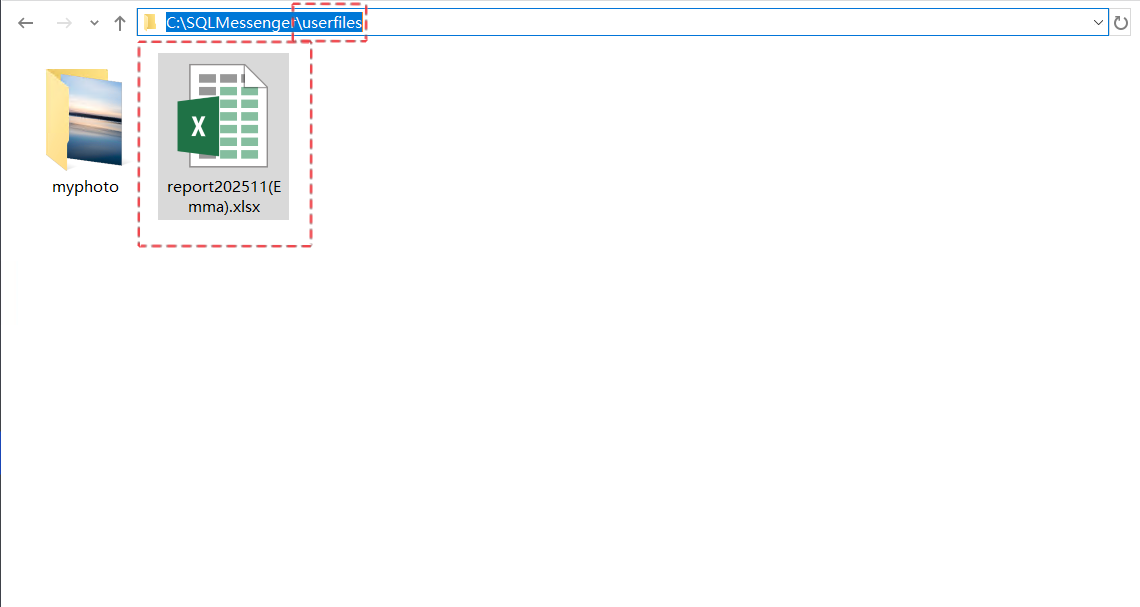
The file must be placed in the userfiles folder under the SQLMessenger installation directory
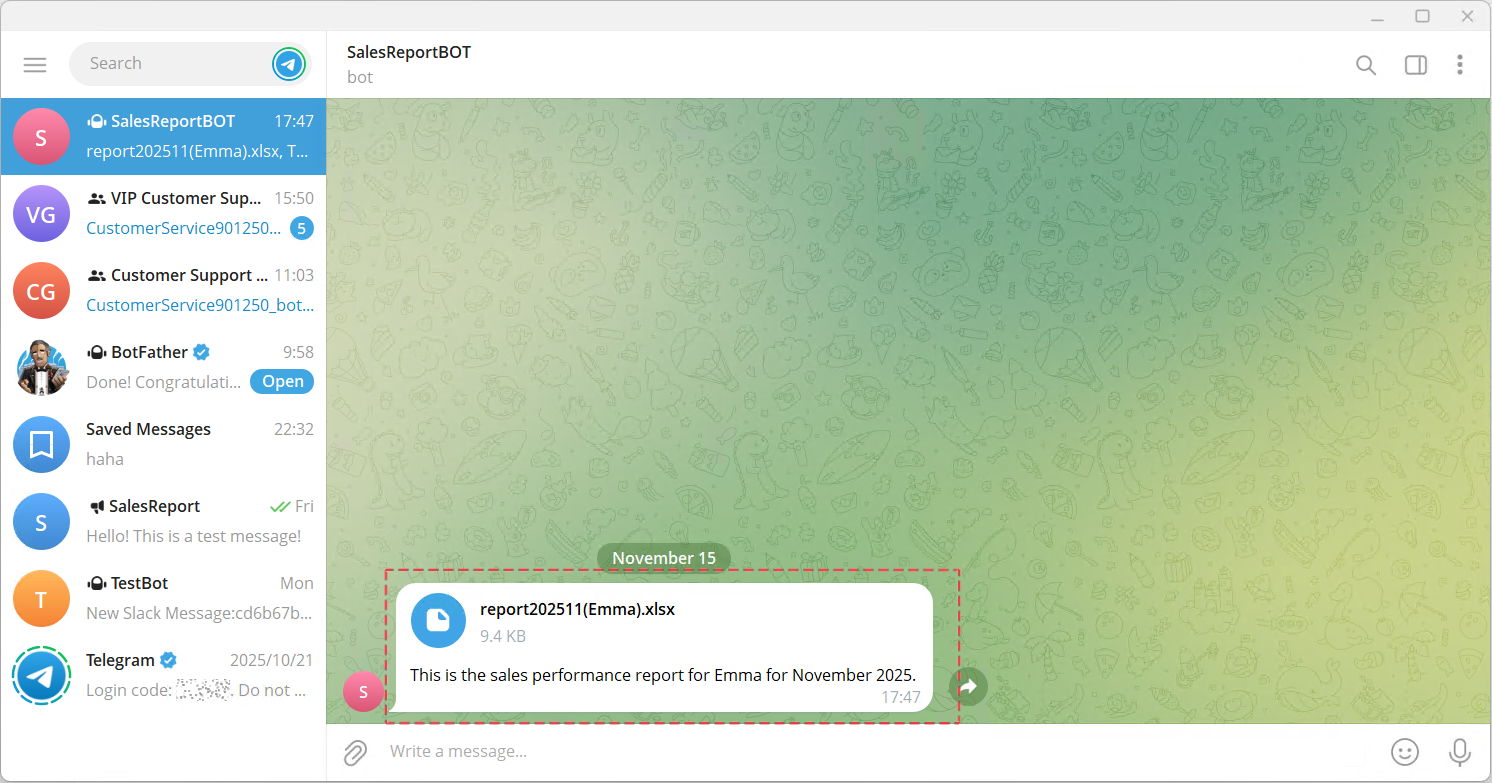
The file received in Telegram
4.4 Tracking Message Delivery Status
After SQLTelebot sends a message, it updates the state field in table telebot_send_message , and then moves the message record from telebot_send_message to telebot_send_message_h.
You can check the delivery result by querying the state and status_desc fields in the telebot_send_message_h table. For example:
status_desc
FROM telebot_send_message_h
WHERE message_id = YourMessageID;
The state field indicates the message delivery status. Possible values include:
|
W |
Waiting to be processed. SQLTelebot has not yet read this record. |
|
T |
SQLTelebot has read this record and is currently processing it. |
|
F |
Failed to send. The status_desc field contains the reason for the failure. |
For detailed information about telebot_send_message and telebot_send_message_h, please visit: https://www.sqlmessenger.com/manual/plugin-2-interface-table-config.htm#part4
5. Technical Support
If you run into any issues while using SQLTelebot, feel free to contact us for technical support.
More Use Cases
SQLMessenger can also be used to automate a variety of tasks. Here are some examples:
From Manual to Automated: Improving Report Workflow with SQLMessenger
From Hours of Manual Work to One-Click Reports
Automating Data Workflows with SQLMessenger
From 90 Minutes of Manual Work to One Click: How SQLMessenger Transformed Employee’s Workflow
Automated Email List Cleanup with SQLMessenger and Gemini AI
Transforming Manual Alert Management into an Automated Workflow