“With SQLMessenger, I don’t have to spend two hours every day just managing emails and spreadsheets.”
— Emily Carter, Data Coordinator
Emily is a data coordinator at a mid-sized company. Every day, her colleagues send her data via email, usually in the form of spreadsheet attachments. Previously, she used to manually download each attachment, import the data into the company’s database, and reply to each sender with a message like:
“Your email has been received. XX records have been successfully imported.”
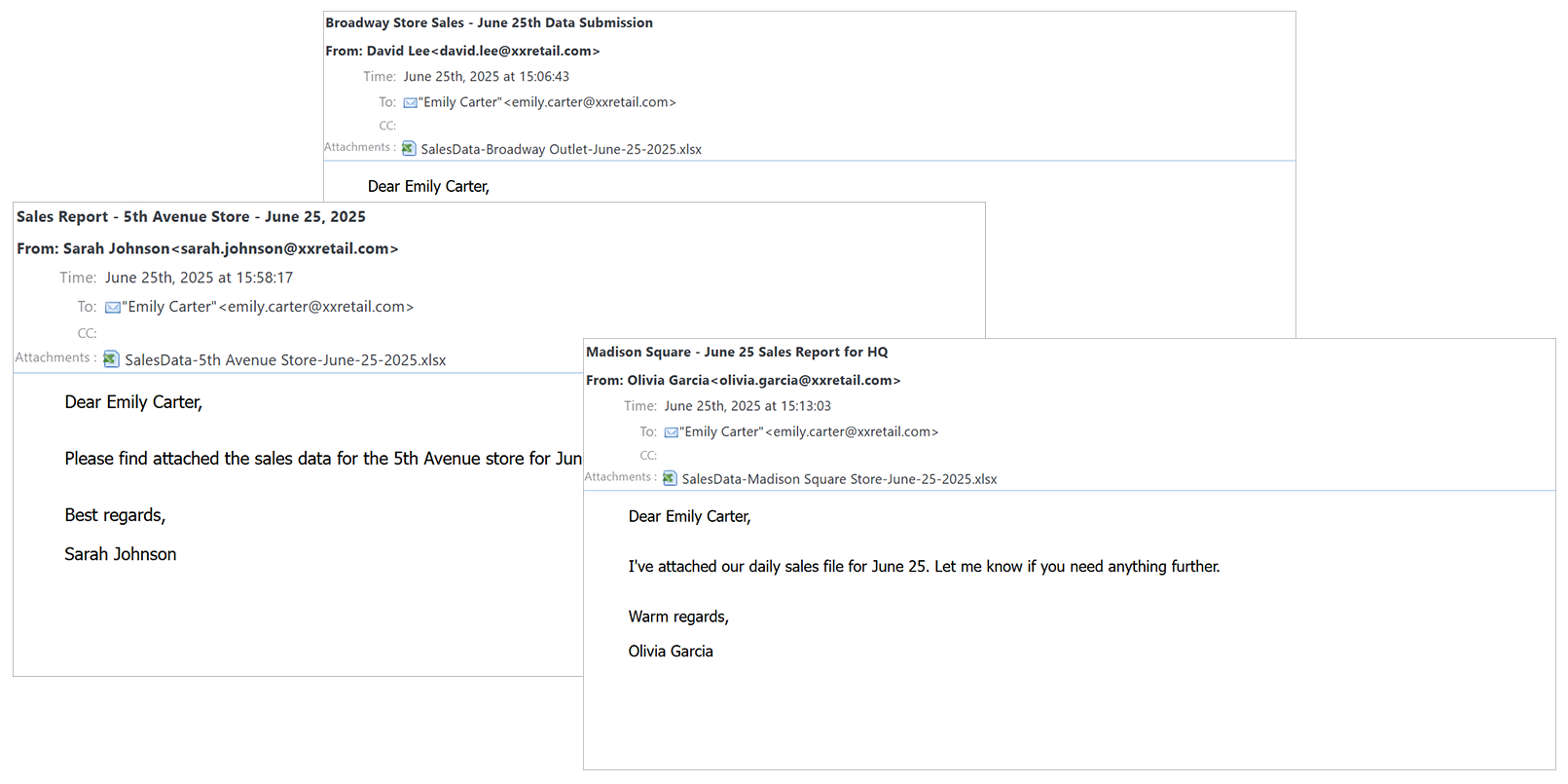
Emails containing spreadsheets to be processed
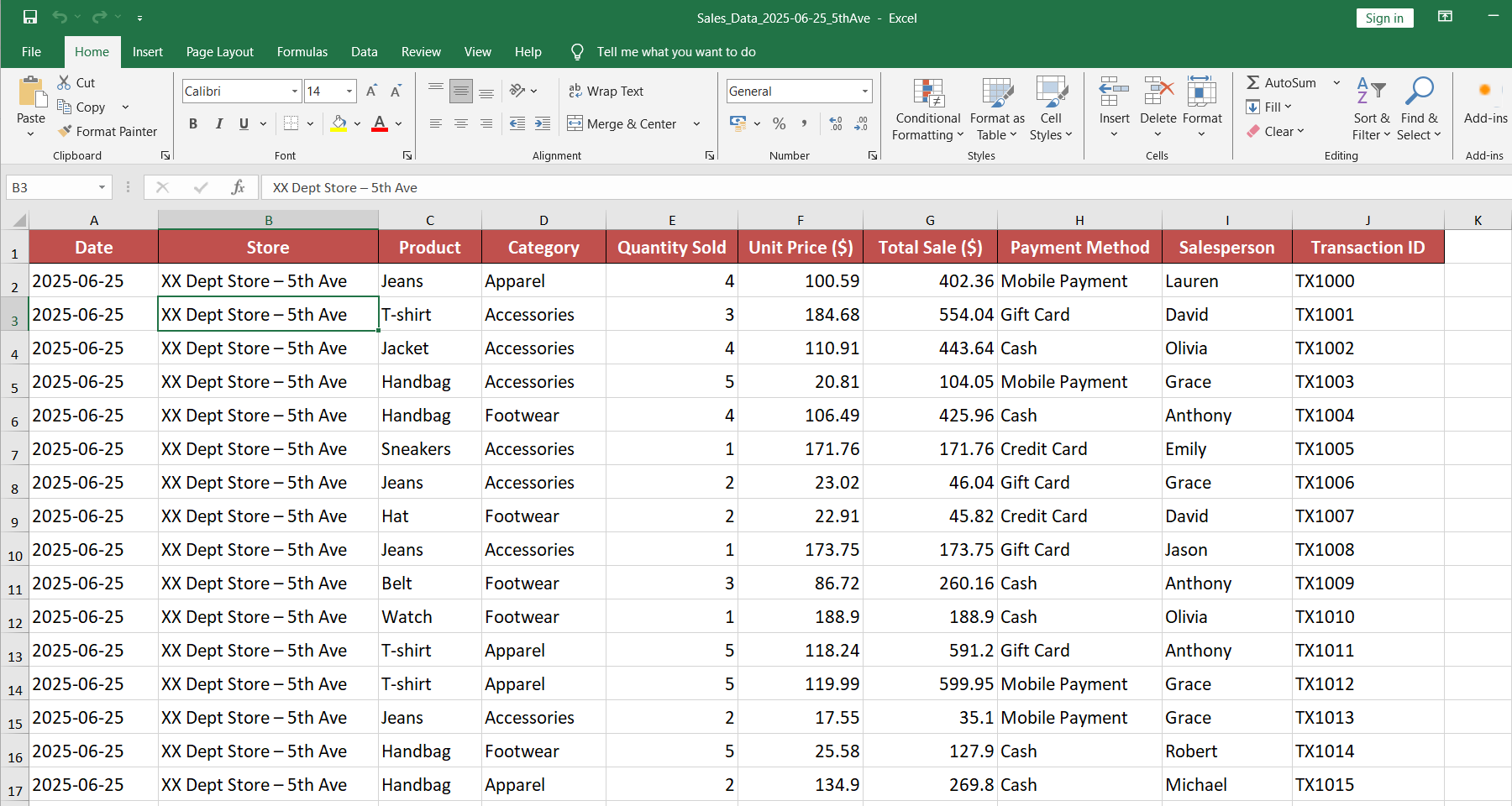
Spreadsheet attachment containing data to be processed
To make the process more efficient and standardized, Emily posted on Reddit seeking help to find an easy-to-deploy automation tool to handle this data workflow. After seeing her post, the SQLMessenger team quickly designed a customized solution for her.
Now, Emily has implemented the following automated workflow using SQLMessenger:
- The system automatically receives emails from designated senders and detects attachments in spreadsheet format.
- The data from each spreadsheet is imported directly into the target database table—no manual steps required.
- During the import, SQLMessenger checks the data according to rules set by Emily. If any errors are found, the import process is halted, and an email is sent back to the sender indicating which rows contain errors and requesting corrections before resubmission.
- After the import, SQLMessenger automatically sends a confirmation email back to the original sender. For example:
“Your email has been received. 125 records have been successfully imported.”
From email intake to database insertion to confirmation replies, the entire process is now handled automatically.
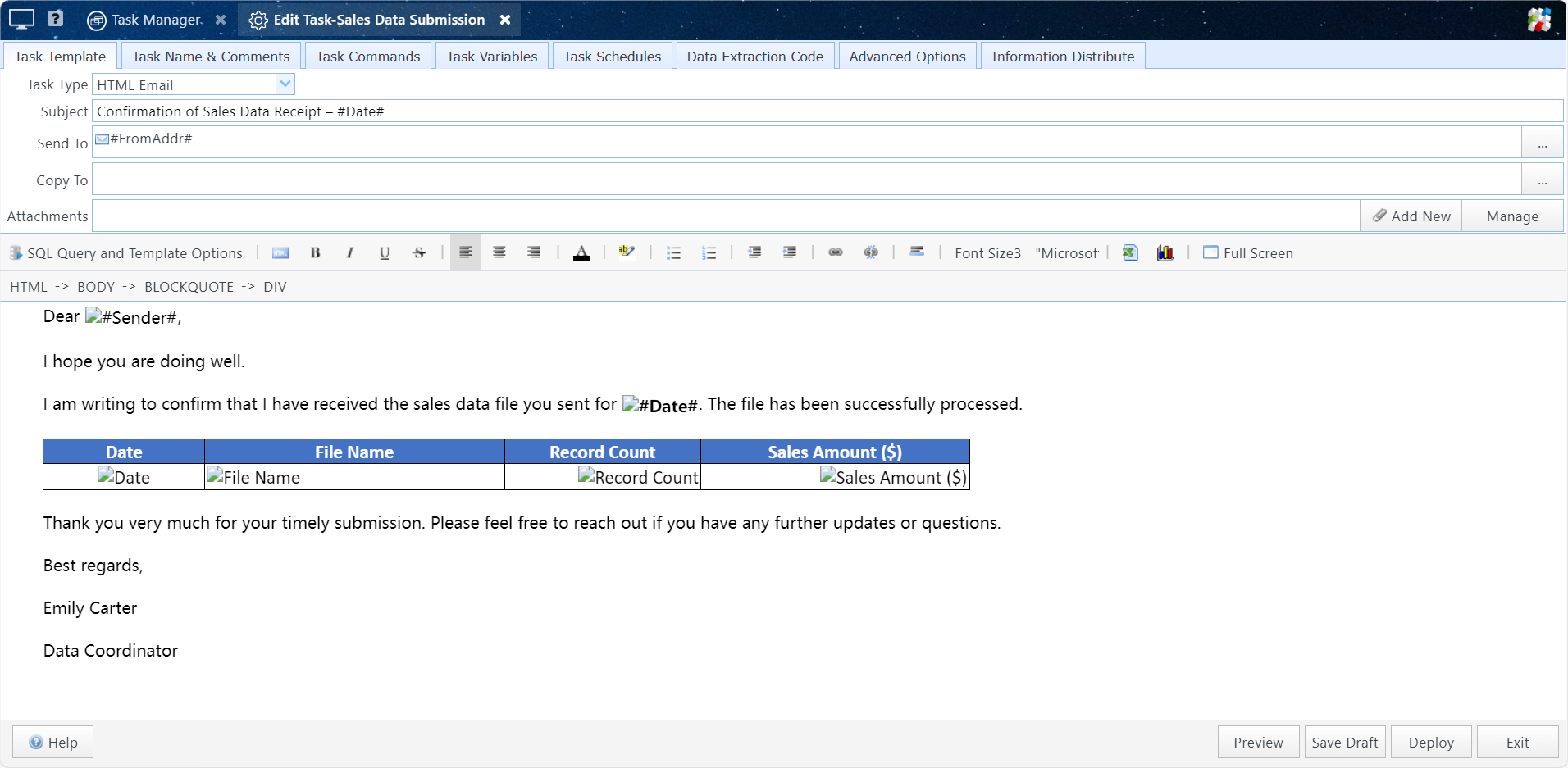
Automated email processing task configured for Emily by the SQLMessenger team
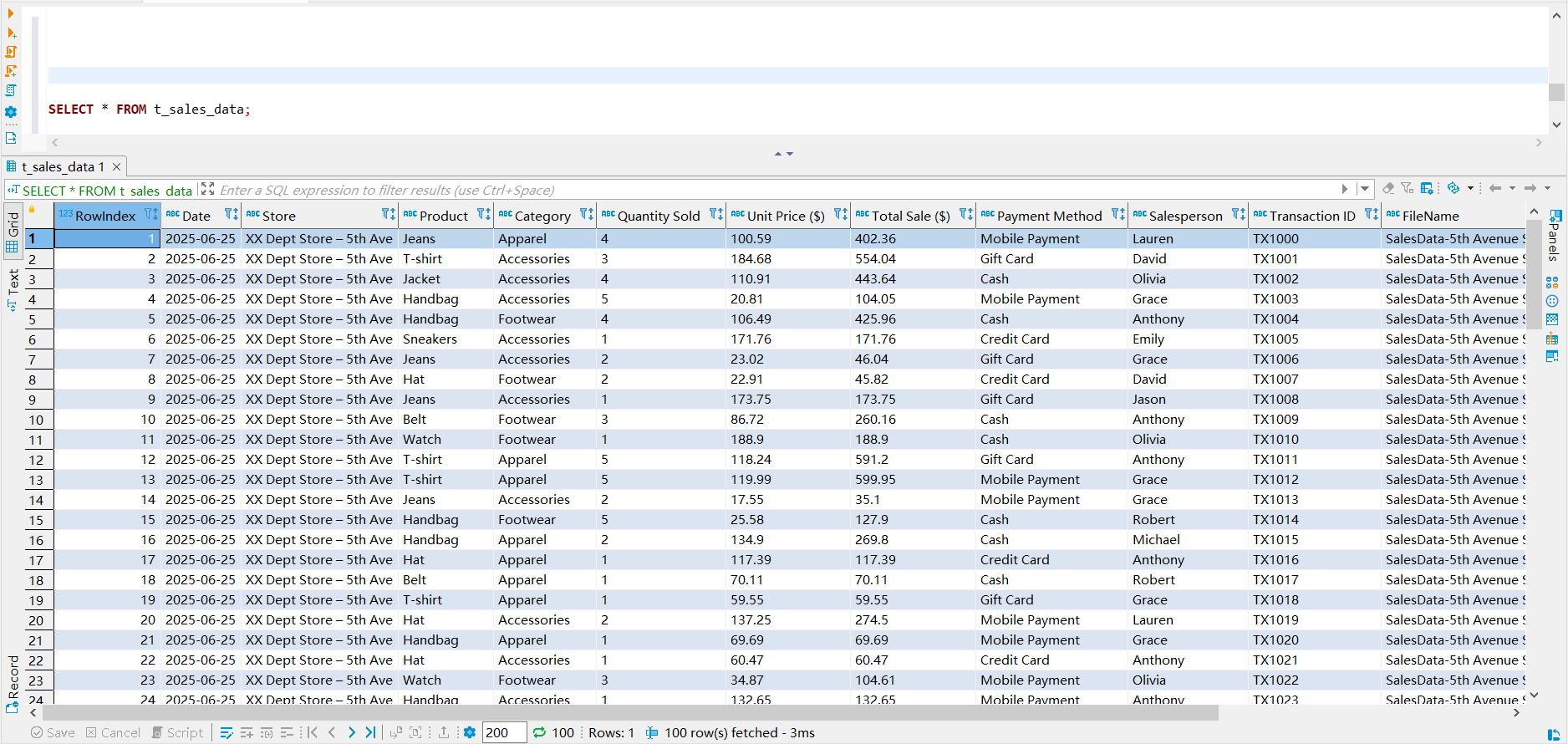
Sales data imported into the database
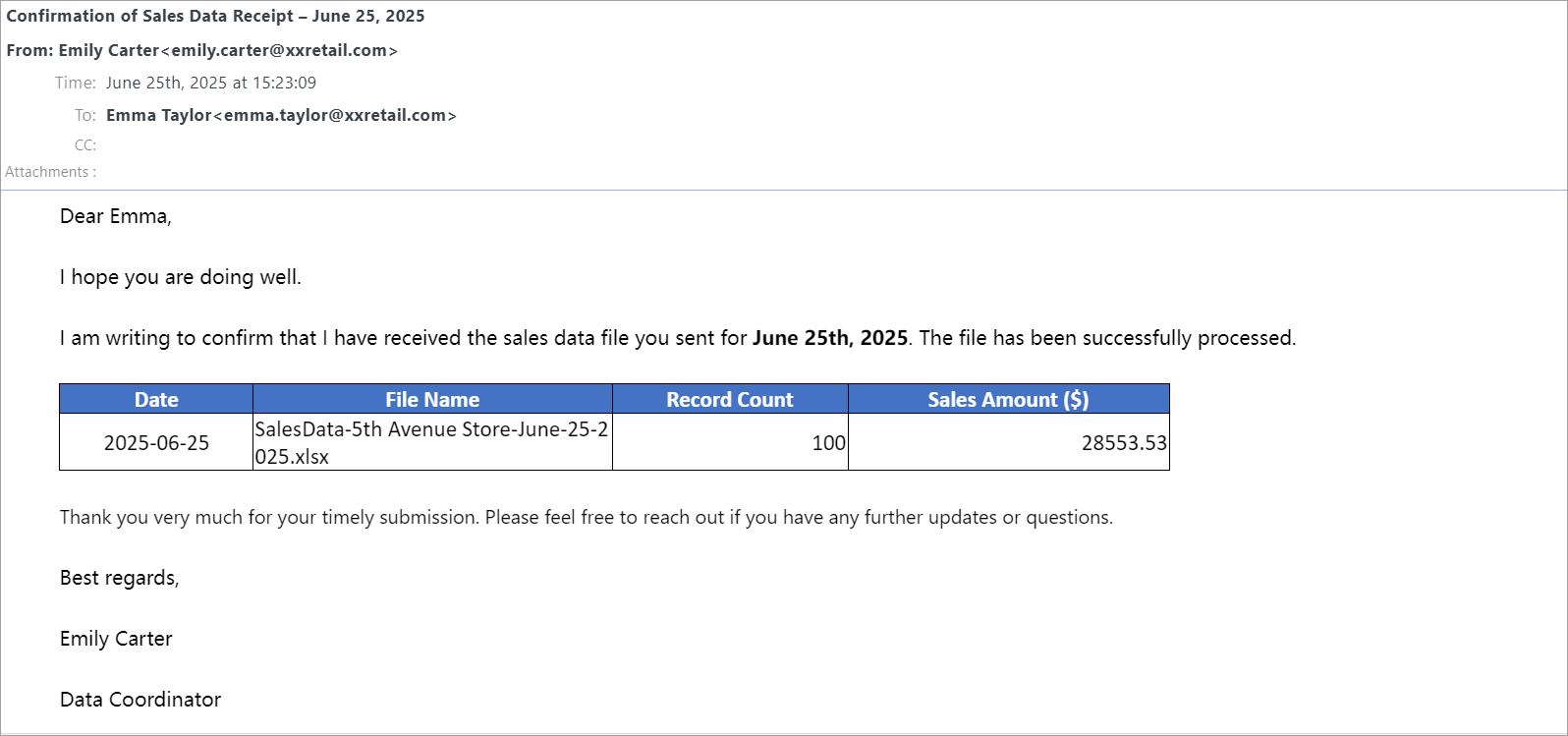
Automatic confirmation email sent to the original sender after processing
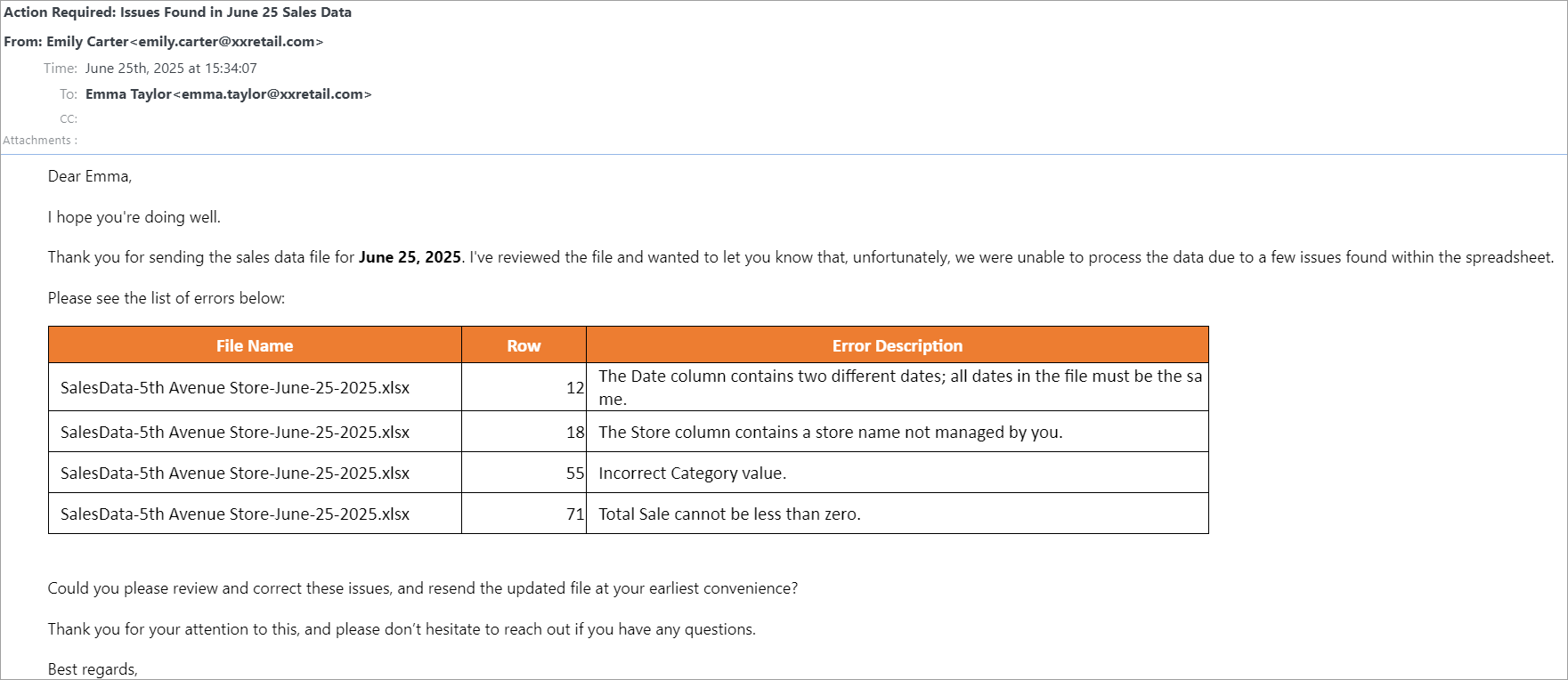
Automatic error notification email sent to the sender when data issues are detected
With SQLMessenger, Emily’s data operations are more automated, more consistent, and more professional.
Are you struggling with data workflows like Emily? Contact us today and we’ll design a customized solution for you — free of charge.
Email: support@sqlmessenger.com