Lily Summers is a teaching assistant at a college. Recently, she’s been struggling with a time-consuming task.
She shared her daily struggle on Reddit:
Hi friends,
Until two months ago, I never imagined I’d spend so much time in an Excel spreadsheet… Now I need some help.
Here’s my daily workflow — please guide me step by step on what I should do next.
My morning routine: I receive an Excel file that includes student names in column A, some additional information in columns B to J, and instructor names in column K. I need to sort 250 rows of absent students by instructor name.
After that, I take a screenshot (using Snip Tool) of the sorted list and paste it into an email. I also paste in a standard message into the body of the email. I add the instructor’s name to the message, CC a few others in the organization, and send the email.
I repeat this over 40 times.
Friends, this process takes me about an hour and a half every day.
I’ve looked online, but most tutorials only show how to send one row of data per email — not how to include multiple rows (i.e., multiple students) in one message.
And yes, the list must be sent as an image — that part isn’t up to me.
I appreciate any advice or helpful links you can share. Thank you!
The SQLMessenger team designed an automated solution tailored to her workflow.
With this solution, Lily simply imports the student list into SQLMessenger each day. The system automatically categorizes and sorts the students, converts the list into an image, and generates draft emails.
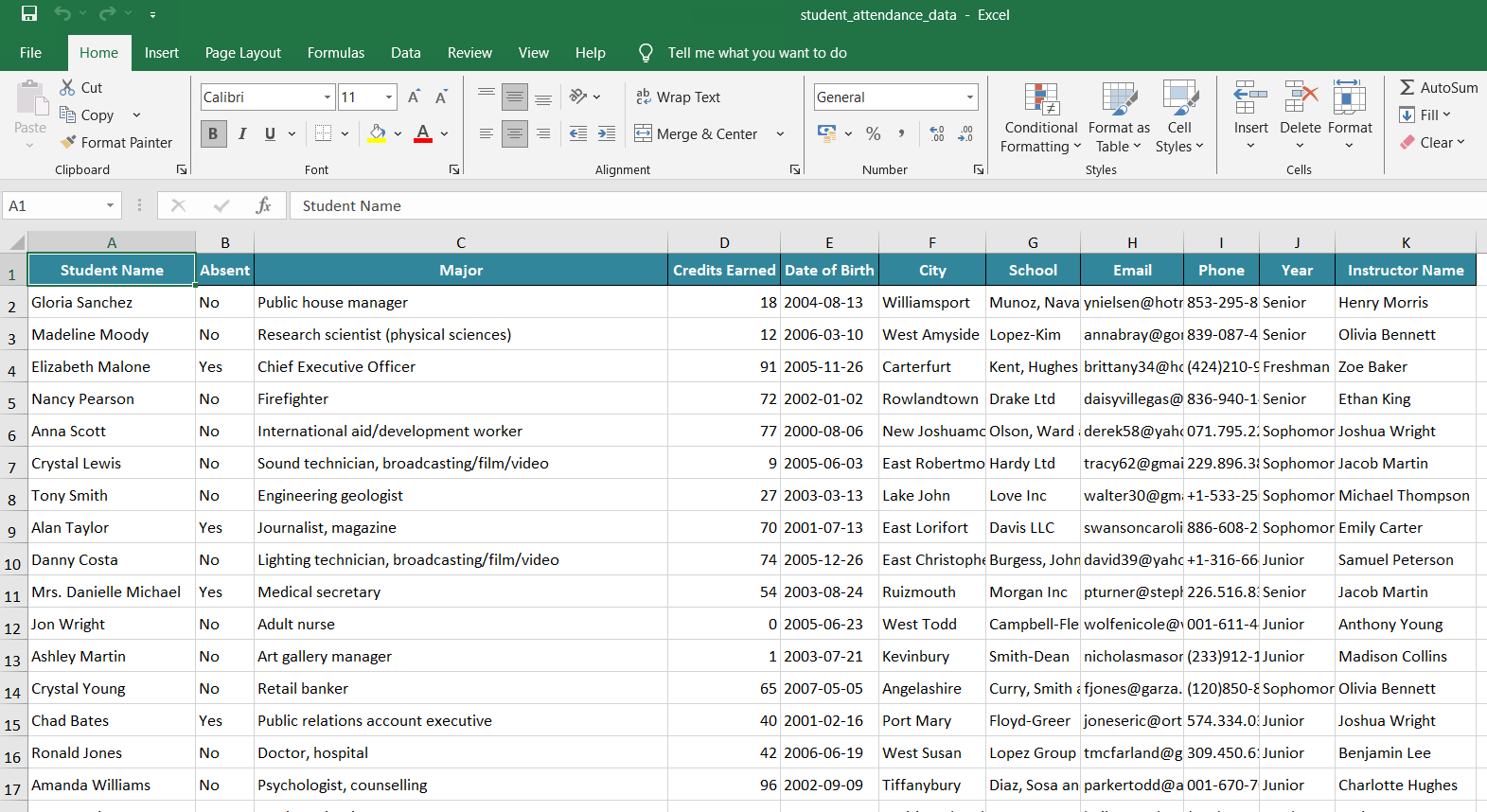
Daily student attendance sheet received by Lily(sample data)
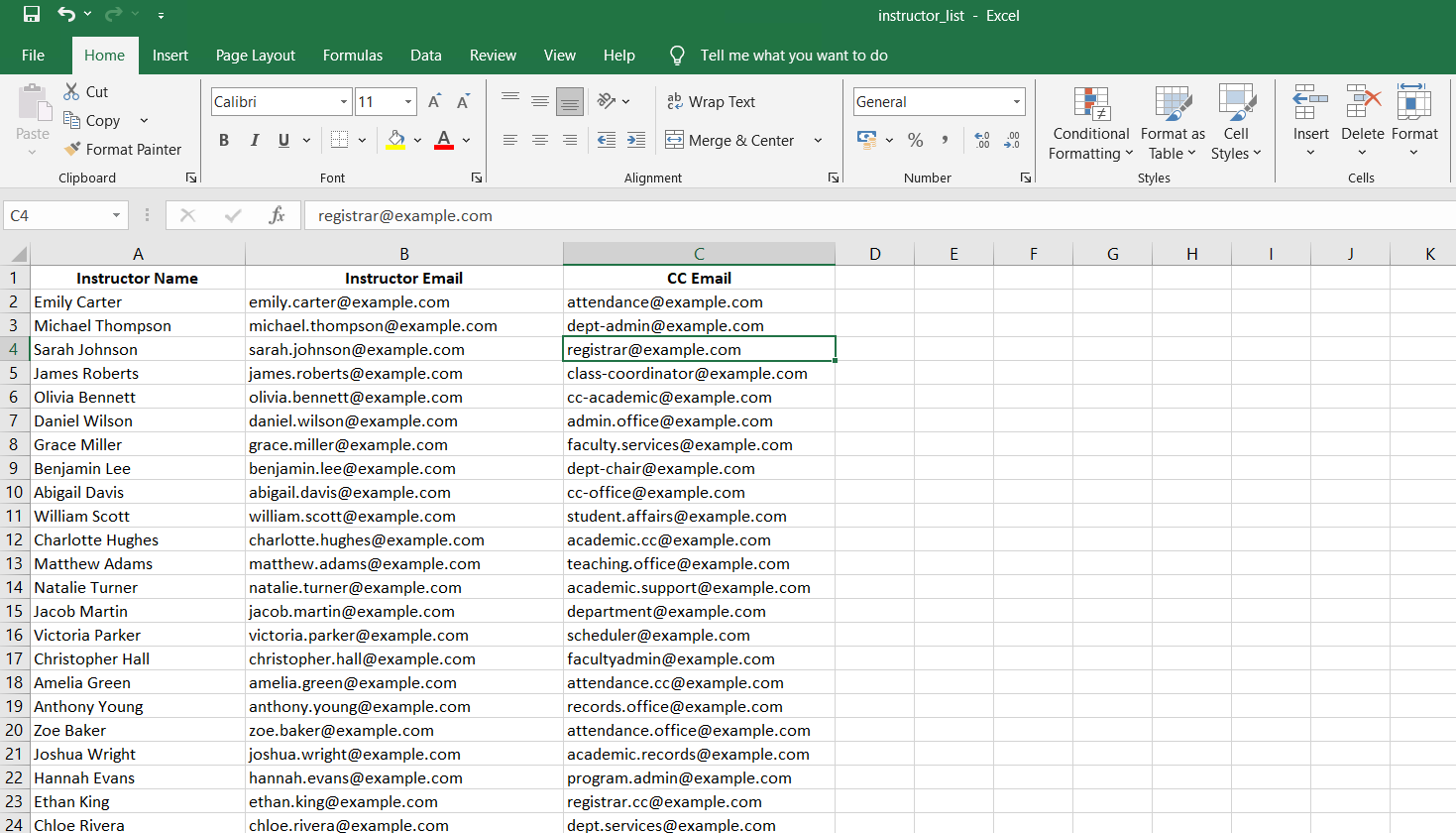
Instructor list(sample data)
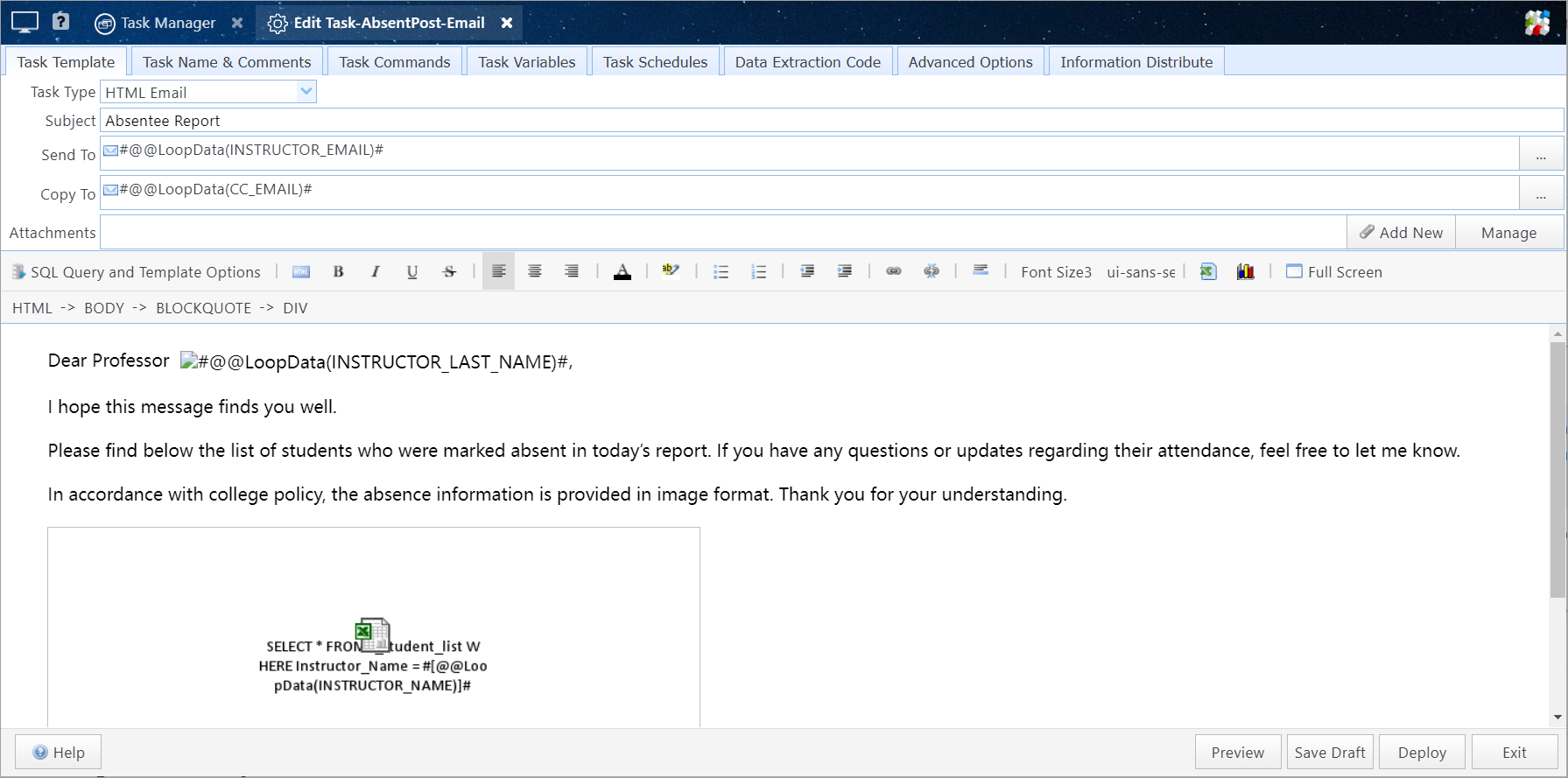
Email task configured for Lily by the SQLMessenger team
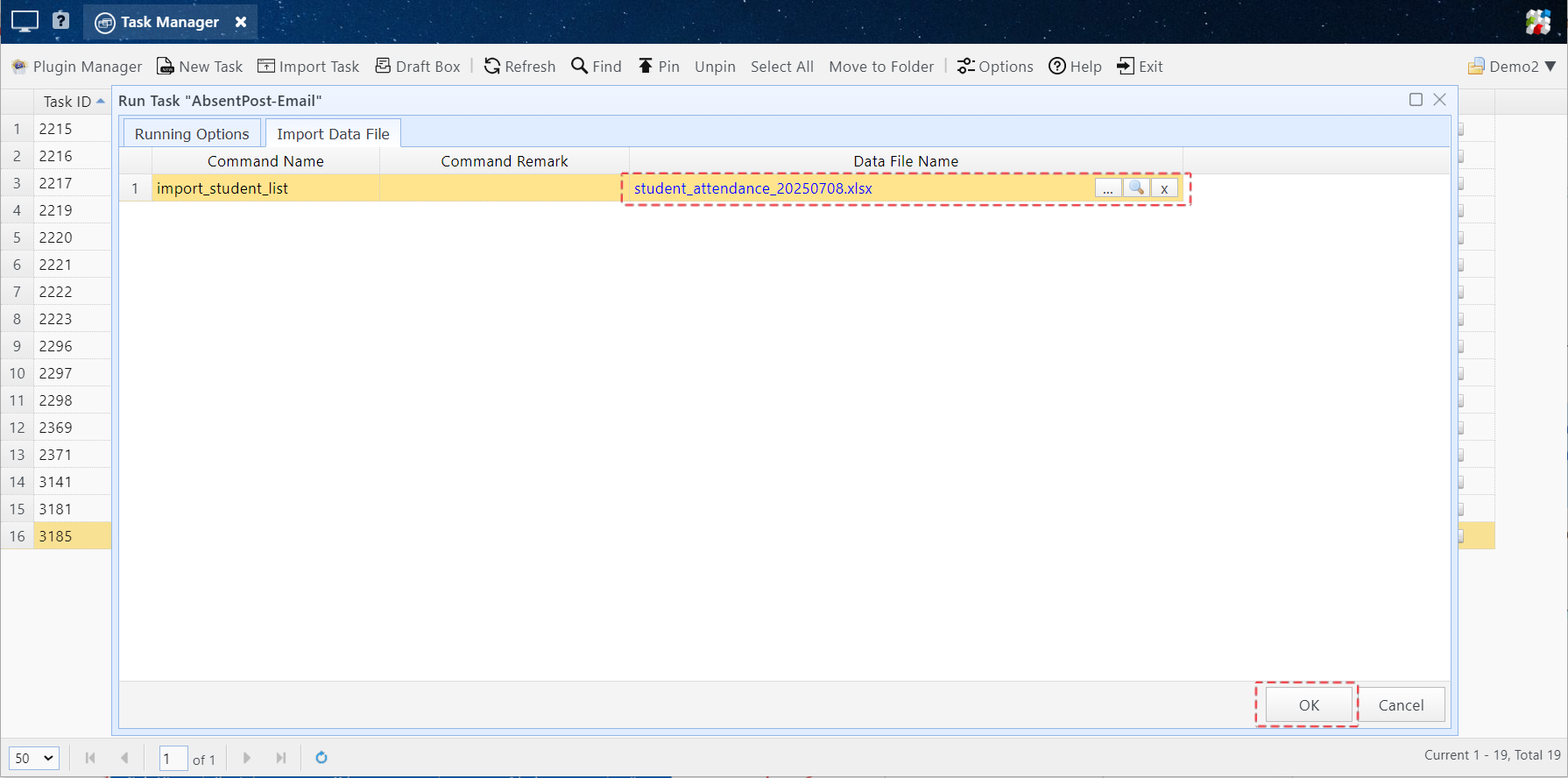
Lily imports student data and executes the task in SQLMessenger
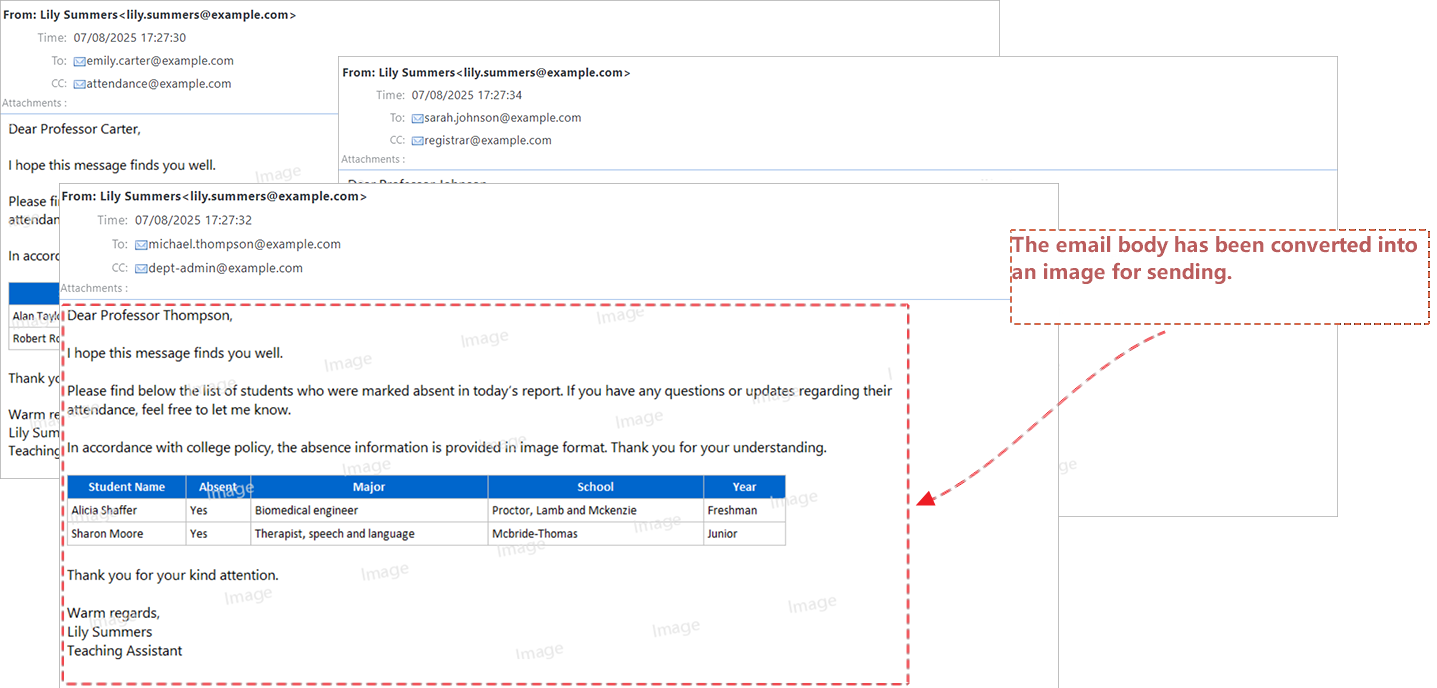
Emails generated by the task (email bodies sent as images)
Lily only needs to review the emails automatically created by SQLMessenger and click “Approve.” Then SQLMessenger sends personalized emails to each instructor, including the image and message.
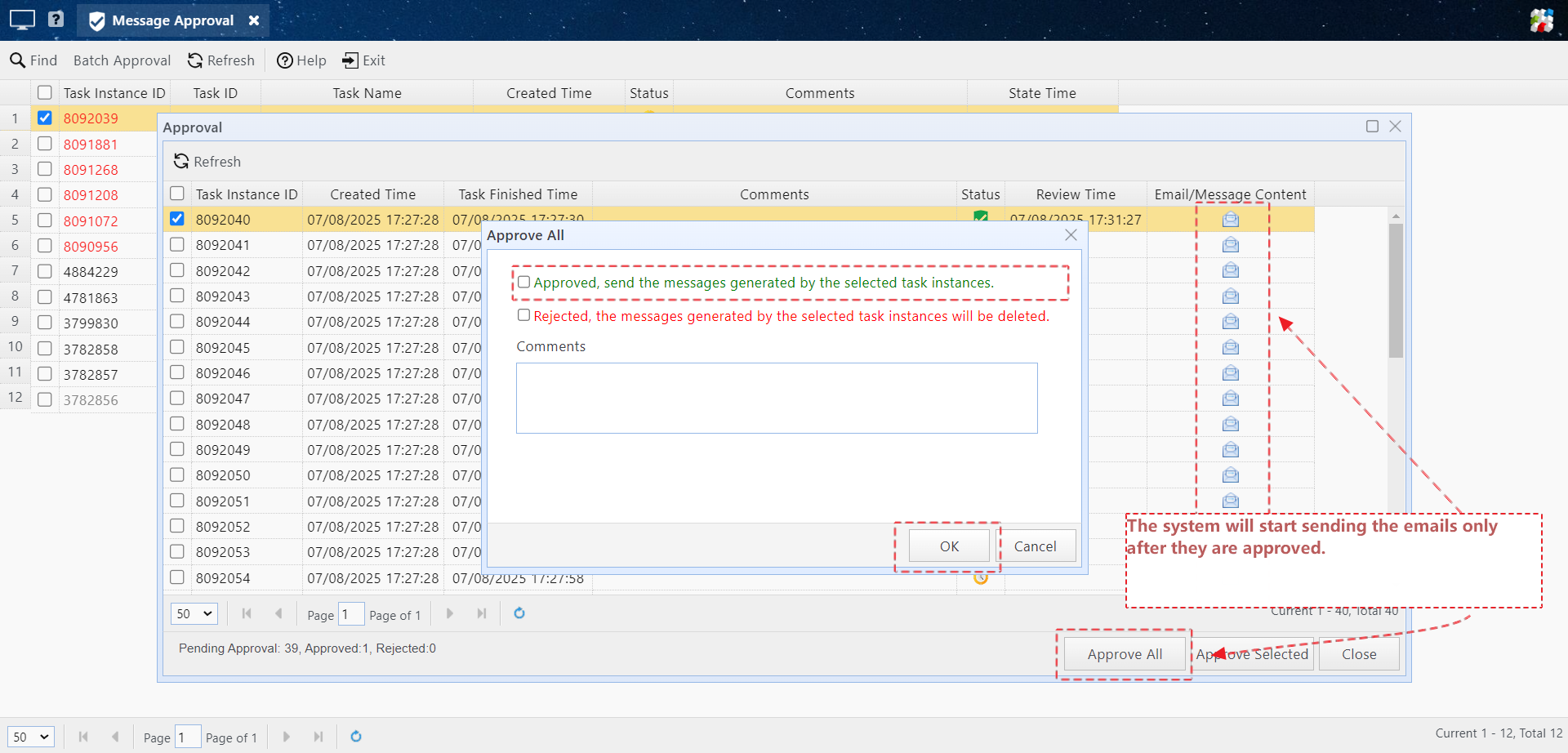
After Lily approves in the interface, the system begins sending the generated emails
What used to take 90 minutes now takes just 5 — all with a single click.
Are you facing a similar issue? Contact us — we’d be happy to create a solution that works for you.
Email: support@sqlmessenger.com