Sophia works at a tech company. She recently received a new work assignment.
This task takes up a significant amount of her time every day, so she posted a request for help on Reddit:
Hi,
We receive various alert emails from our systems every day, such as long-running database queries, high CPU usage, low disk space, and so on.
After a colleague handles an alert, they send me a notification email.
At the end of each day, I collect all these emails, summarize the data into an Excel sheet, fill in the resolution details, and then send the file to each team lead and department head.
Is there a way to automate this task—so the Excel file is filled in automatically at a set time?
This is the alert email I received:
Subject: Database Alert – ID #ALRT-20250709-0832
This is an automated alert from the database monitoring system.
Alert ID: ALRT-20250709-0832
Server: Server01
Alert Time: 2025-07-09 08:32:45
Alert Type: Long-running Query
Description: Query ran longer than 2 hours
Please review and take necessary action.
This is the email my colleague sent me after resolving the alert:
Subject: Re: Database Alert – ID #ALRT-20250709-0832
Hi,
The issue has been addressed. Please see the attached Excel file for detailed handling records.
Best regards,
[Original Alert]
This is an automated alert from the database monitoring system.
Alert ID: ALRT-20250709-0832
Server: Server01
Alert Time: 2025-07-09 08:32:45
Alert Type: Long-running Query
Description: Query ran longer than 2 hours
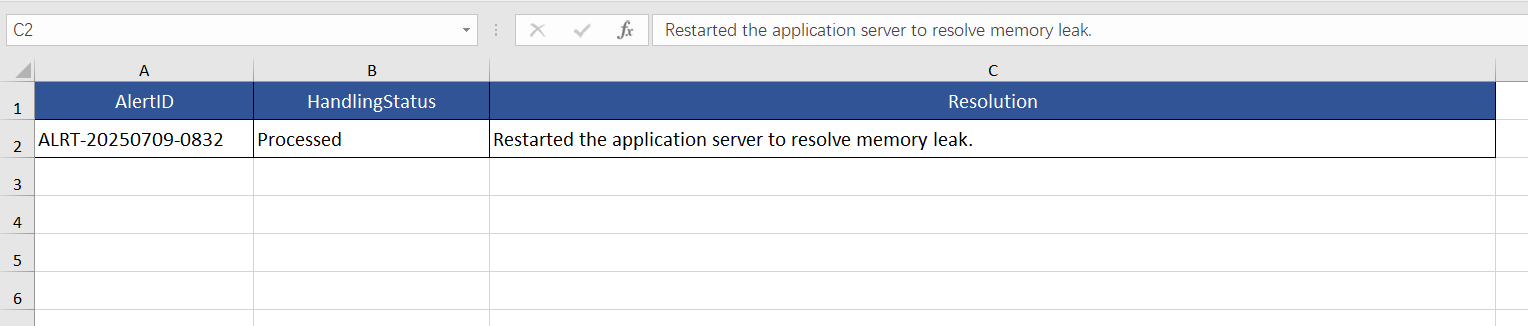
Alert handling details (Excel file) sent by the alert handler
The SQLMessenger team created a custom plugin for Sophia based on her needs. This plugin automatically collects the daily alert emails and organizes them into an Excel spreadsheet.
When a resolution email is received, SQLMessenger automatically fills in the corresponding resolution details in the spreadsheet.
At the end of the workday, Sophia exports the full alert list from SQLMessenger to review and verify.
After reviewing, she uses SQLMessenger to automatically distribute the finalized Excel file to each team lead and department head.
SQLMessenger can even send reminder emails to Sophia and the responsible team member before an alert passes its resolution time limit.
All of this works out of the box—Sophia doesn’t need to configure any tasks herself. The SQLMessenger team has already taken care of every detail for her.
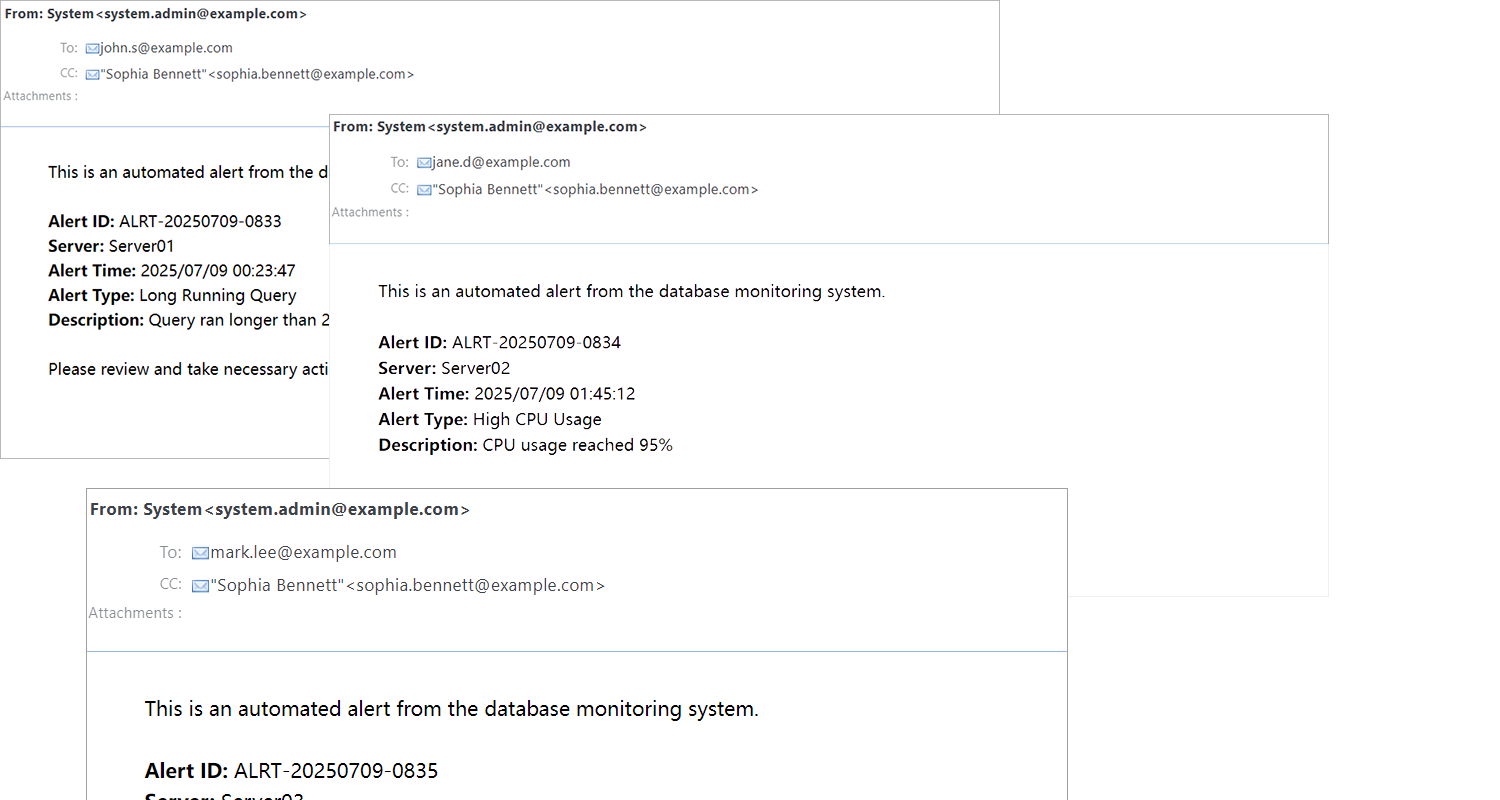
The alert emails that Sophia receives daily
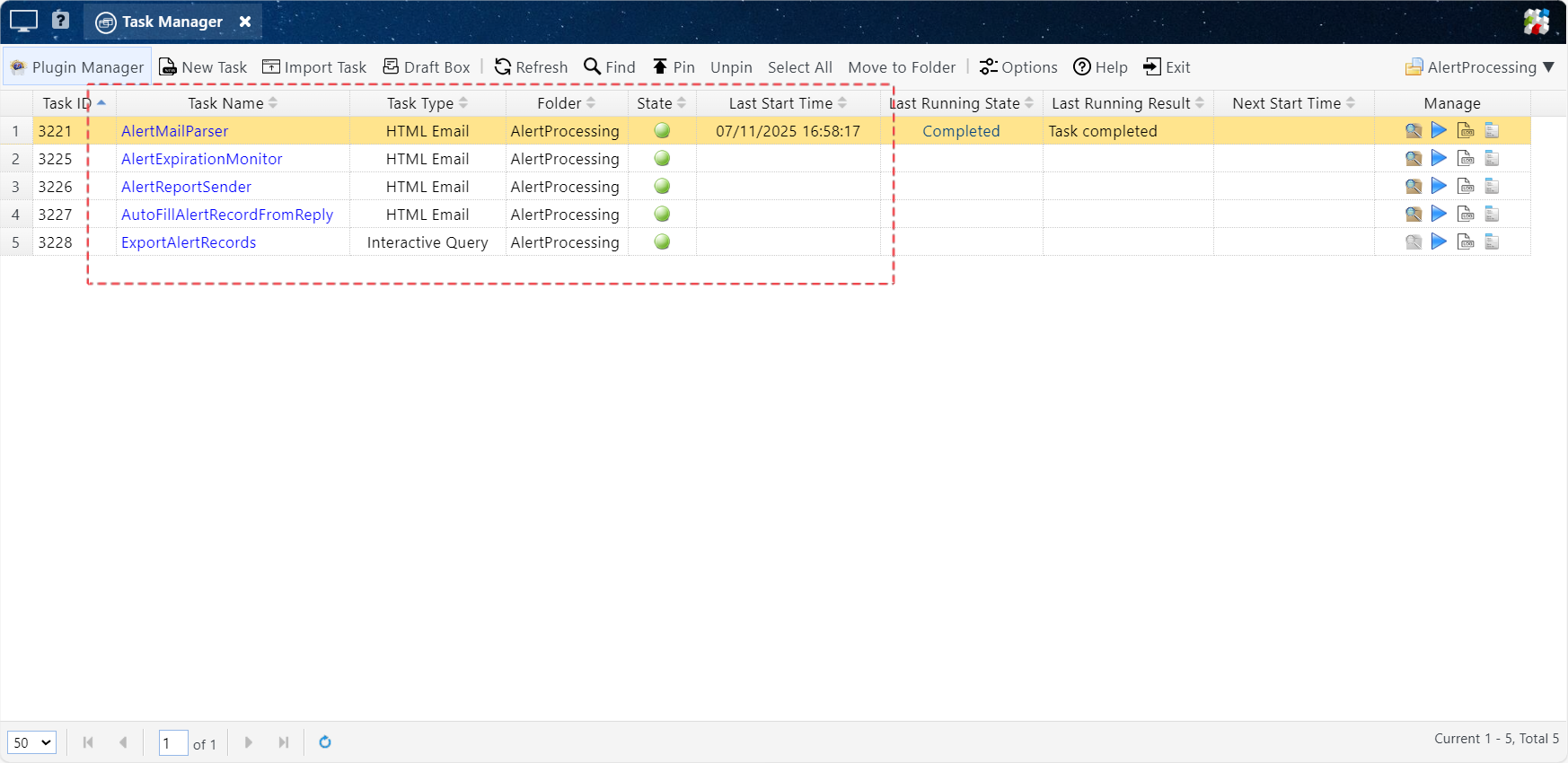
The automated tasks configured for Sophia by the SQLMessenger team
The functions of each task are as follows:
|
AlertMailParser |
Automated task |
Used to populate the alert table with alert information upon receiving an alert email. |
|
AlertExpirationMonitor |
Automated task |
Monitors the processing status of alerts. If an alert is about to time out without being handled, SQLMessenger automatically sends reminder emails to relevant personnel. |
|
AutoFillAlertRecordFromReply |
Automated task |
Updates the alert table with handling details upon receiving an "Alert Resolution Completed" email from the colleague who processed the alert. |
|
ExportAlertRecords |
Manually run by Sophia |
Sophia runs this task daily to export the day’s alert list as an Excel file for verification. |
|
AlertReportSender |
Manually run by Sophia |
After verifying the alert handling table each day, Sophia runs this task to send the alert report to the department head and each team leader. |
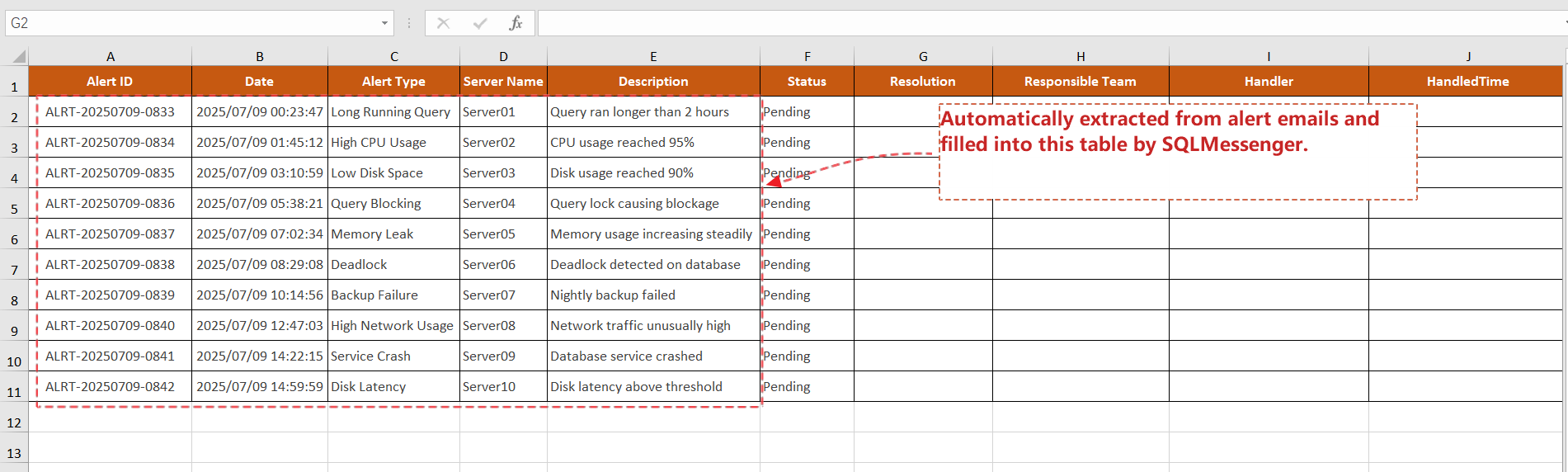
SQLMessenger organizes the alert emails into an Excel spreadsheet and tracks the handling status via email

SQLMessenger automatically sends reminder emails to relevant colleagues when an alert is about to time out
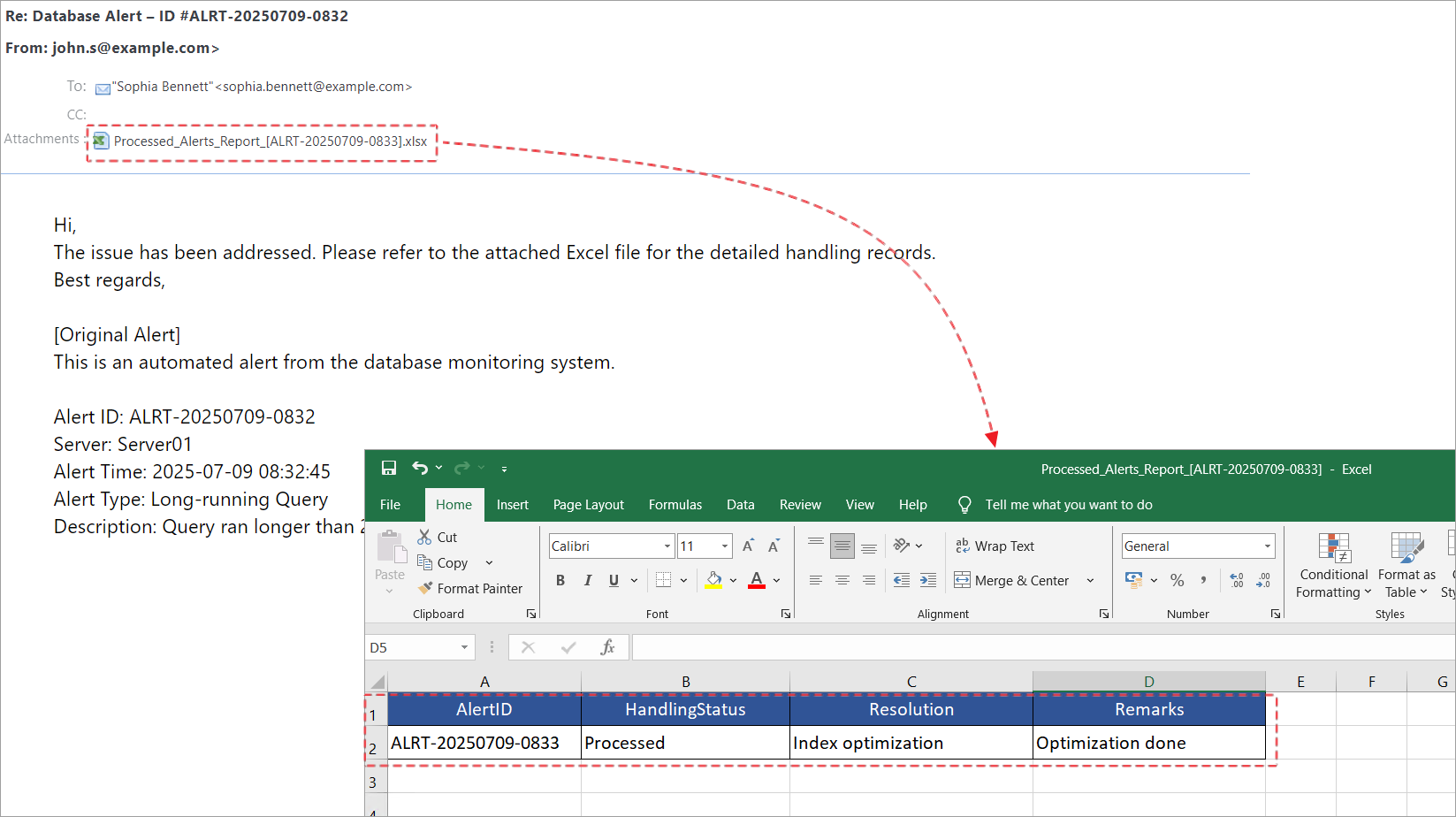
After handling an alert, colleagues send notification emails and the processing record sheet to Sophia
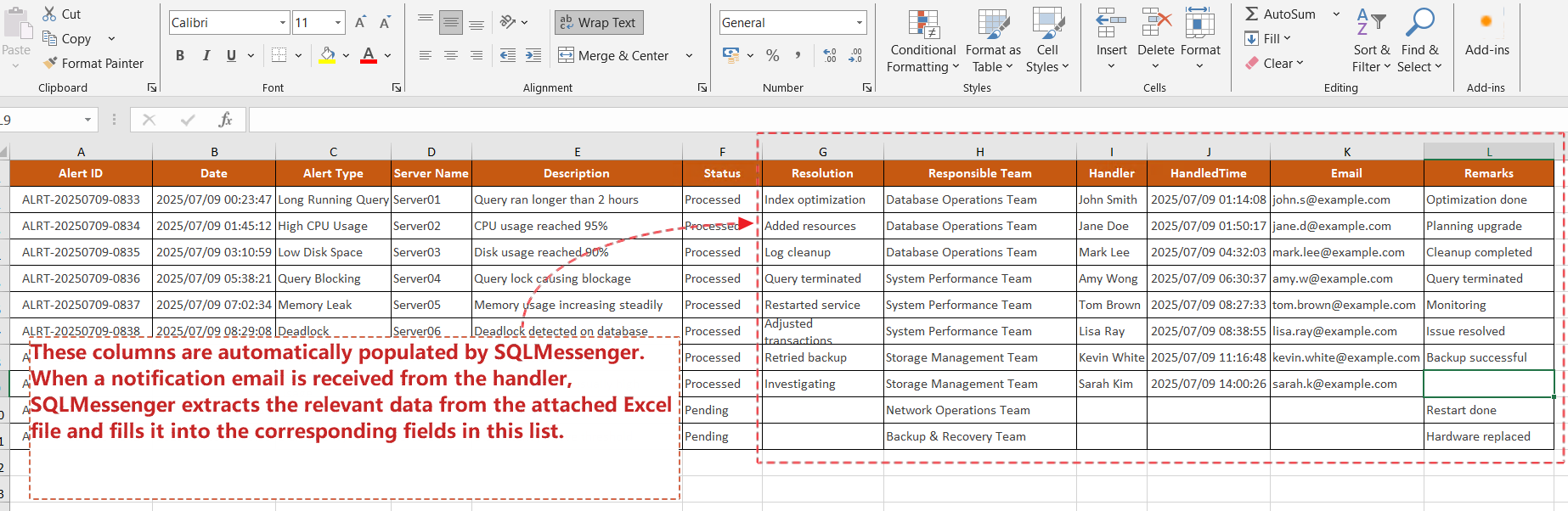
Sophia exports the alert list from SQLMessenger and reviews the handling status of each alert
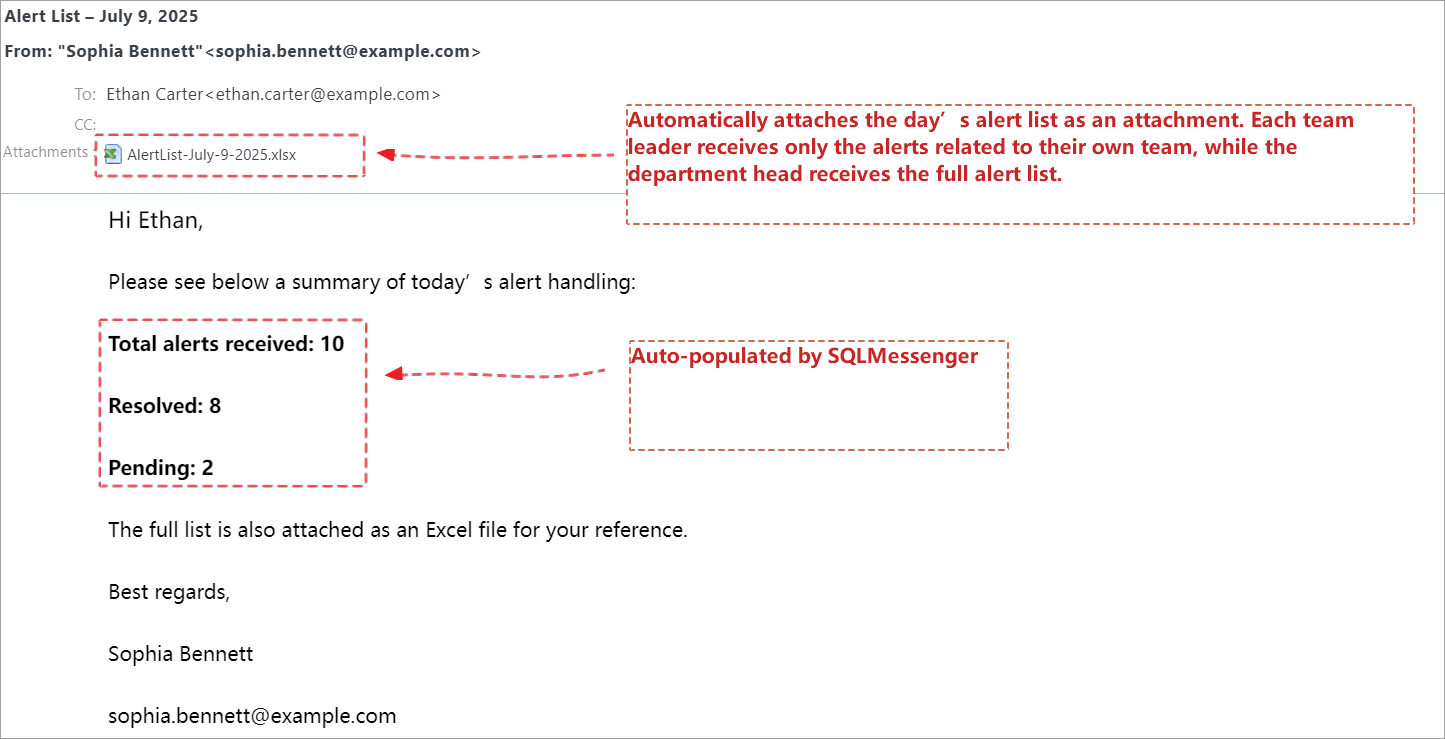
SQLMessenger distributes the alert list compiled by Sophia to the department head and each team leader
There’s no doubt that this plugin helps Sophia automate a large part of her daily workflow—saving valuable time for both her and her team.
Are repetitive tasks slowing you down too? Tell us about the challenges you face, and we’ll create a custom solution tailored just for you.
Email: support@sqlmessenger.com