Nathan Johnson is a sales representative. Each month, he sends emails to a large number of clients to introduce the company’s products.
Recently, he encountered a problem that slowed down his workflow. Here’s a post he made on Reddit asking for help:
Hi everyone,
I’m new to this subreddit. Apologies if this has been asked before—I couldn’t find anything related.
Is there any software, app, or AI tool that can scan a spreadsheet and automatically identify all bounced email addresses?
I work in sales and deal with thousands of contacts. Many emails bounce due to things like staff turnover. I’d like to clean up my email list by removing all the bounced addresses, without having to send emails manually and remove them one by one.
Thanks!
As it turns out, SQLMessenger has a plugin that solves exactly the problem Nathan was facing.
Nathan installed the plugin in SQLMessenger and obtained a Gemini AI API key from Google AI Studio.
SQLMessenger then helped him identify each bounced email and generated two clean lists: one with all the bounced addresses and another with the remaining valid customer emails.
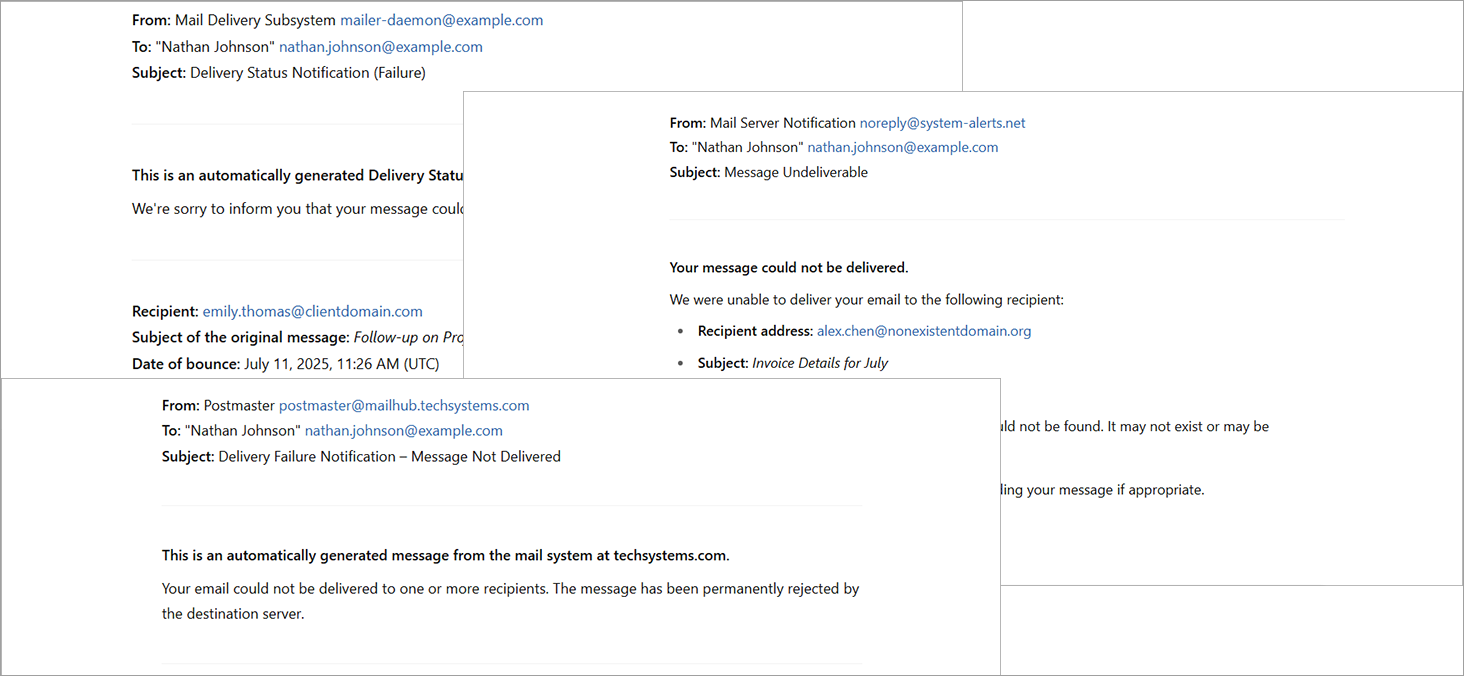
Some of the bounce messages Nathan received
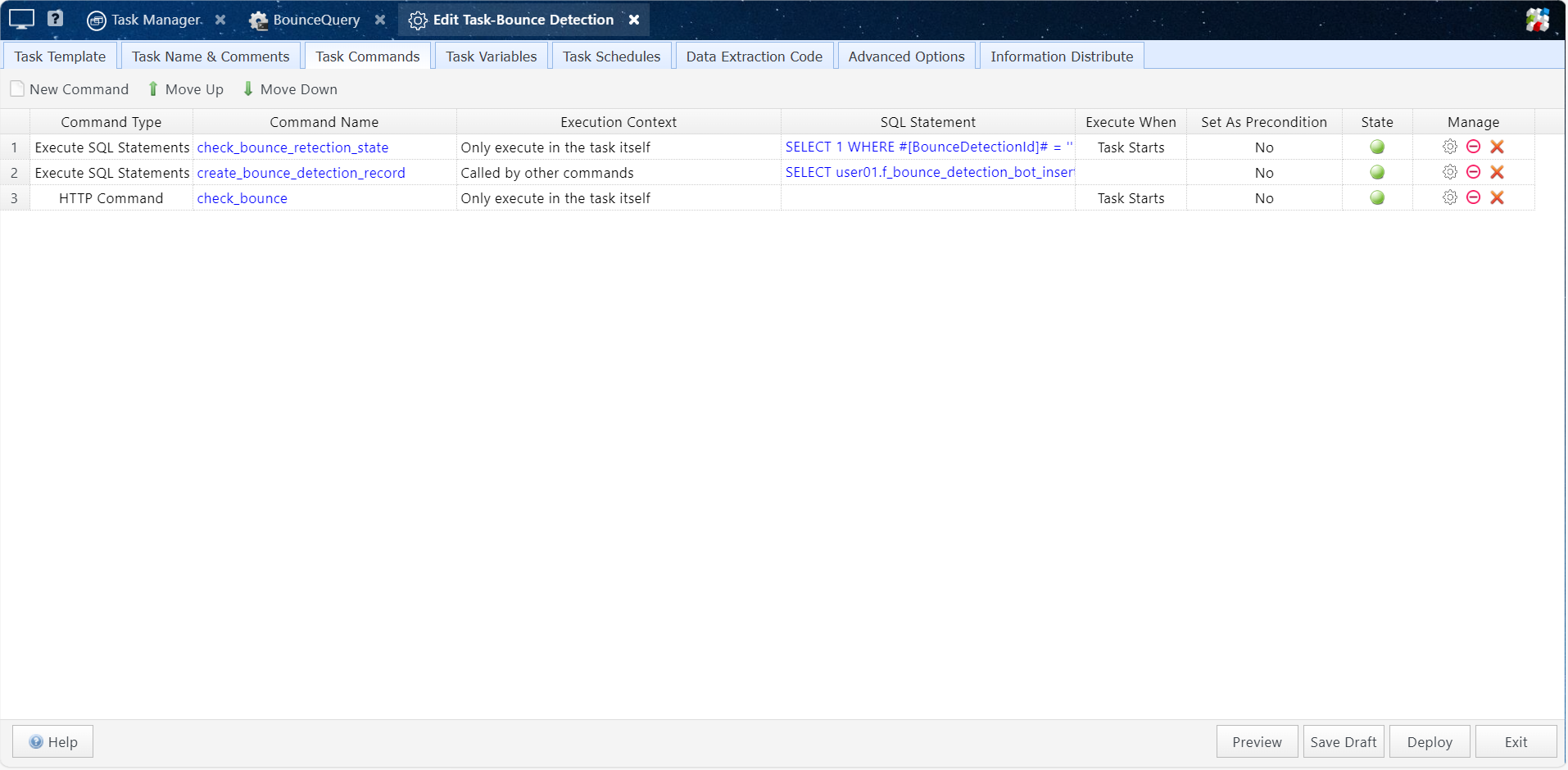
SQLMessenger's bounce detection task
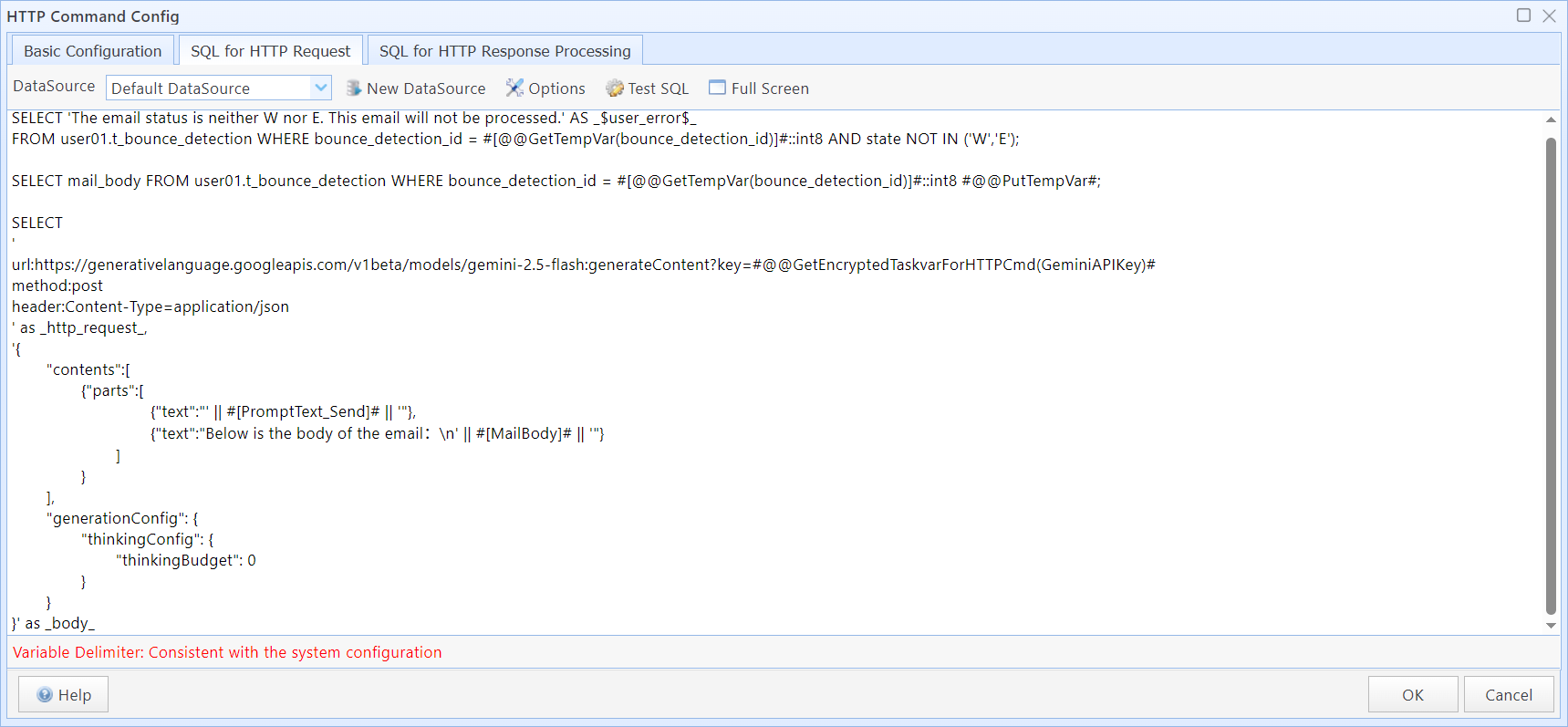
Task using Gemini AI API to detect bounces
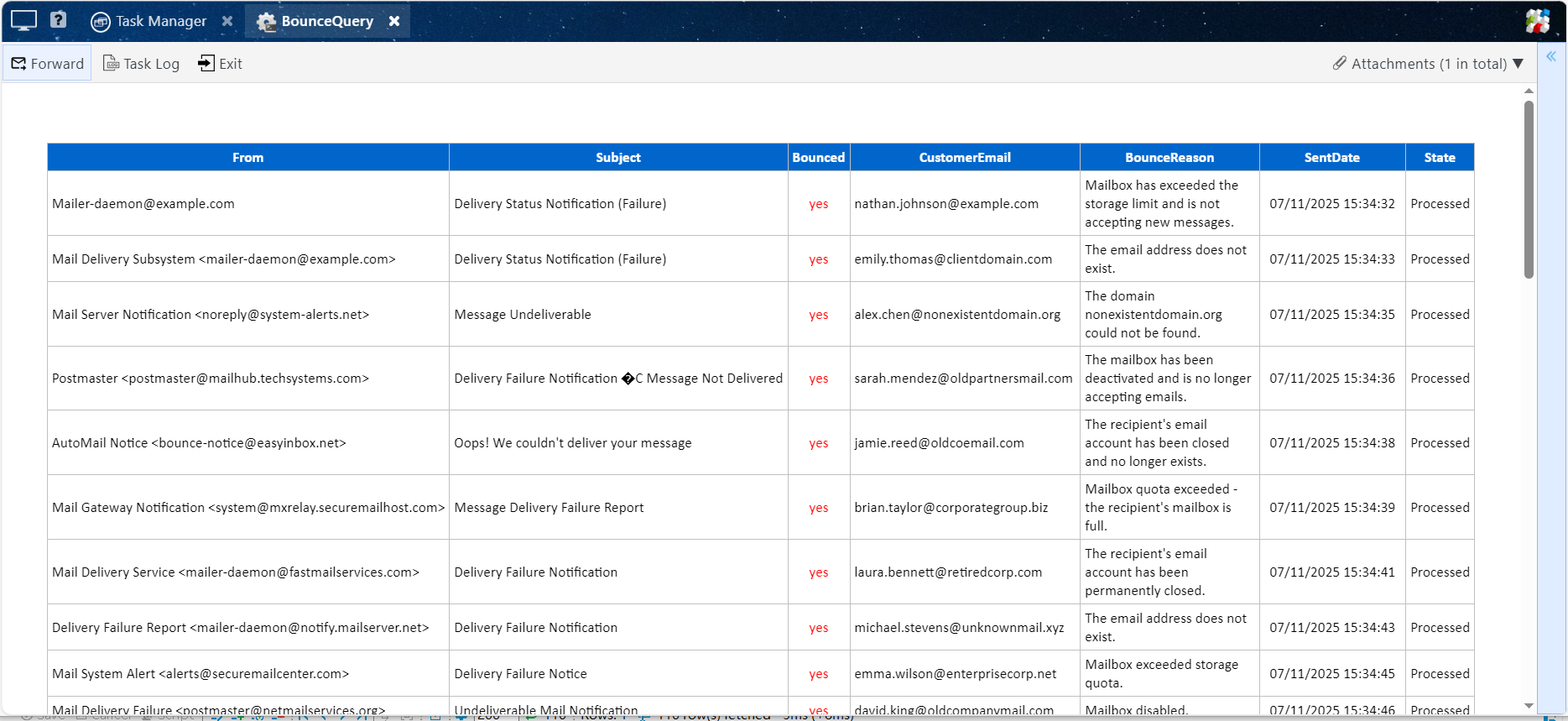
View the list of bounced email addresses in the interface (can also be exported as an Excel file)
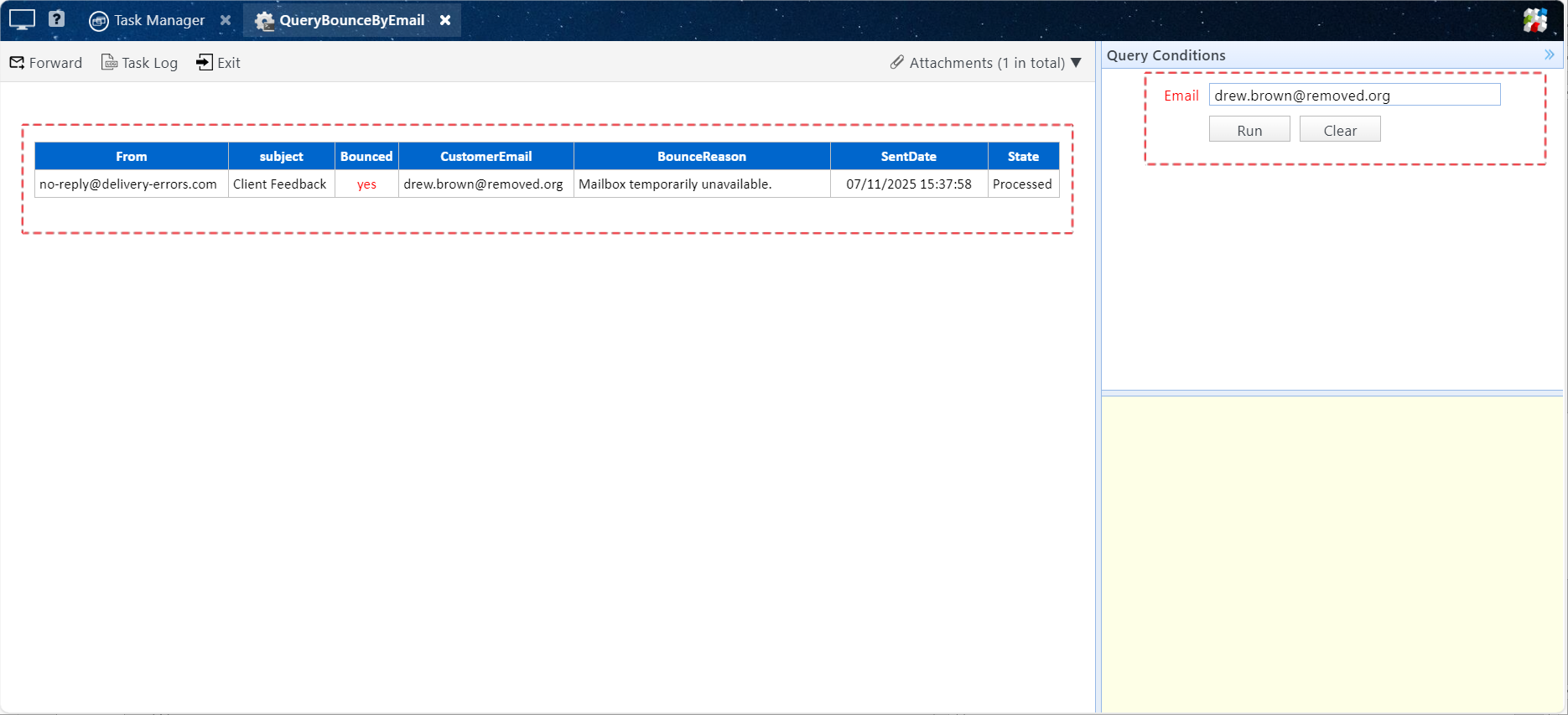
Check whether a specific email address has bounced in the interface
Important Notice:
This task uses Google's Gemini AI to analyze the content of bounce messages. Therefore, you are required to have an API Key from Google AI Studio. You can apply for one at https://aistudio.google.com/apikey.
During execution, your email content is sent to Gemini AI to determine whether it is a bounce and to extract detailed information. If your emails contain confidential or sensitive customer information, we recommend against using this solution.
If you process a high volume of emails and exceed the free quota, you may need to purchase additional usage from Google.
Having a similar issue? Reach out to us — we’d be glad to provide a solution tailored to your needs.
Email: support@sqlmessenger.com