1. Overview
SQLMessenger allows you to send messages directly to Slack workspace members using SQL statements through its External Interface feature. This method supports PostgreSQL, MySQL, SQL Server, Oracle, and Informix.
In addition to sending Slack messages, SQLMessenger can also perform the following capability:
2. Step-by-Step Implementation
Step 1: Configure the Slack app in SQLMessenger.
First, configure your Slack application within SQLMessenger. For detailed configuration steps, please refer to the dedicated guide: Sending Messages to Slack Workspace Members via Slack API.
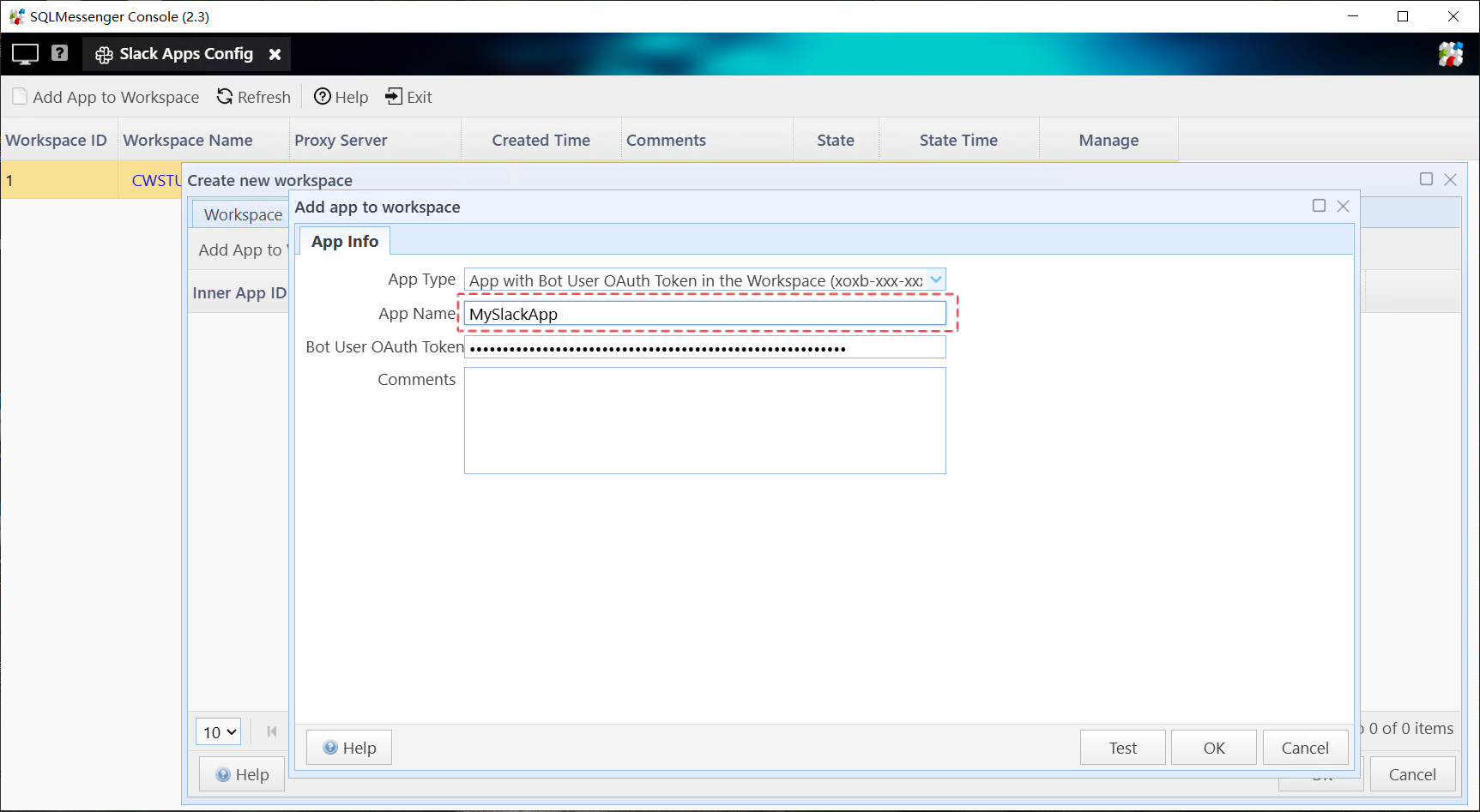
Configure the Slack app in SQLMessenger
Step 2: Create a data source and enable the “Allow sending messages to Slack from the interface table in this data source” option.

Create data source in SQLMessenger

Enable the “Allow sending messages to Slack from the interface table in this data source” option
Step 3: Send messages with SQL statements.
To send a message, simply insert a row into sqlmessenger_intf.
Example: Send a message to Slack user ID U015NGUUGQ0 using Slack app MySlackApp:
(oper_type,
slack_app_name,
send_to,
body)
VALUES ('S',-- Operation type: 'S' indicates sending message via Slack API
'MySlackApp',-- Name of your configured Slack app
'U015NGUUGQ0',
-- Slack member ID (use commas to separate multiple recipients)
'This is a test message' -- Message content to be delivered
);
Parameter Descriptions:
|
oper_type |
Always use 'S' for sending messages to Slack via API. |
|
slack_app_name |
The name of your configured Slack application in SQLMessenger. |
|
send_to |
Recipient's Slack member ID (supports multiple recipients separated by commas). |
|
body |
The message content to be delivered to Slack members. |
3. Technical Support
If you run into any issues while using SQLTelebot, feel free to contact us for technical support.
More Use Cases
SQLMessenger can also be used to automate a variety of tasks. Here are some examples:
From Manual to Automated: Improving Report Workflow with SQLMessenger
From Hours of Manual Work to One-Click Reports
Automating Data Workflows with SQLMessenger
From 90 Minutes of Manual Work to One Click: How SQLMessenger Transformed Employee’s Workflow
Automated Email List Cleanup with SQLMessenger and Gemini AI
Transforming Manual Alert Management into an Automated Workflow
Using External Interface, DataSource Management, Sending Messages to Slack Workspace Members via Slack API