- Introduction
- License Types Comparison
- License Details
- Technical Support Options
- Service Types
- How to Choose
- Q&A
Introduction
SQLMessenger is a powerful on-premise tool for automating SQL-based report generation and distribution. It allows users to schedule SQL queries, generate professional Excel, PDF, or image reports, and deliver them automatically via email, Slack, or other channels.
To meet different user needs, SQLMessenger offers four license types: Free License, Premium Trial License, Professional License, and Perpetual License. These licenses differ in functionality limits, plugin access, branding, upgrade policies, and the level of technical support and services provided.
License Types Comparison
The table below summarizes the key differences across the four license types:
| Feature / Benefit | Free License | Premium Trial License | Professional License | Perpetual License |
|---|---|---|---|---|
| Cost | Completely Free | Free (30-day trial) | Paid Subscription | One-time Payment |
| Commercial Use Allowed | Not permitted | Not permitted | Permitted | Permitted |
| License Scope | Licensed for use on one computer | Licensed for use on one computer | Licensed for use on one computer | Licensed for use on one computer |
| Custom Report Tasks | Maximum 5 | Maximum 5 | Unlimited during subscription | Unlimited (permanent) |
| Branding in Emails/Messages | Includes SQLMessenger logo + link | No logo | No logo | No logo |
| Plugins (e.g., SQLTelebot) | Trial only (31 days) | Full use during trial + 31 days after | Full use during subscription | Full use (permanent) |
| Software Updates | Free updates for 3 months | Free updates for 3 months | Full updates & version upgrades included during active subscription | All minor updates within the same major version (e.g., all 2.x releases). Cross major version upgrades (e.g., 2.x → 3.x) are available at a 50% discounted price. |
| Technical Support | Community only | Community only | Community + Email (24h) + Ticket (6h) | Community + Email (24h) + Ticket (6h) |
| Service Level | None | Basic Service only | Basic + Advanced Technical Service | Basic + Advanced Technical Service |
License Details
Free License
This is the default license automatically granted after installing SQLMessenger. It is completely free and suitable for personal use or light workloads.
Key features include:
- Permanent free usage
- Commercial use is not permitted
- Licensed for use on one computer
- Maximum of 5 custom report tasks
- SQLMessenger logo and official website link displayed in sent emails and messages
- Some plugins (e.g., SQLTelebot) available for trial use only (31 days)
- Complimentary updates for 3 months post license activation
- Support: Community support only
- Service: None
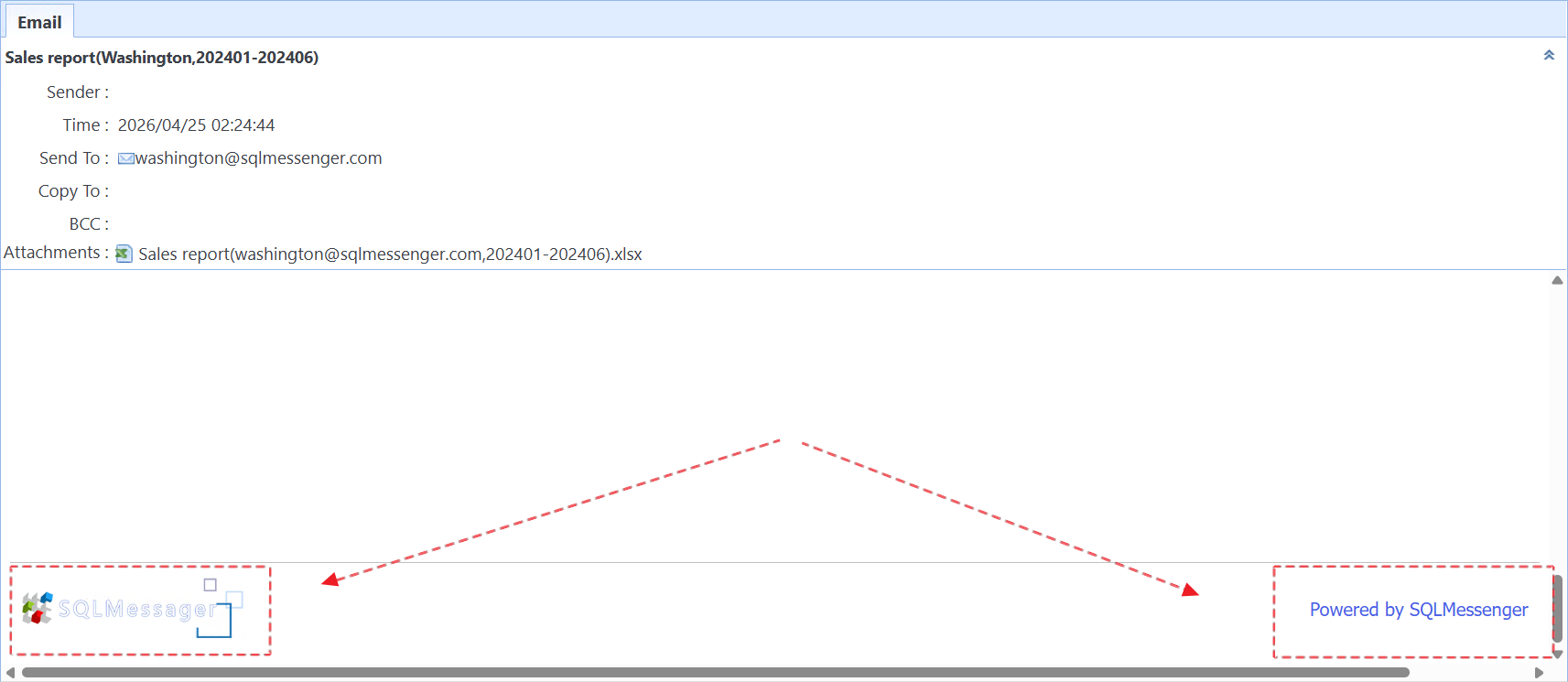
SQLMessenger Logo in Emails
Premium Trial License
Free users can claim a 30-day trial subscription on the official SQLMessenger website to upgrade to this license. It serves as an excellent way to evaluate the full potential of SQLMessenger.
Key features include:
- Valid for 30 days; automatically downgrades to Free License upon expiration
- Commercial use is not permitted
- Licensed for use on one computer
- Maximum of 5 custom report tasks
- No SQLMessenger logo or link in sent emails and messages
- Plugins (e.g., SQLTelebot) can be used fully during the trial period; after expiration, a 31-day trial remains available
- After expiration, new tasks cannot be created, but existing report tasks continue to run
- Complimentary updates for 3 months post license activation
- Support: Community support only
- Service: Basic Service only
Professional License
This license is obtained by subscribing to a paid Subscription Plan. It is designed for teams and businesses that require flexible, ongoing usage with professional support.
Key features include:
- Unlimited custom report tasks during the subscription period
- Commercial use is permitted
- Licensed for use on one computer
- No SQLMessenger logo or link in sent emails and messages
- Full access to all plugins (e.g., SQLTelebot) during the subscription period
- Automatically downgrades to Free License when the subscription expires
- After expiration, new tasks cannot be created, but existing report tasks continue to run
- Full updates & version upgrades included during active subscription
- Support: Email support (24-hour response) + Ticket system support (6-hour response)
- Service: Basic Service + Advanced Technical Service (including report task configuration service and priority feature development)
Perpetual License
This license is obtained through a one-time purchase of the Perpetual Plan. It offers the best long-term value for users who prefer permanent ownership without recurring fees.
Key features include:
- Unlimited custom report tasks
- Commercial use is permitted
- Licensed for use on one computer
- No SQLMessenger logo or link in sent emails and messages
- Permanent full access to all plugins
- License remains valid permanently
- All minor updates within the same major version (e.g., all 2.x releases). Cross major version upgrades (e.g., 2.x → 3.x) are available at a 50% discounted price.
- Support: Email support (24-hour response) + Ticket system support (6-hour response)
- Service: Basic Service + Advanced Technical Service (including report task configuration service and priority feature development)
Technical Support Options
- Community Support
Users can post questions on forums or message boards. Response time is not guaranteed. - Email Support
Submit questions via email. Response within 24 hours. - Ticket System Support
Submit tickets through the customer portal. Response within 6 hours.
Our Service
- Basic Service
Covers general technical assistance, such as configuration issues, system problems, and software usage guidance. - Advanced Technical Service (included in paid licenses)
In addition to Basic Service, this includes:
1. Report Task Configuration Service — Send your requirements and necessary files (e.g., SQL statements) to us. We will professionally configure the report task for you. You only need to understand your own system and business needs — leave the SQLMessenger configuration and optimization entirely to us. Simply import the configuration file we provide, and your automated report will be ready to run.
2. Priority Feature Development — Your feature requests for SQLMessenger will be given development priority.
How to Choose
- Choose the Free License for evaluation or very light usage.
- Start with the Premium Trial License to explore more tasks and enjoy branding-free outputs.
- Select the Professional License if you need unlimited tasks and priority support on a recurring basis.
- Choose the Perpetual License for permanent ownership and maximum long-term value.
For the latest pricing, purchase options, or to activate a license, please visit the official website: https://www.sqlmessenger.com/pricing.html.
If you have any questions or need assistance with license selection, feel free to contact us.
Q&A
Why does the system prompt that my SQLMessenger license is about to expire after installation?
We have offered a Free License starting from version 2.4.0003.
Please upgrade your SQLMessenger to version 2.4.0003 or above. The license will be automatically updated to the Free License during the upgrade.
Click here to view the upgrade guide.
Can I use my license on multiple computers?
A single license can only be used on one computer at a time.
Do I need to purchase a new license when moving SQLMessenger to another computer?
No, you don’t need to buy a new license. Simply contact our support team before migrating, and we’ll provide you with an easy-to-use migration tool along with step-by-step assistance. Once the process is complete, we’ll issue a new license file for your new computer.
Does the subscription include technical support?
Yes. While your subscription is active, you’ll get dedicated technical support from our team. We’re here to help with installation, setting up your tasks, troubleshooting, and anything else you need.
Will my subscription auto-renew?
No. We do not auto-renew your subscription or charge you automatically. You have full control over whether and when to renew.