1 About the Task: Email Distribution
This task is used to distribute the records in an Excel spreadsheet to each recipient. You can edit the email subject and body in the Excel spreadsheet, and then SQLMessenger will send the emails to the recipients. Below is an example of the spreadsheet:
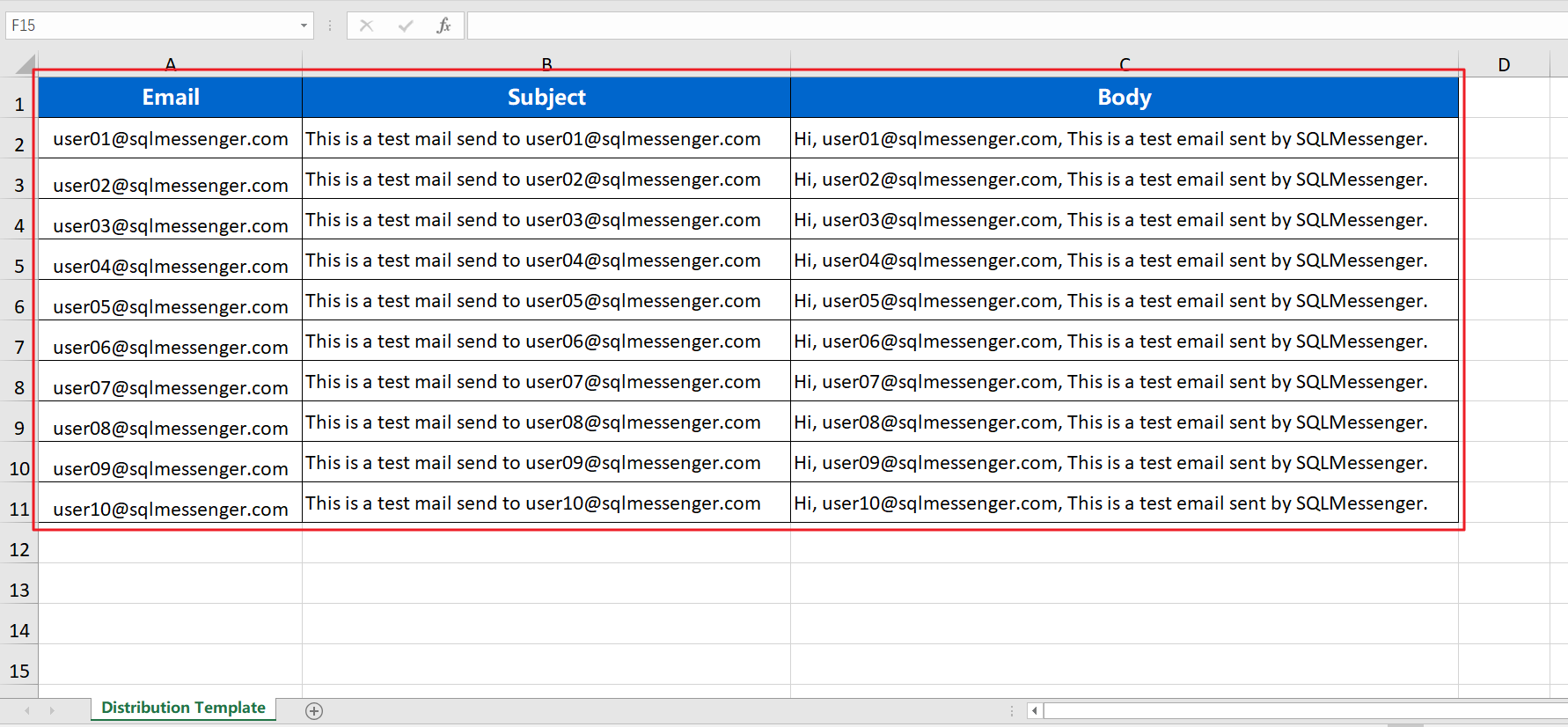
Data to be Distributed
You can use Excel formulas in the spreadsheet to generate the email body. For example, in the spreadsheet above, the formula for the Body column is as follows:
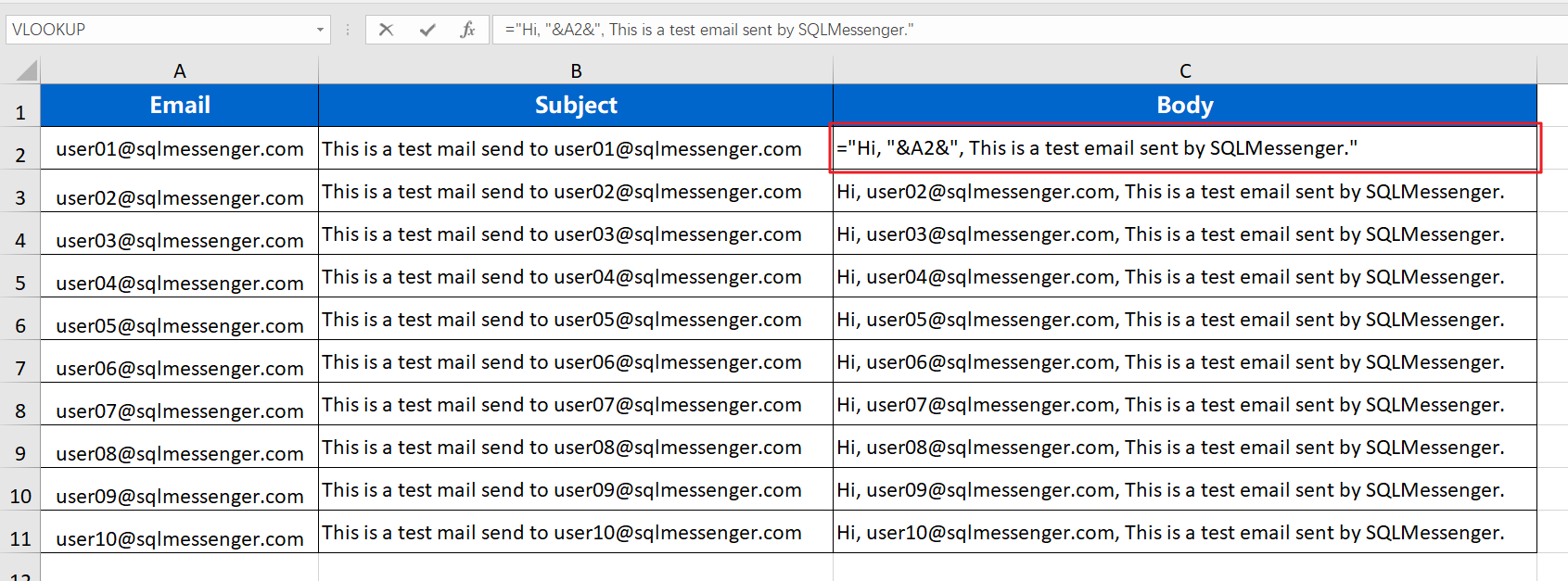
Use Excel formulas in the spreadsheet to generate the email body
You can right-click on the task icon on the MainPage and then click the "Run task" menu item in the context menu to run this task. Alternatively, you can click on the task name in the Task Manager to run this task.
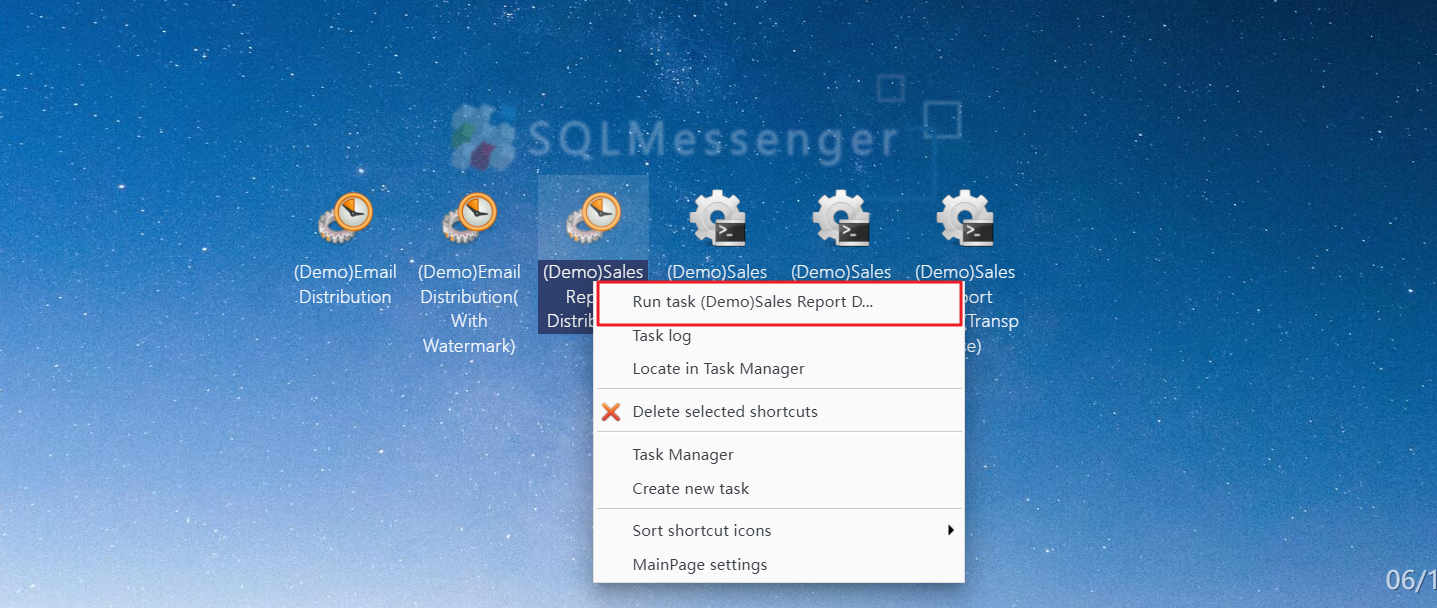
Run the task using the context menu
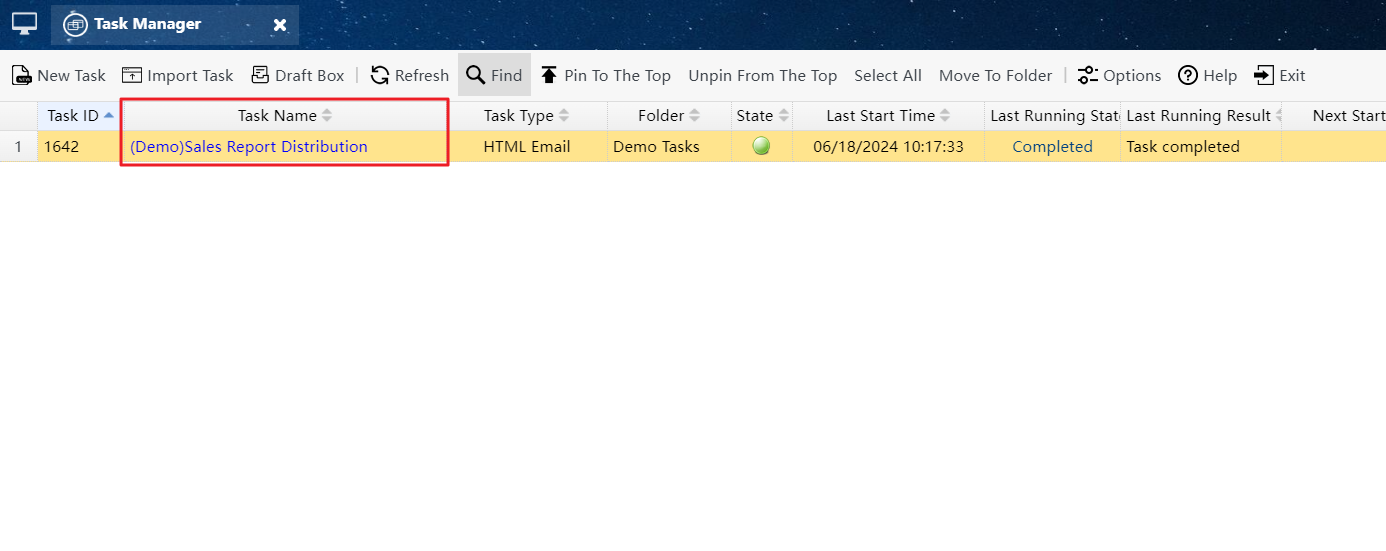
Start the task by clicking the task name in the Task Manager
Before starting the task, you need to import your edited Excel spreadsheet into the system.
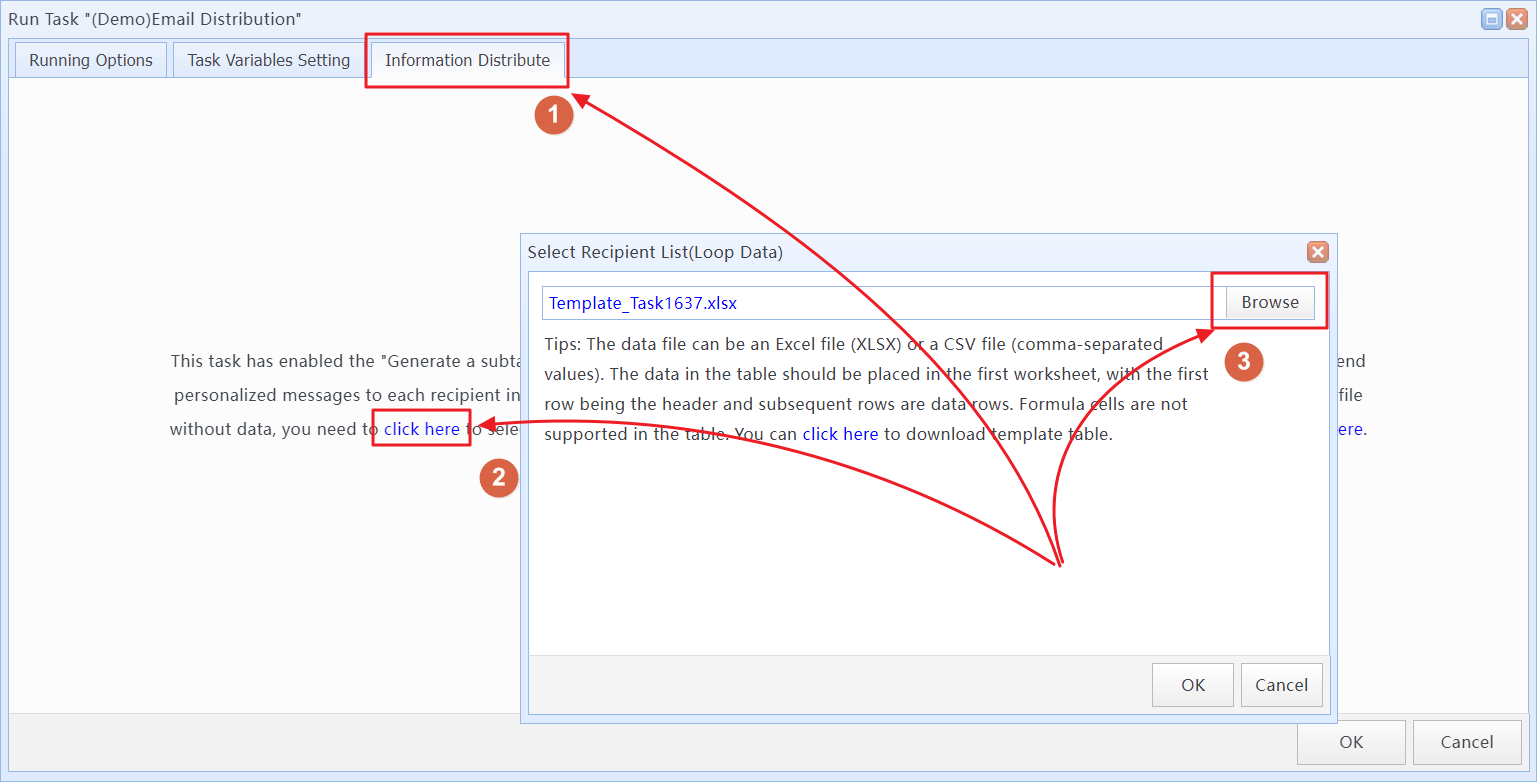
Import your edited Excel spreadsheet into the system
You can also download the template file for the Excel spreadsheet here. Edit the content to be sent and the recipient information in the template file.
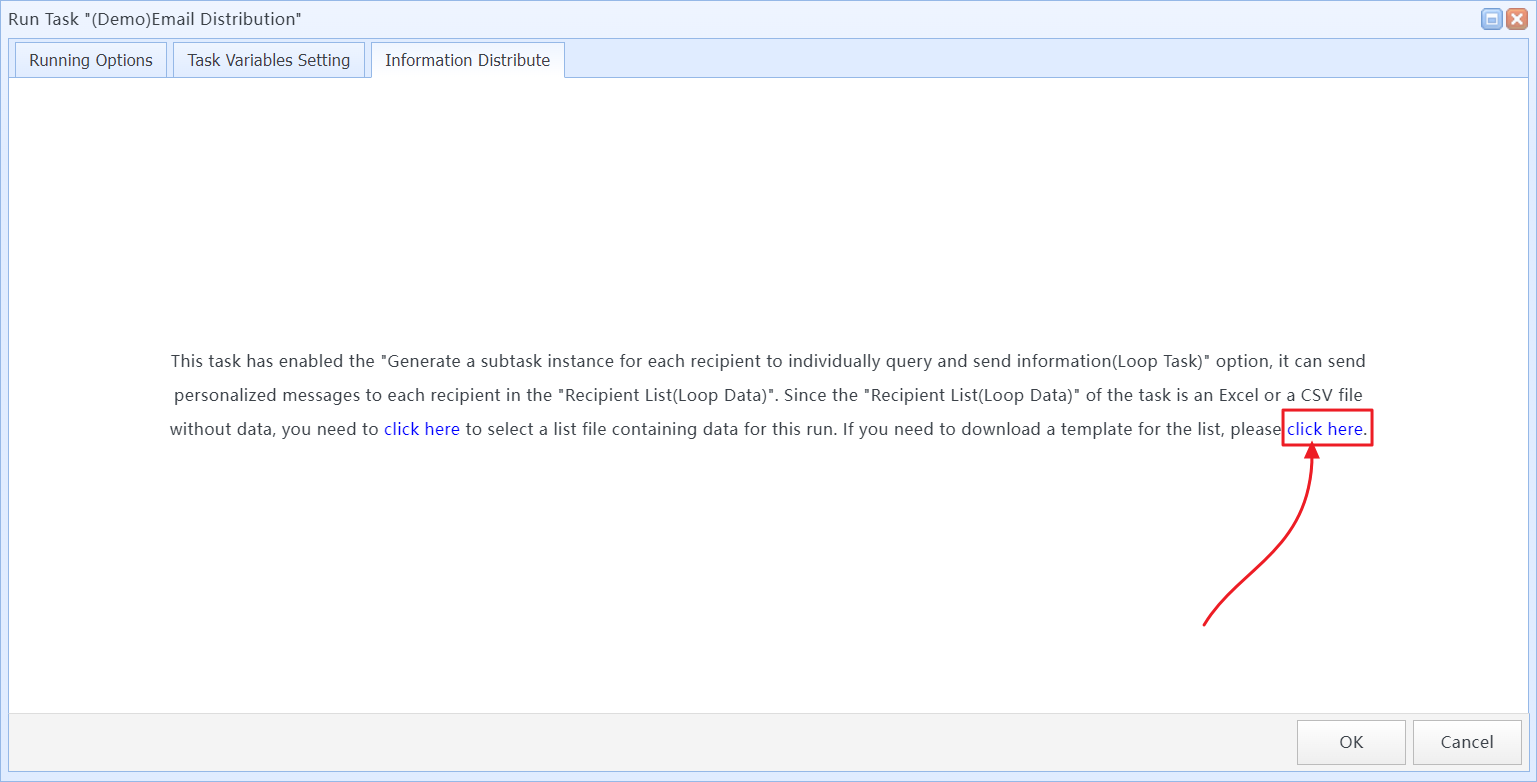
Download the template file
To ensure the accuracy of the sent emails, the "Emails generated by this task must be reviewed by me before sending" option is enabled in the demo task. The emails generated after the task execution need to be reviewed by you before the system will send them. You can review these emails in the Message Review interface.
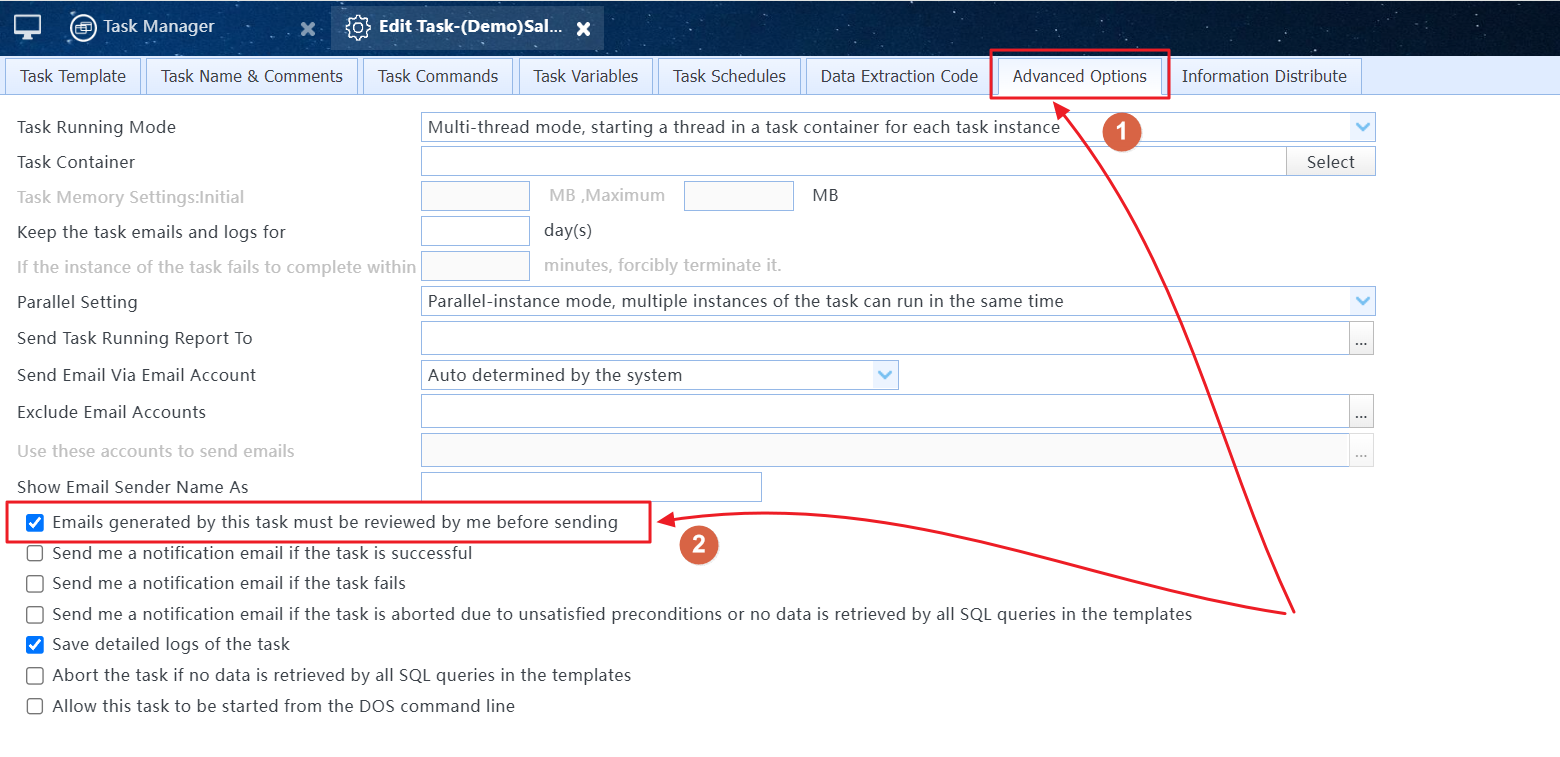
The "Emails generated by this task must be reviewed by me before sending" option is enabled in the task
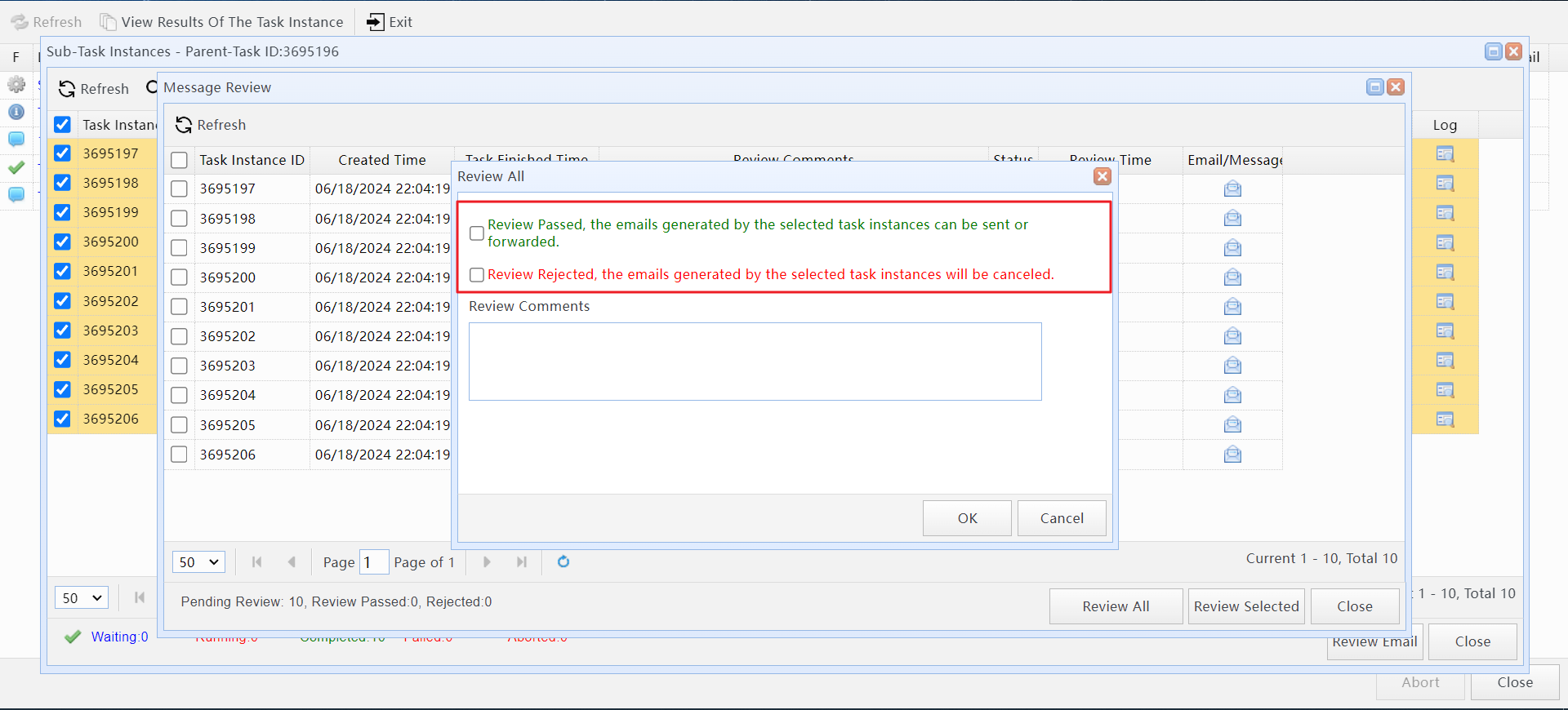
Review the emails generated by the task in the Message Review
About SQLMessenger Console, Task Manager, Message Review
For more information about information distribution tasks, please refer to the SQLMessenger manual.