Home Docs Changelog Download Pricing Service Center Contact

SQLMessenger 2.3.0003

Latest Release: November 25, 2025

Automate Reports, Alerts, and Workflows — via Email, Slack, or Web API

System Requirements

Operating System

Windows 7 or later (64-bit system required)

Windows 2008 Server or later (64-bit system required)

Memory

Minimum 4GB RAM, 8GB or more recommended

Storage

5GB free disk space, 10GB or more recommended

Security

Administrator privileges required for installation

Download SQLMessenger

Local Download

Direct download from our server

File Size: 308M
Version: v2.3.0003
MD5 Checksum:
a0d21202d6304db48822c007f9b9be91

Microsoft Store

Install from Microsoft Store

File Size: 308M
Version: v2.3.0003
MD5 Checksum:
No manual verification needed

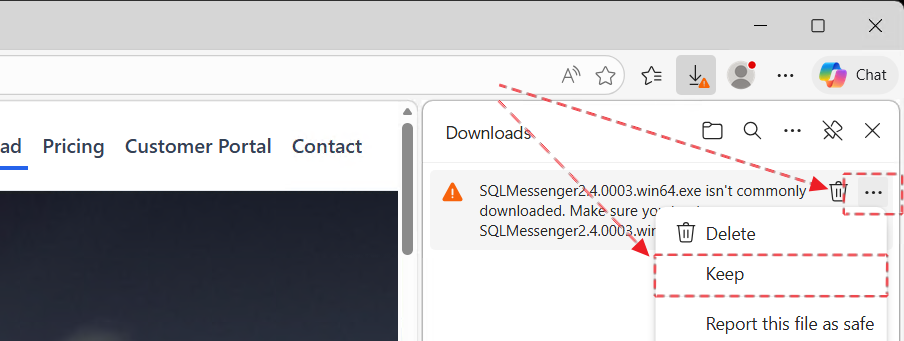
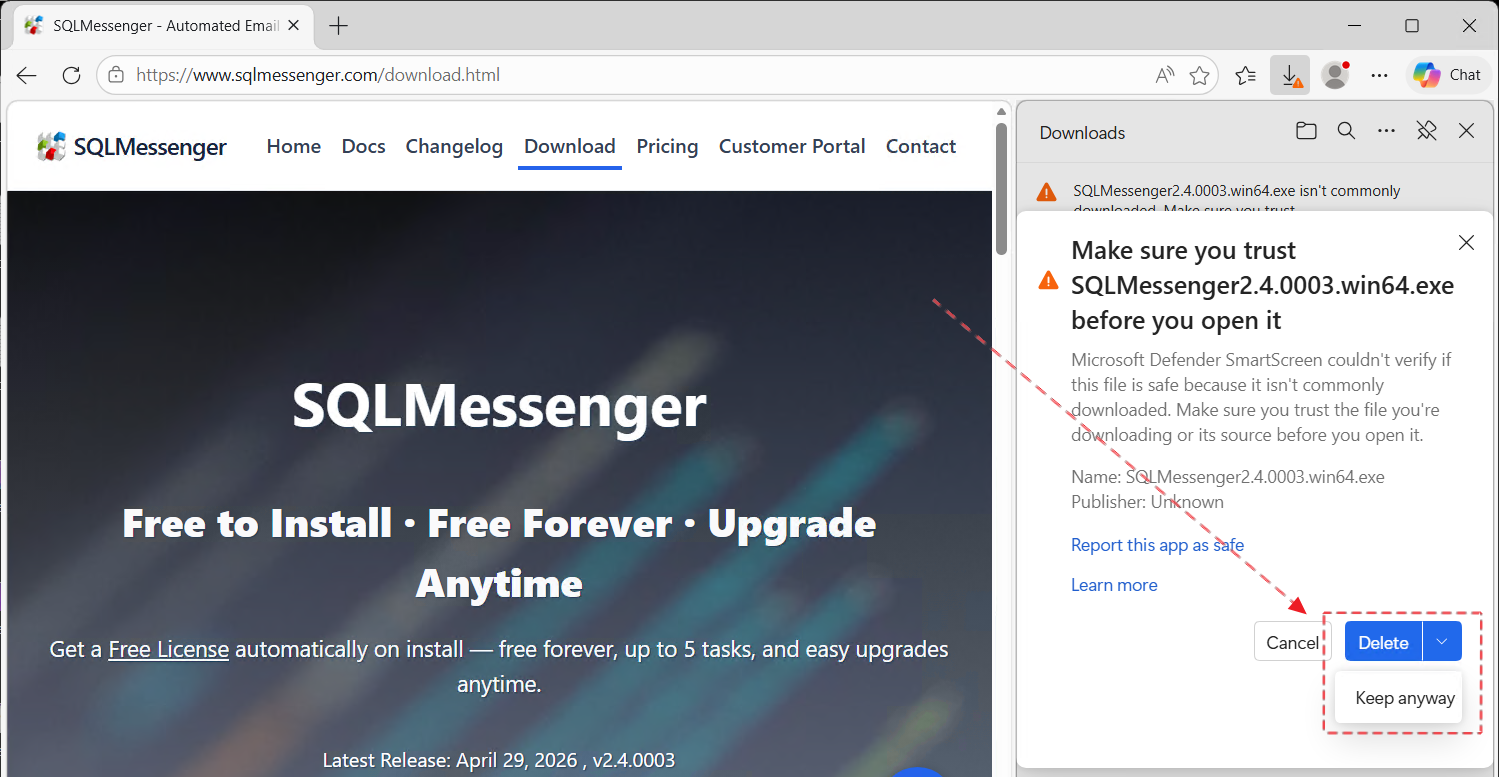
Installation Instructions

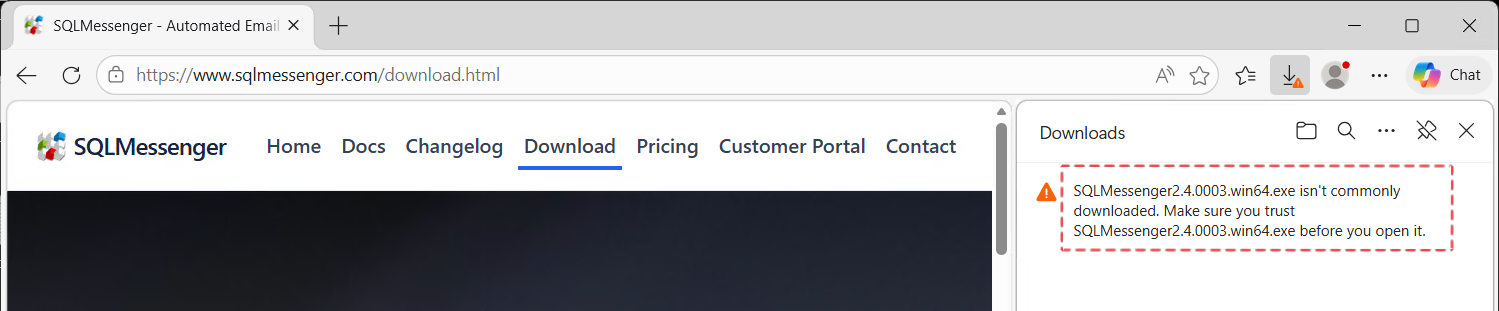
Safe and Secure to Install

SQLMessenger is thoroughly scanned with Avast Antivirus before every release. These security checks help ensure that the software is free of viruses, malware, or unwanted modifications.
You can install and use SQLMessenger with confidence, knowing that we prioritize your system’s safety and integrity.

Verify File Integrity Before Installation

To ensure the file has not been tampered with during the download process, we recommend verifying the MD5 checksum before installation. After downloading SQLMessenger, please use an MD5 checksum tool such as https://emn178.github.io/online-tools/md5_checksum.html to compare the file’s MD5 value with the one displayed on our download page. Only proceed with the installation if the two values match exactly.

Installation Instructions

For complete installation instructions and documentation, please visit our manual:

View Installation Guide

Need Help? We're Here for You

If you encounter any issues during installation or while using SQLMessenger, don’t hesitate to reach out to us.
Our expert support team is ready to assist you with personalized help and technical guidance whenever you need it.

Email: support@sqlmessenger.com

Cookie Settings

We use cookies to enhance your browsing experience, serve personalized content, and analyze our traffic. By clicking "Accept All", you consent to our use of cookies in accordance with our Cookie Policy.

You can change your preferences at any time by clicking on "Cookie Settings" in the website footer.

Cookie Preferences

Manage your cookie preferences. You can enable or disable different types of cookies below. Necessary cookies cannot be disabled as they are required for the website to function properly.

Necessary Cookies

Always active

These cookies are essential for the website to function and cannot be switched off. They are usually only set in response to actions made by you such as setting your privacy preferences, logging in or filling in forms.

Preferences Cookies

Makes the site easier to use

These cookies allow the website to remember choices you make and provide enhanced, more personal features.

Analytics Cookies

Helps us improve our website

These cookies help us understand how visitors interact with our website, which helps us improve our products and services.

Marketing Cookies

Used to track visitors across websites

These cookies are used to track visitors across websites. The intention is to display ads that are relevant and engaging.