- 1. What is a Plugin?
- 2. Benefits of Using Plugins
- 3. Installing Plugins
- 4. Using Plugins
- 5. Uninstalling Plugins
- 6. FAQ
1. What is a Plugin?
Starting from SQLMessenger version 2.3, the plugin feature has been introduced. We package some universal or complex functions into plugins. You only need to install these plugins in SQLMessenger to immediately enable the desired functions. For example, the SQLTelebot mentioned in How to Send Telegram Messages Using SQL Statements is a SQLMessenger plugin. After installing this plugin, you can quickly enable Telegram message receiving and sending within SQLMessenger.
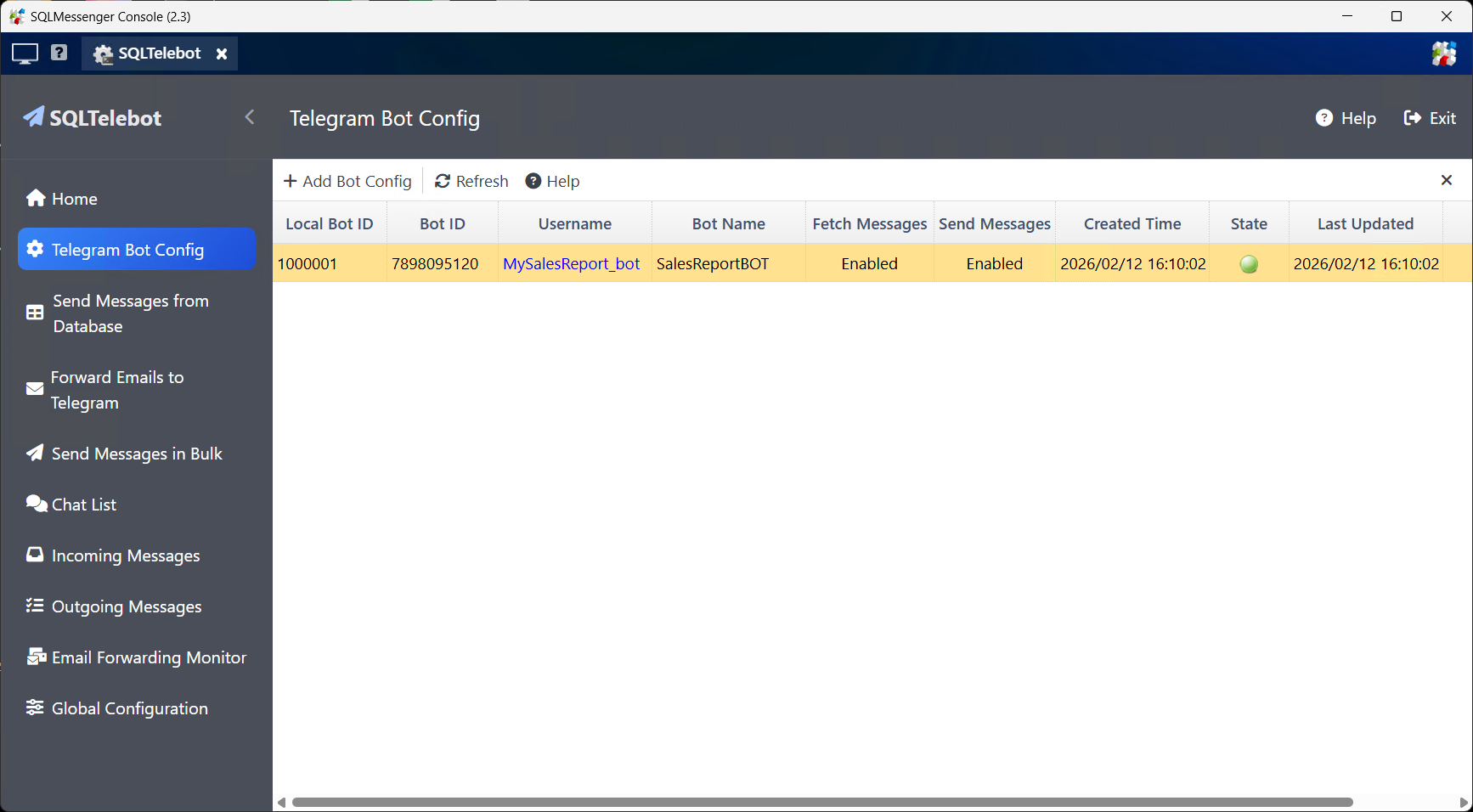
The SQLTelebot plugin for SQLMessenger
2. Benefits of Using Plugins
(1) For your complex functional requirements, we package the pre-configured tasks and initialization scripts into a plugin installer. You only need one-click installation to use the corresponding functions – simple and hassle-free.
(2) Plugins have independent configuration interfaces, allowing you to configure and manage functions easily and intuitively.
(3) You can view all source code of plugins, helping you understand technical details in depth.
(4) When a plugin is no longer needed, you can uninstall it to free up system resources.
3. Installing Plugins
Before using a plugin, you must install it in your SQLMessenger system. For standard plugins, go to Task Manager, click "Plugin Management", find the required plugin in the list, and click the "Install" button on the right to open the installation interface.
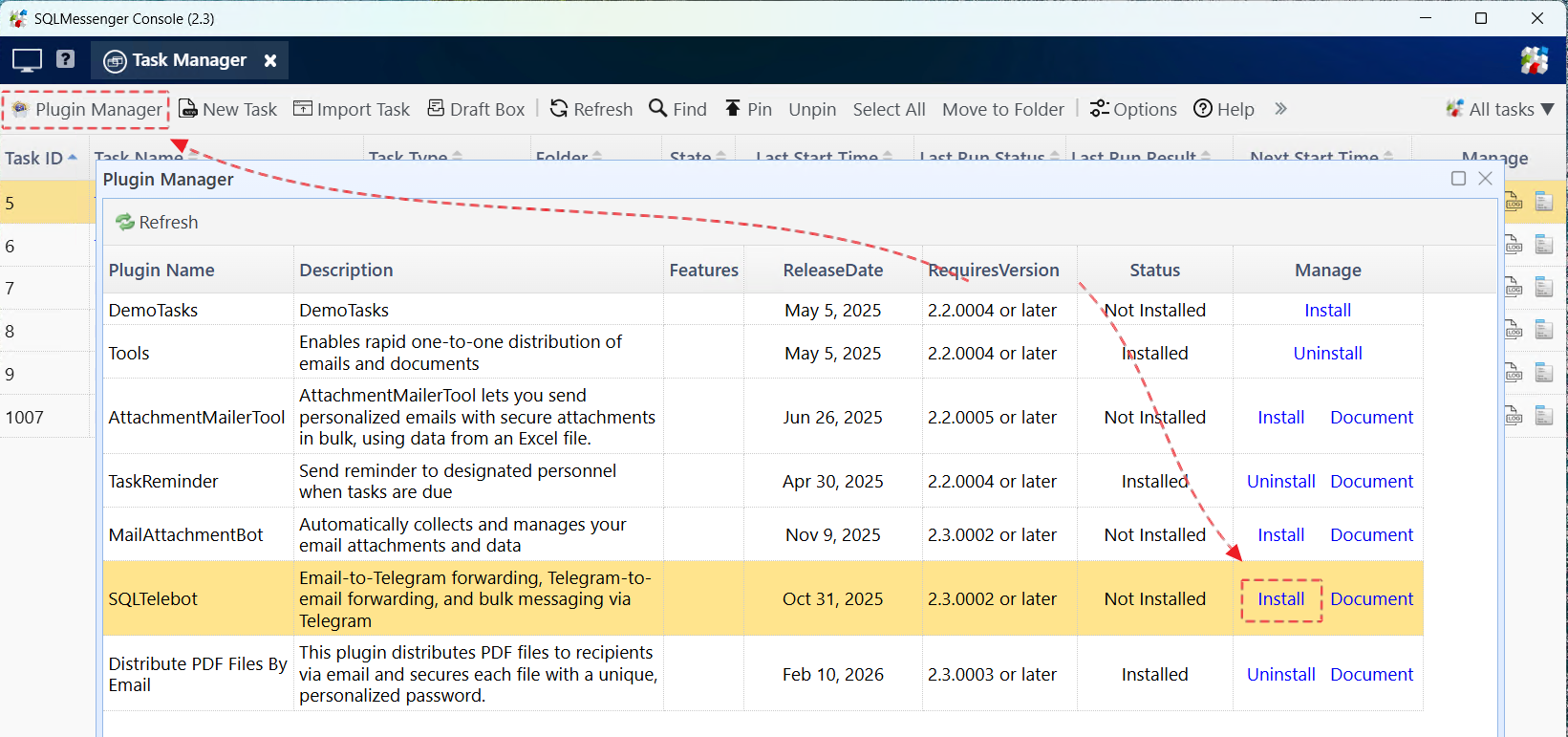
Install Plugins in "Plugin Management"
For custom plugins we provide, go to Task Manager, click the "Import Task" button, and select the plugin installation file (with .pkg extension) we sent you to open the installation interface.
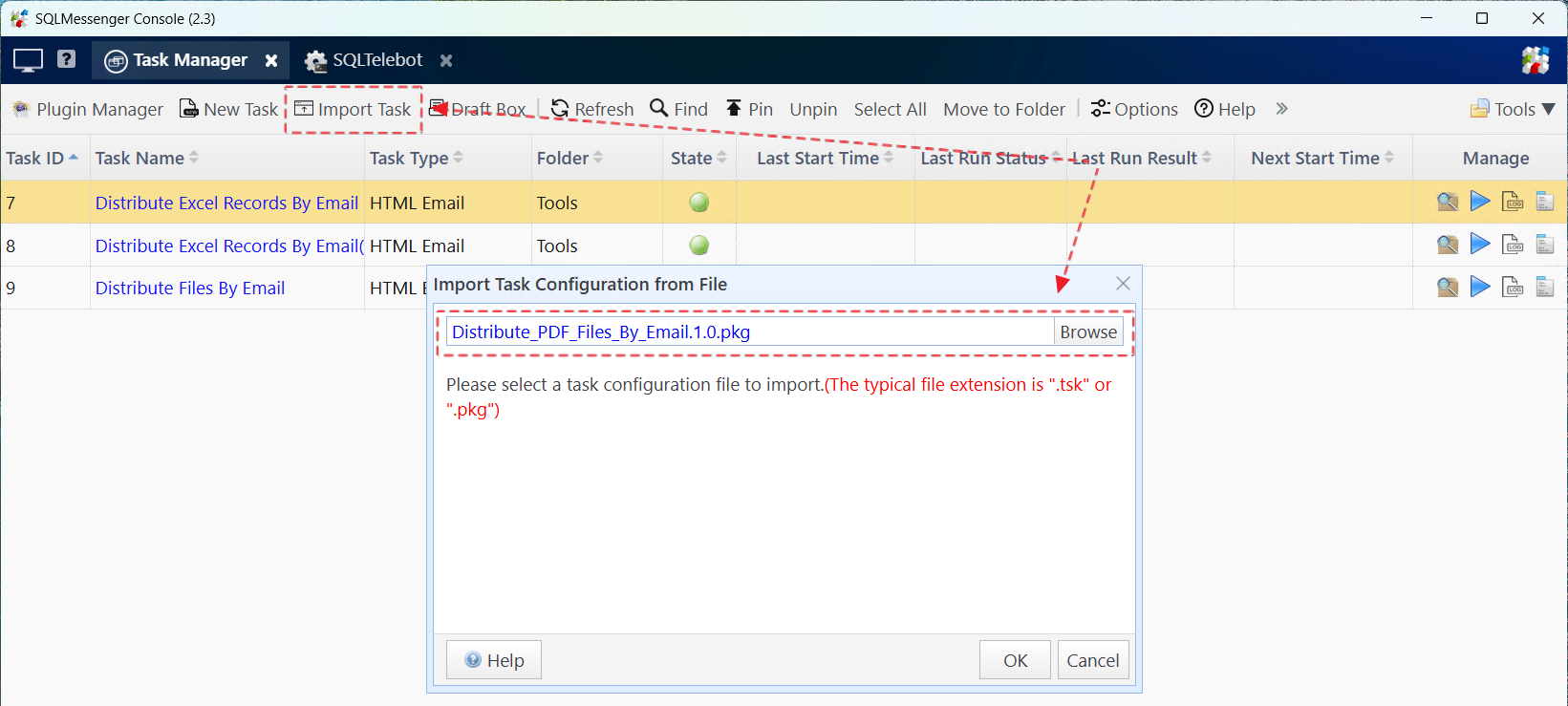
Install Plugins via "Import Task"
On the plugin installation page, you can view the function description, manual, and support information. Click "Start Installation" in the bottom-right corner to install the plugin.
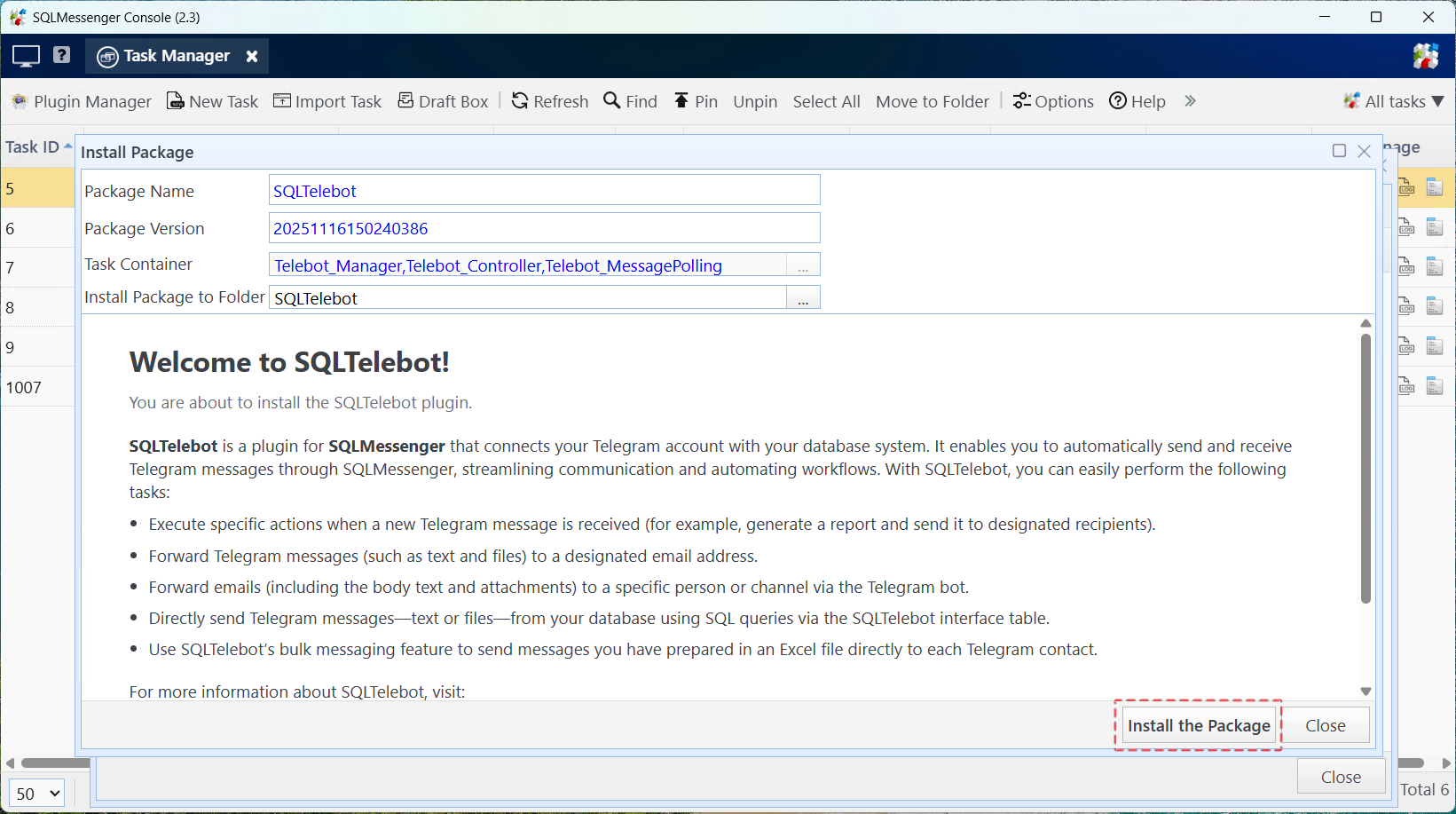
Plugin Installation Interface
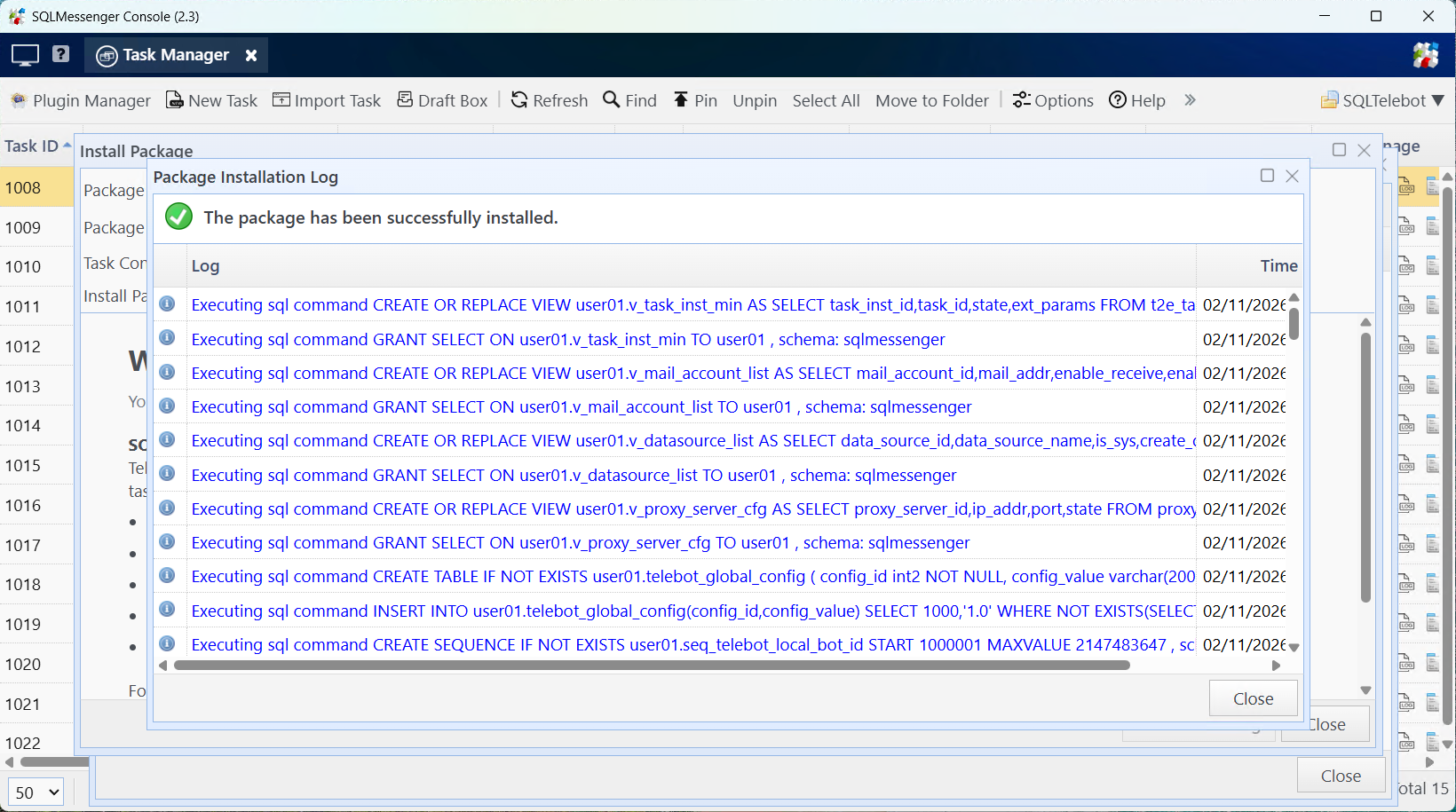
Plugin Installed Successfully
4. Using Plugins
After the plugin is installed, you can click the shortcut icon it creates on the MainPage to open its management interface, where you can configure and manage the plugin.
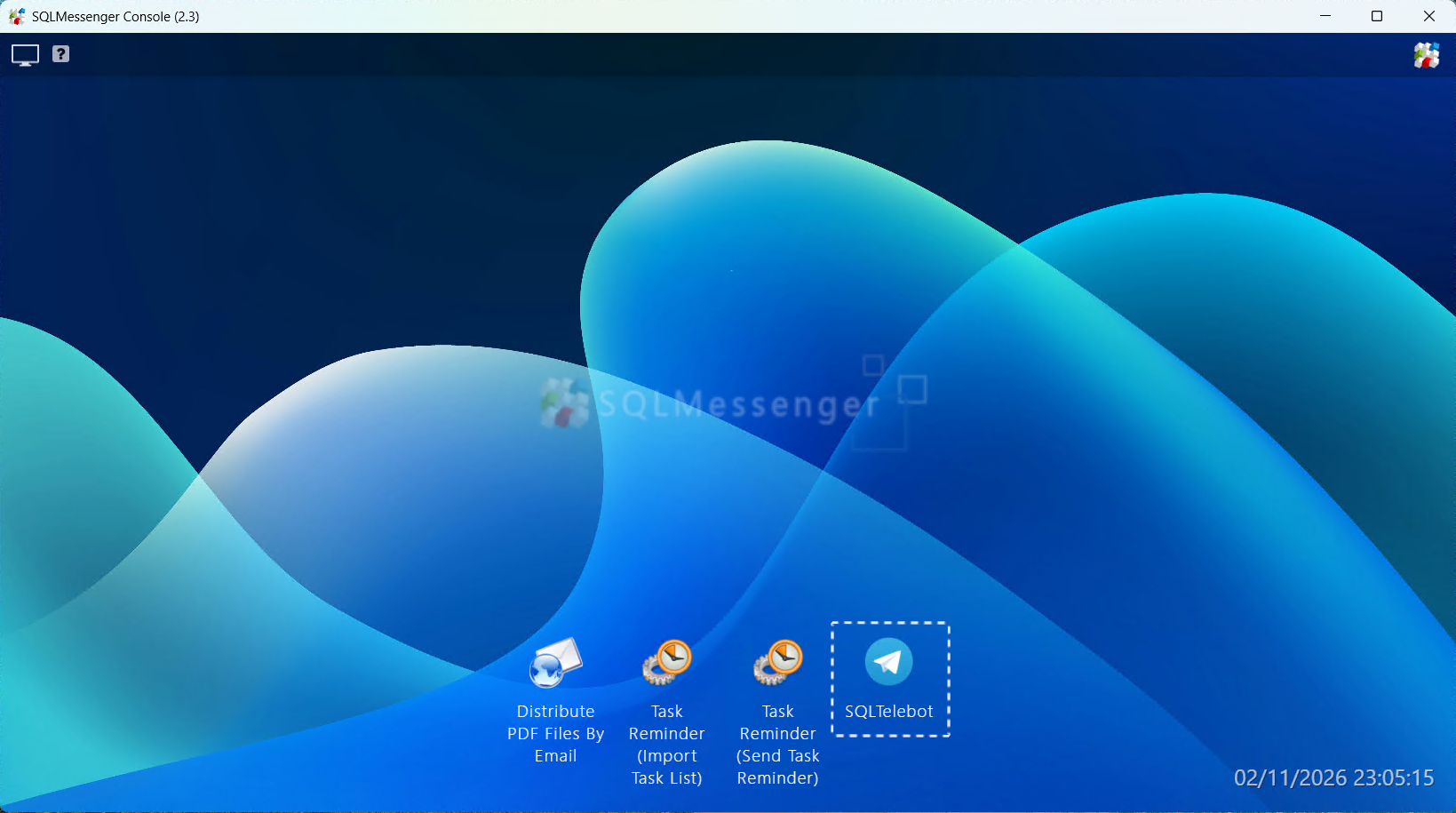
Click the shortcut icon on the MainPage to open the plugin
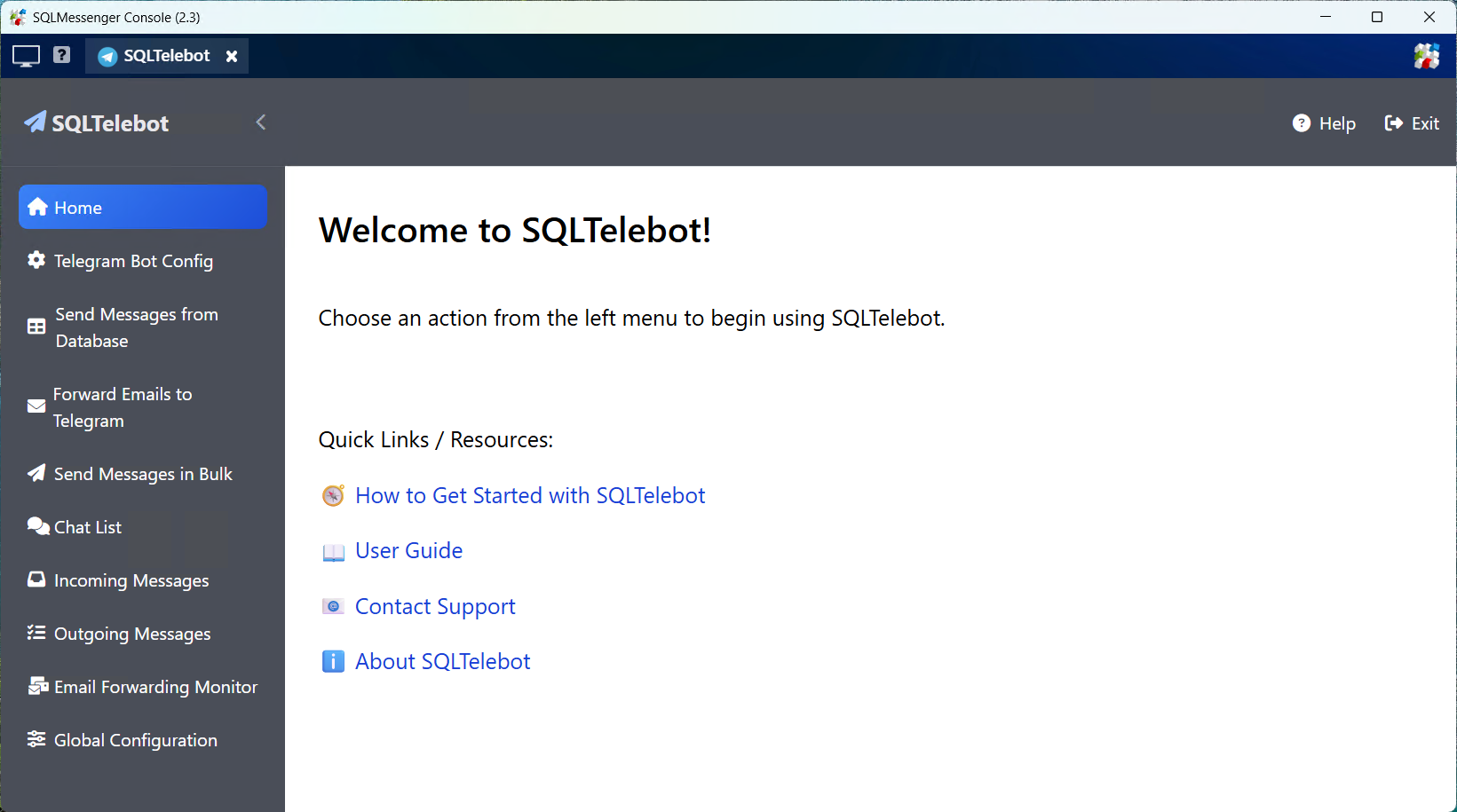
The management interface of SQLTelebot
Note: For detailed usage, please refer to the documentation of the corresponding plugin.
5. Uninstalling Plugins
If a plugin is no longer in use, you can uninstall it to free system resources. Go to Task Manager, click "Plugin Management", find the plugin, and click "Uninstall" on the right.
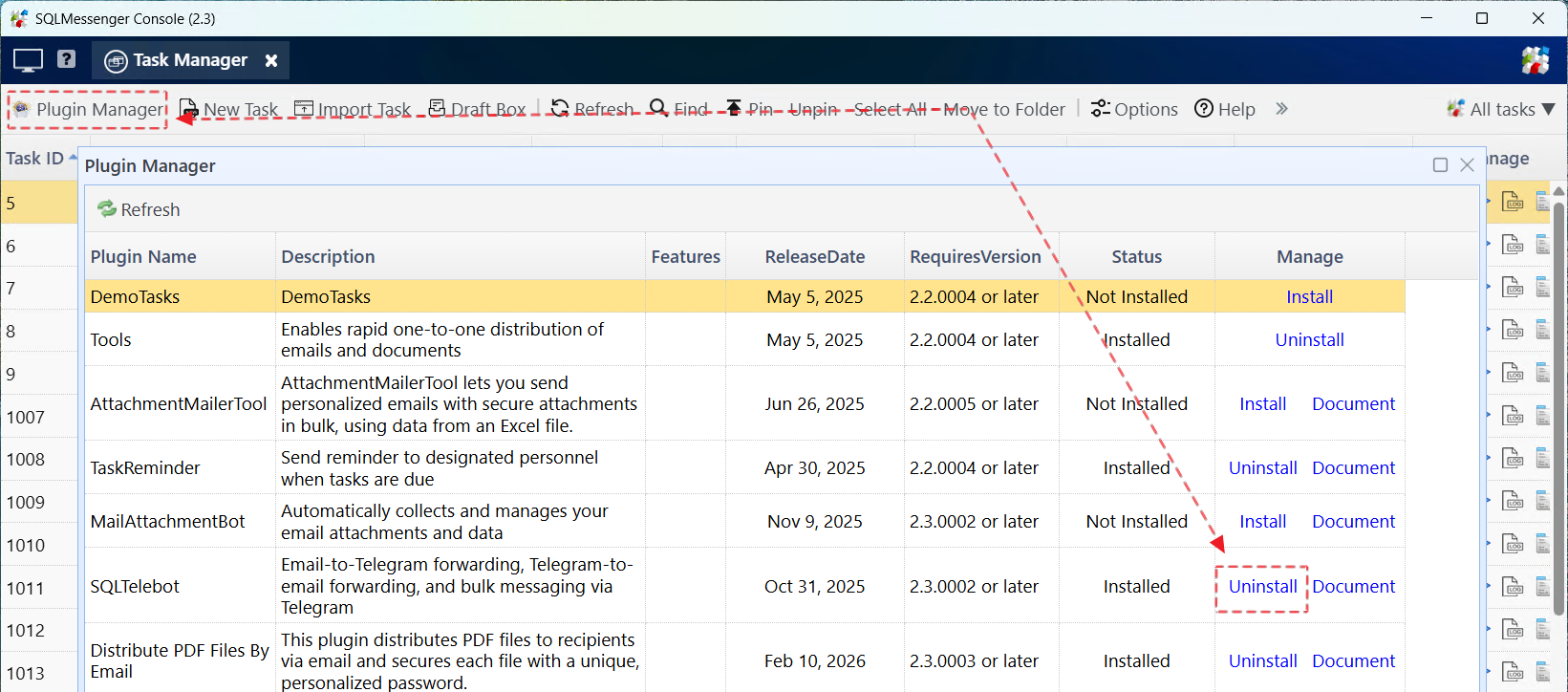
Uninstall Plugin
Note: When uninstalling a plugin, the system only removes plugin tasks, not plugin data. To re-enable the plugin, simply reinstall it.