1. Overview
SQLMessenger is a flexible workflow software. If your workflow is complex, our team can configure the tasks you need on our test system according to your requirements. Once the tasks are configured, we will send the configuration files to you. You only need to import these files into the task list in your SQLMessenger system to test and use the tasks, enabling the functionality you need.
This document demonstrates how to import task configuration files into SQLMessenger.
2. About Task Configuration Files
After we configure tasks for you, we will send you the configuration files. These are encrypted text files containing the configuration information of the tasks.
You just need to import these files into your system to use the tasks. When importing, the system will create the corresponding tasks in your SQLMessenger according to the contents of the configuration files.
There are two types of configuration file extensions:
|
.tsk |
A configuration file for a single task. |
|
.pkg |
A package file that may contain multiple tasks. |
3. Importing Configuration Files
Below are the detailed steps to import task configuration files:
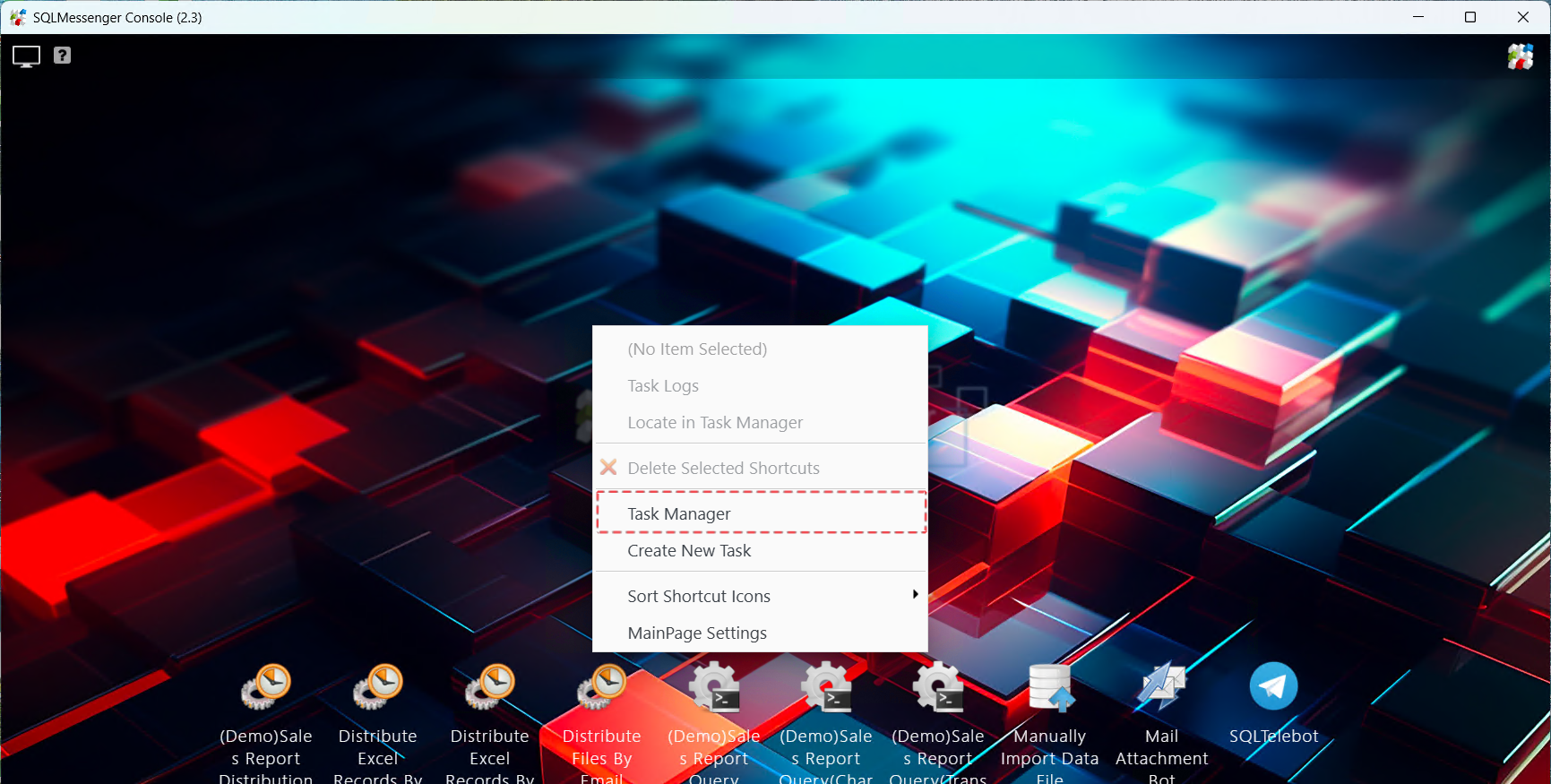
Step 1: Open the Task Manager in SQLMessenger.
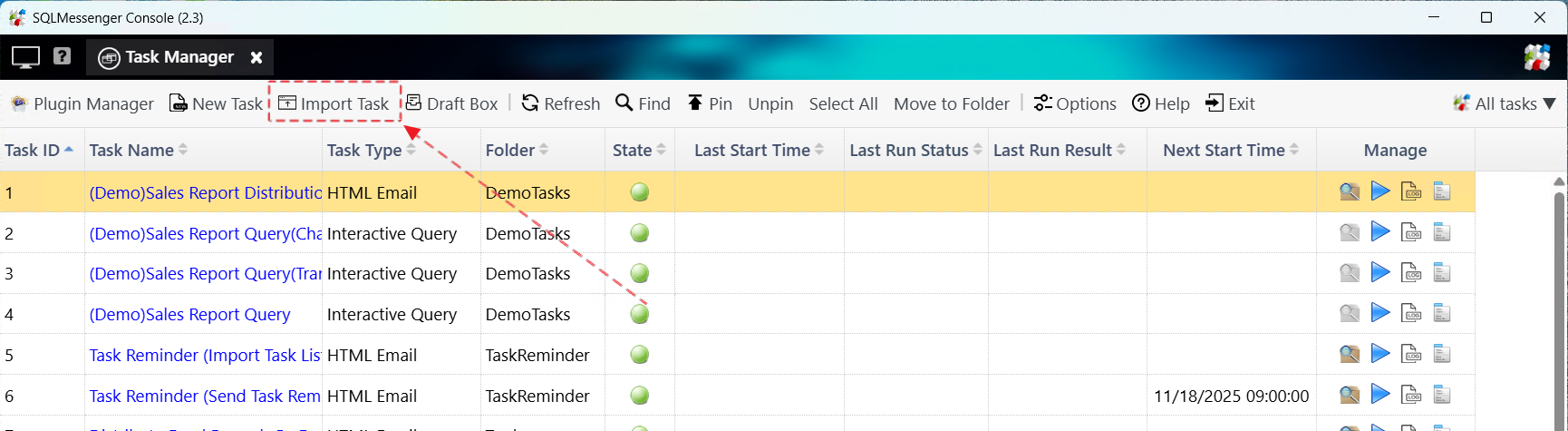
Step 2: Click Import Task。
Step 3: In the dialog box, select the task configuration file we sent you, and click "OK".
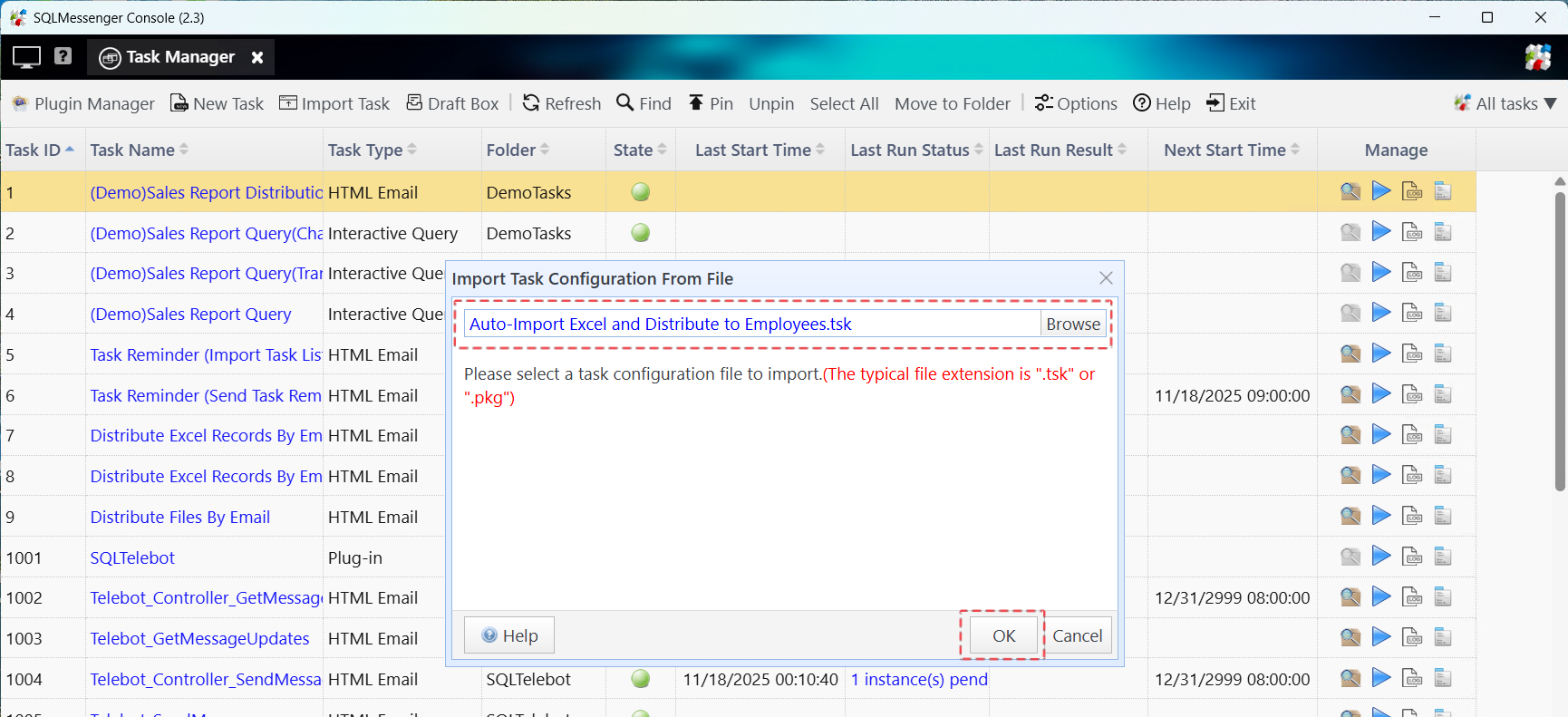
Step 4: Select the task configuration file that you want to import.
If the configuration file is a “.tsk” file, the system will display a task summary. In this window, select the data source and message channel for the task (if required), then click "OK". The system will import the task into your task list.
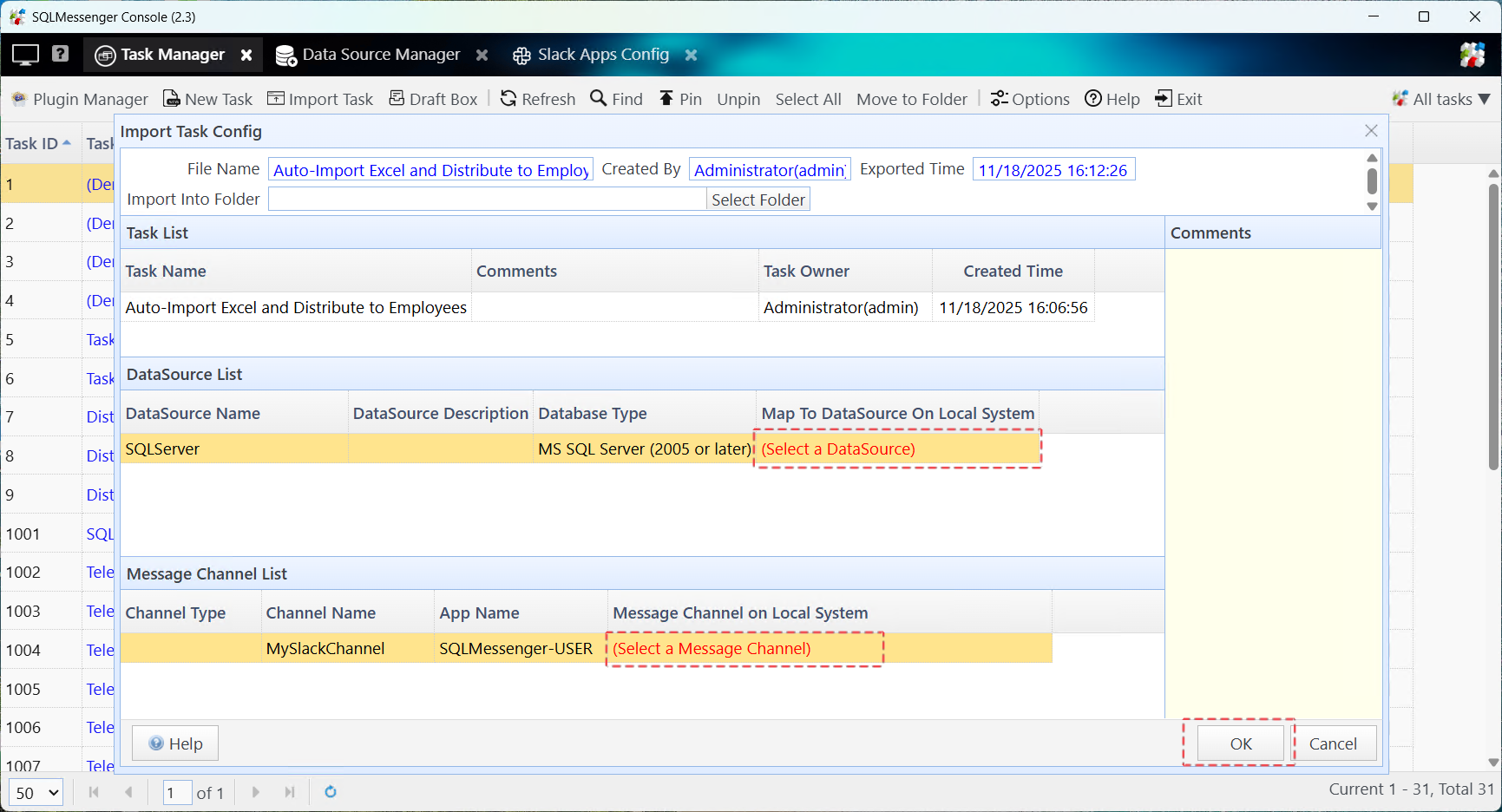

The task is imported into the system’s task list
Note: After import, the task’s status is "Disabled". The system will not automatically run this task at this point. You can test the task to ensure it functions as expected. Once confirmed, enable the task in the task list. After the task is enabled, the system will automatically run it according to its schedule.
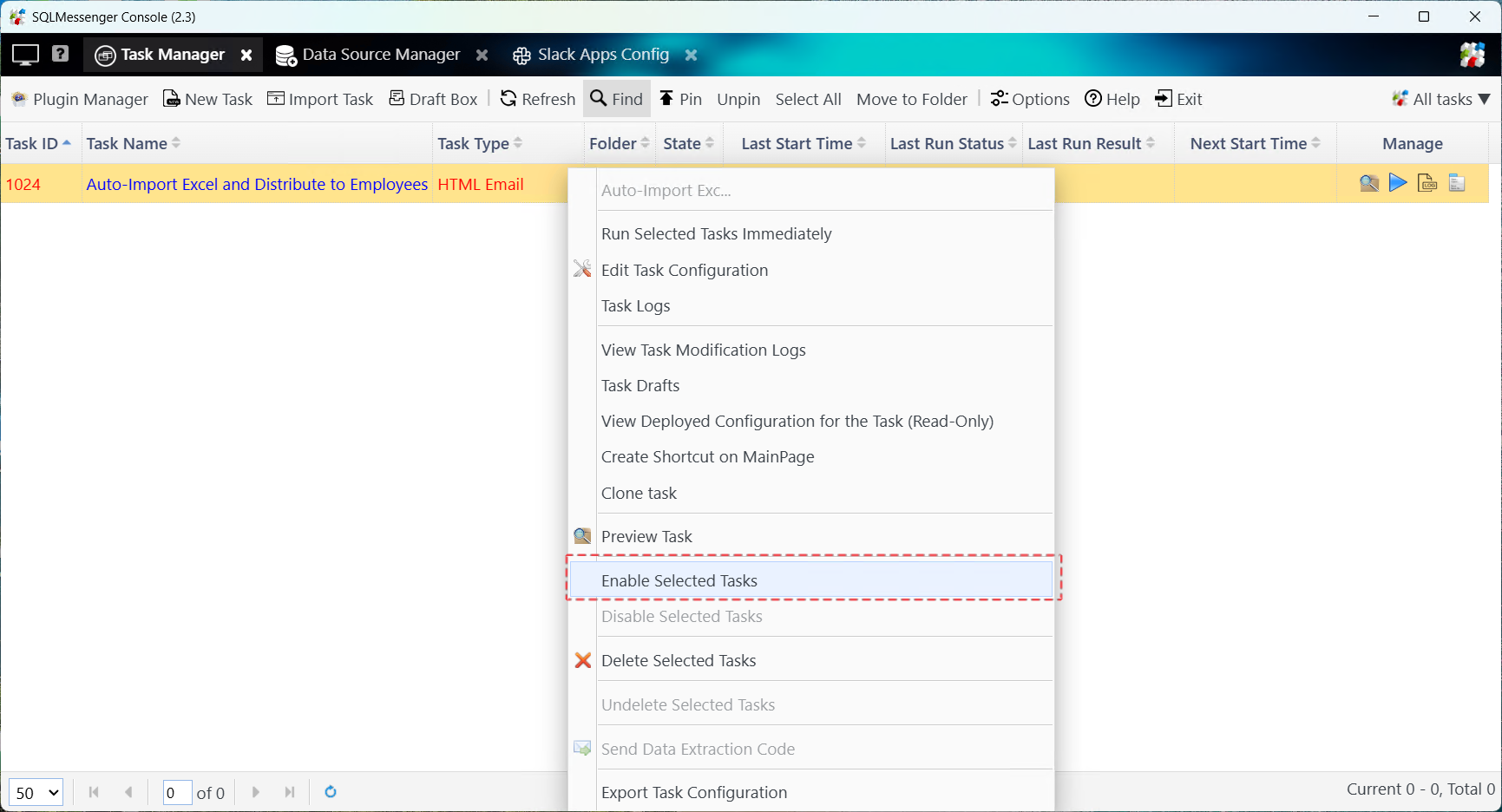

Once enabled, the task's status icon changes to "Enabled" and its next start time appears
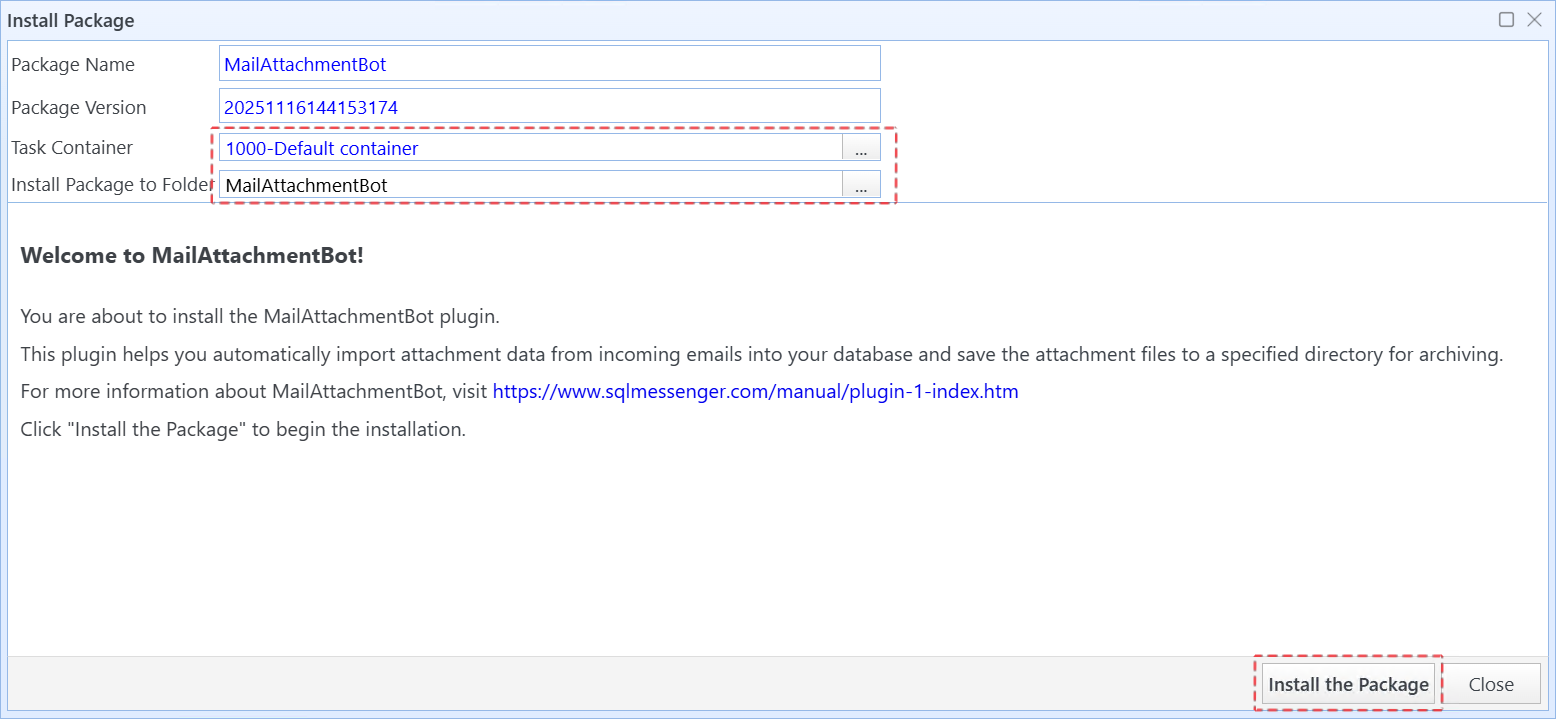
If the configuration file is a “.pkg” file, the system will display the "Install Package" dialog. In this dialog, you can select the task container and installation folder. Then click "Install the Package". The system will start the package installation process.
4. Technical Support
If you run into any issues while using SQLTelebot, feel free to contact us for technical support.