If you encounter problems while using SQLMessenger, or if you need additional technical support, please contact us through the following methods.
Method 1: Submit a ticket via the Support Center in the SQLMessenger Customer Portal, available exclusively to paid users. Our team will respond as soon as possible, with a guaranteed response time of no more than 6 hours.
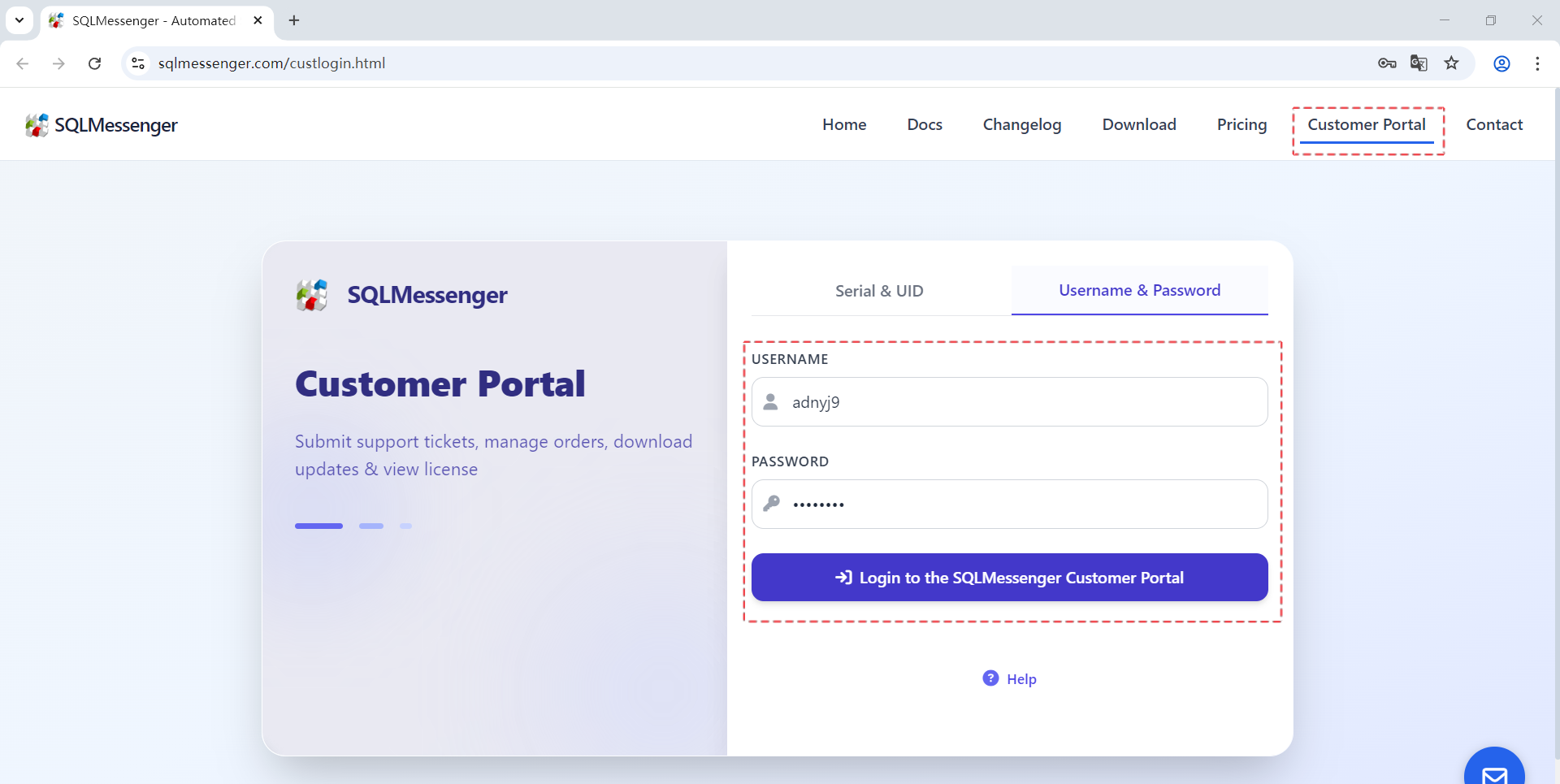
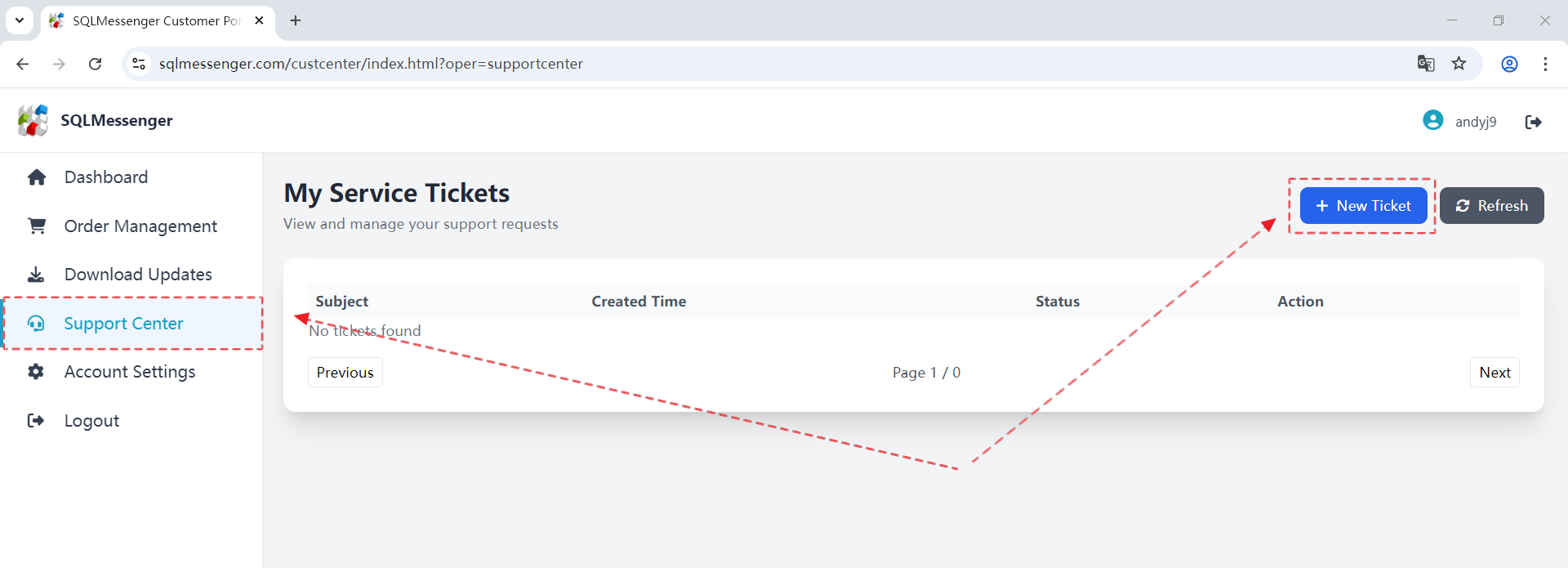
Step 2: Click "Support Center", then click the "New Ticket" button.
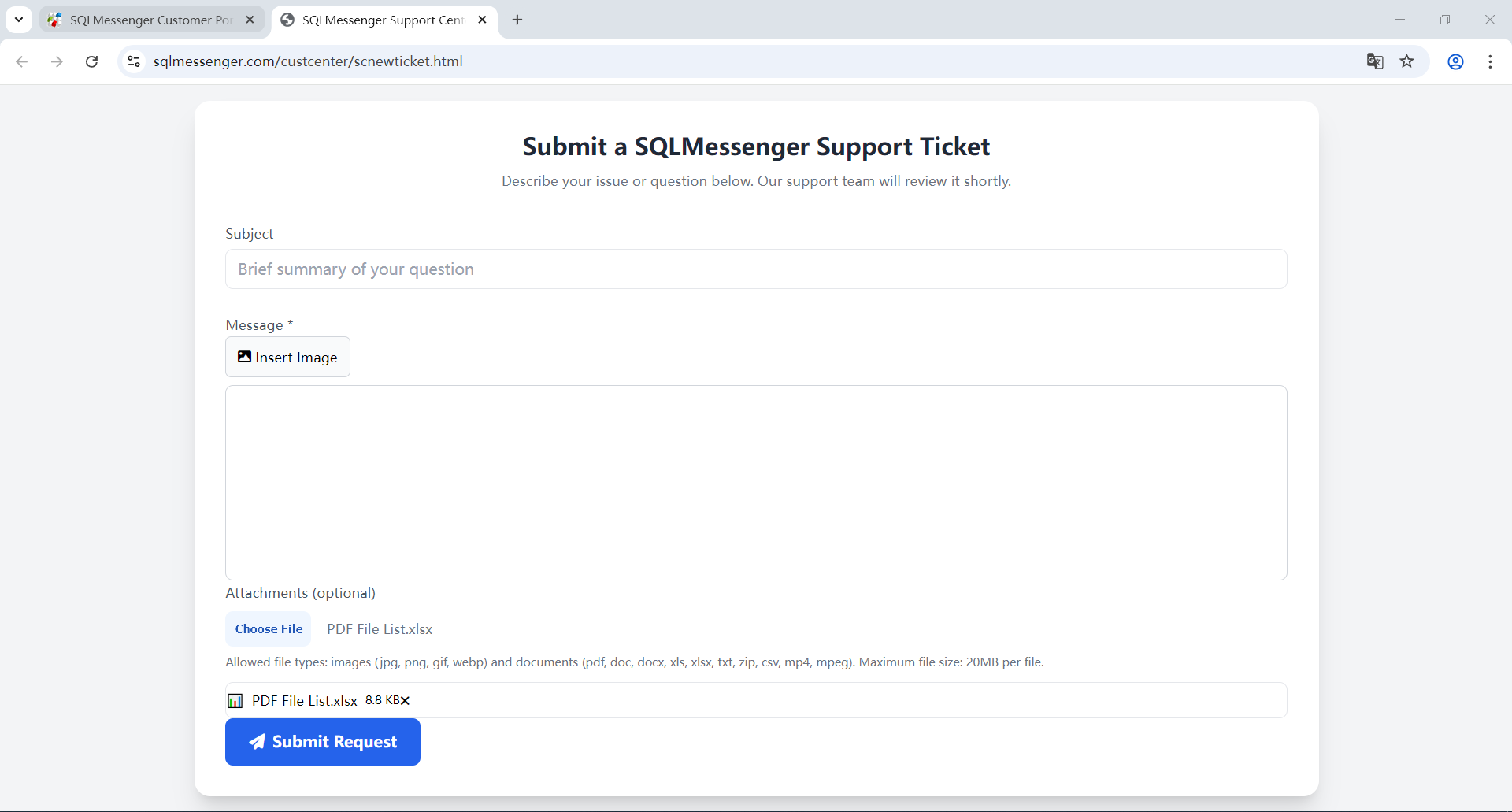
Step 3: Enter the problem you encountered or your requirements and submit. You can insert images or upload attachments here.
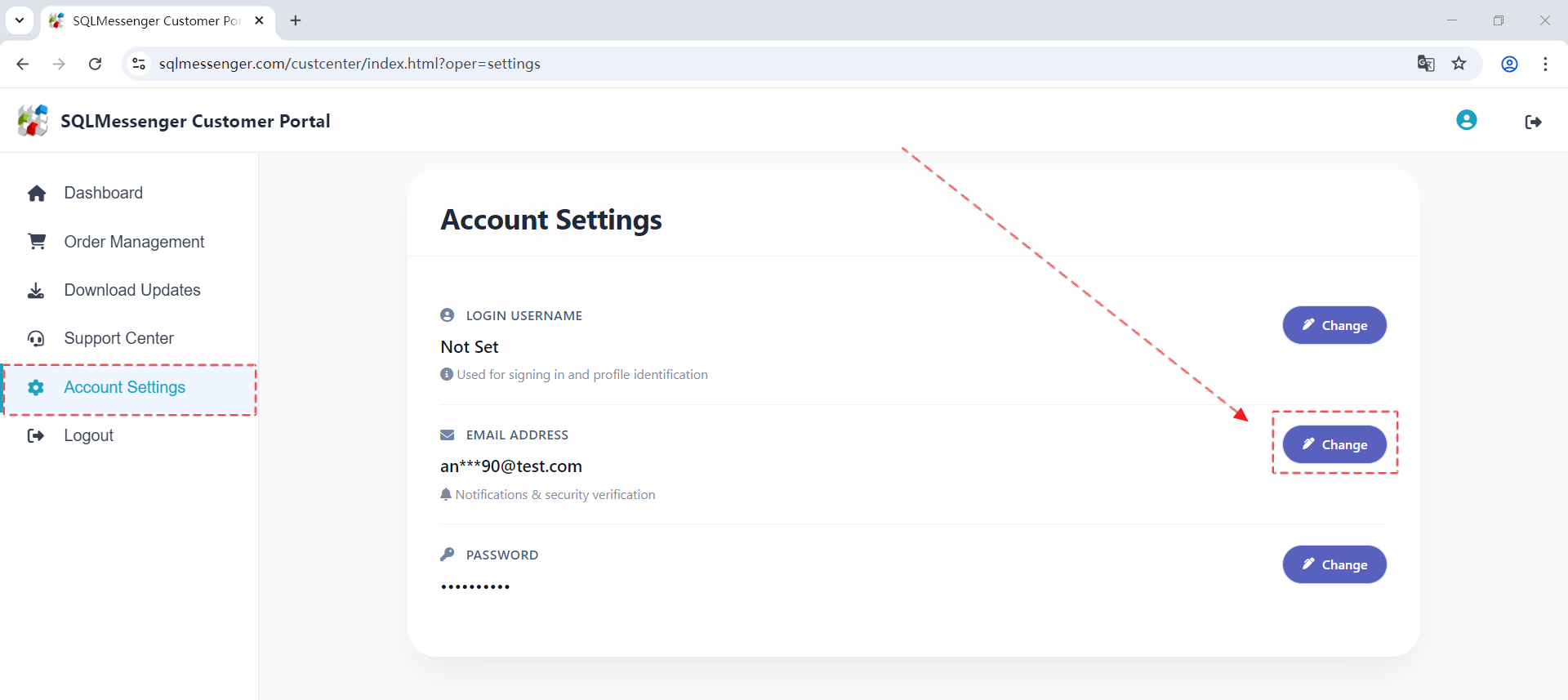
Step 4: After our team replies to your ticket, the system will simultaneously send an email notification to the mailbox you set. The email address can be set in Account Settings of the Customer Portal.
Method 2: Send us an email at support@sqlmessenger.com (priority support is given to paid users).
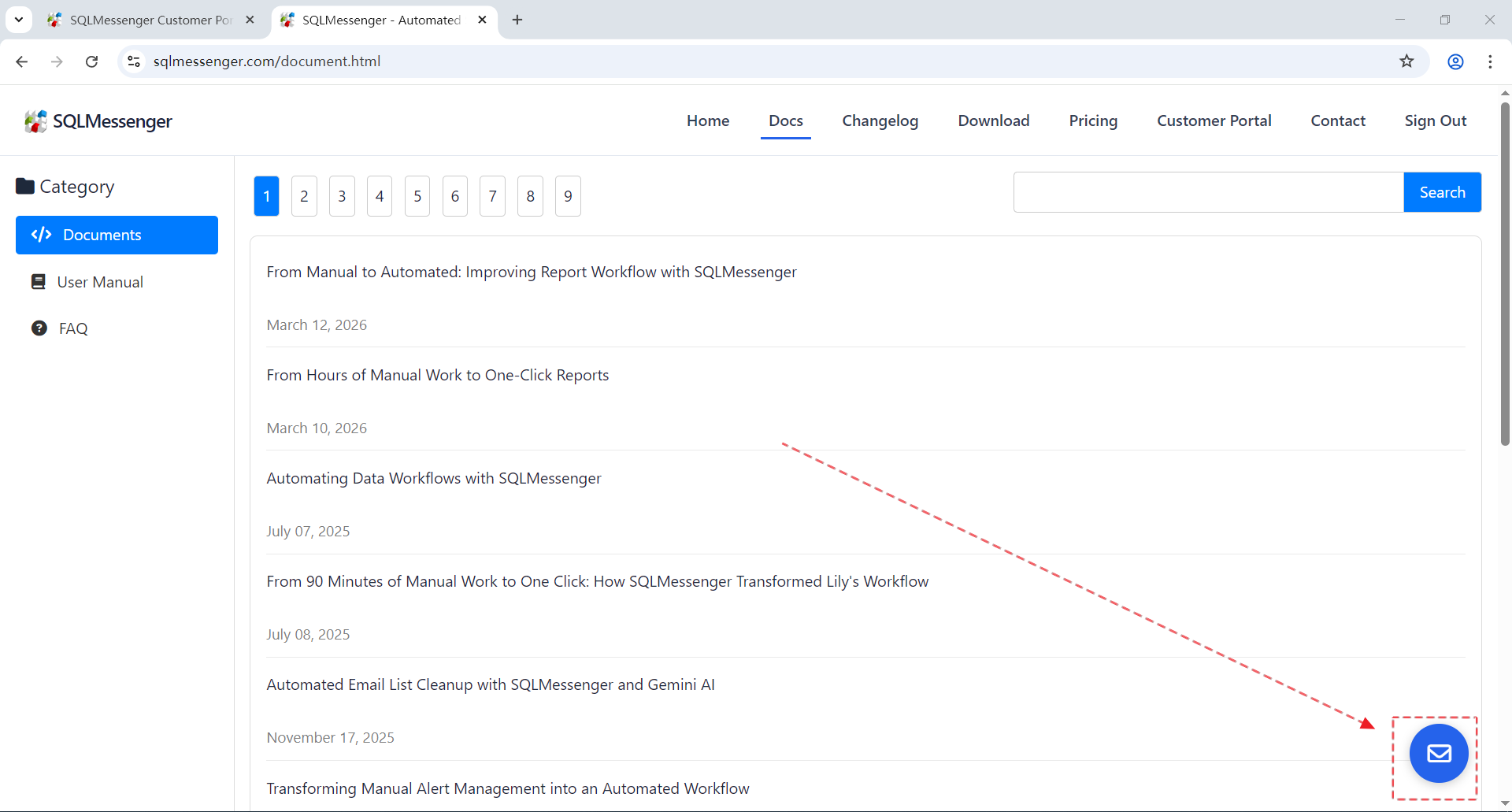
Method 3: Send us a message through the contact form on the SQLMessenger official website. We will contact you via the email you left within one business day after receiving your message. Click here to open the message page, or click the "Message" icon on any page to open the message page.
Last updated on April 27, 2026