How to urgently abort an ongoing email sending process?
I generated a batch of emails using SQLMessenger and sending has already started. However, I noticed that I entered incorrect query parameters, which resulted in wrong content in some emails. What should I do to stop the sending immediately in this situation?
Re: How to urgently abort an ongoing email sending process
You can urgently abort the email sending process by following the steps below.
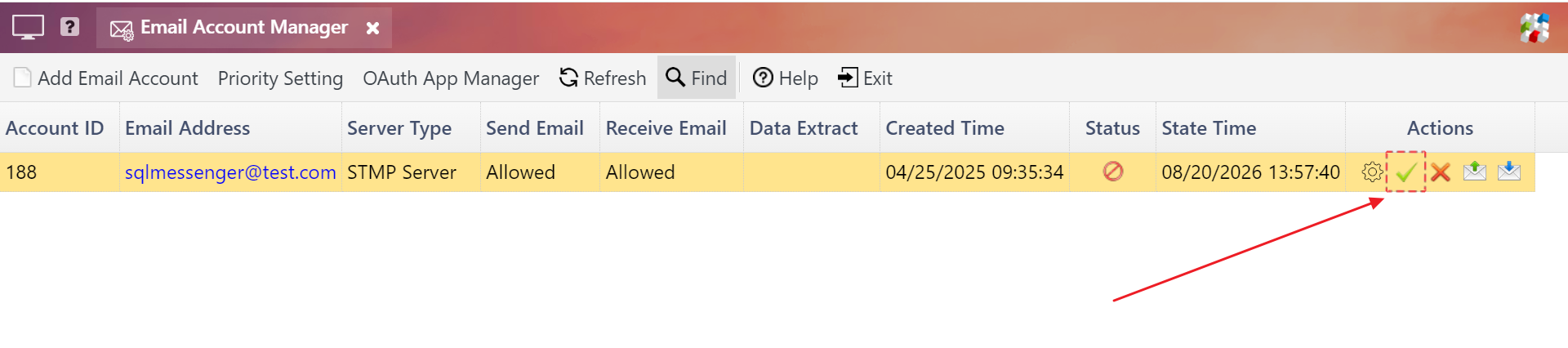
Step 1: Disable the email account in the Email Account Manager . After the email account is disabled, the system will pause sending any emails using the specified account.
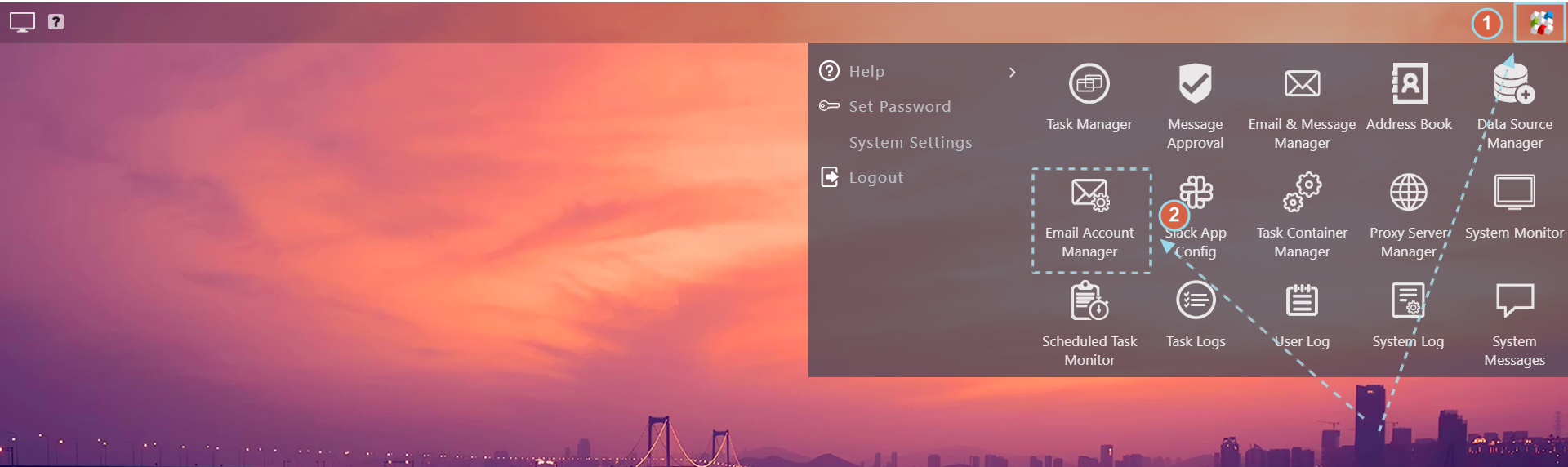
Open Email Account Manager
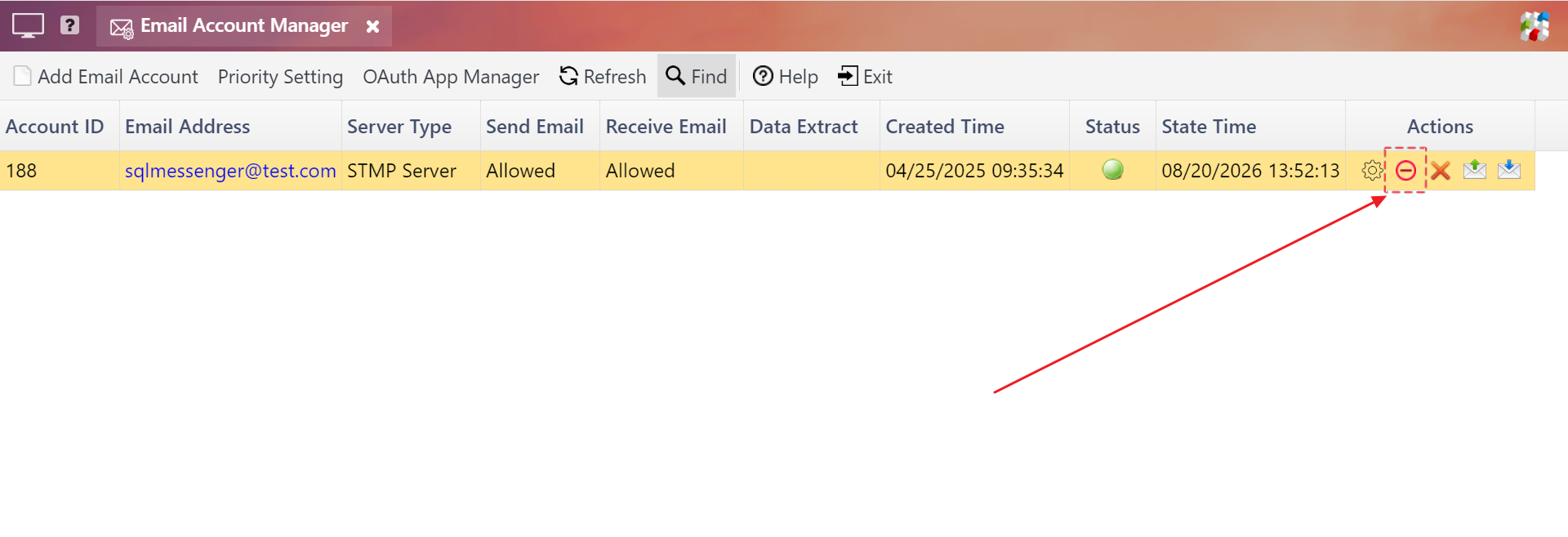
Disable the email account in the Email Account Manager
Step 2: Locate the unsent emails (with status "Waiting for send") in the Outbox of Email & Message Manager, then cancel sending for these emails.
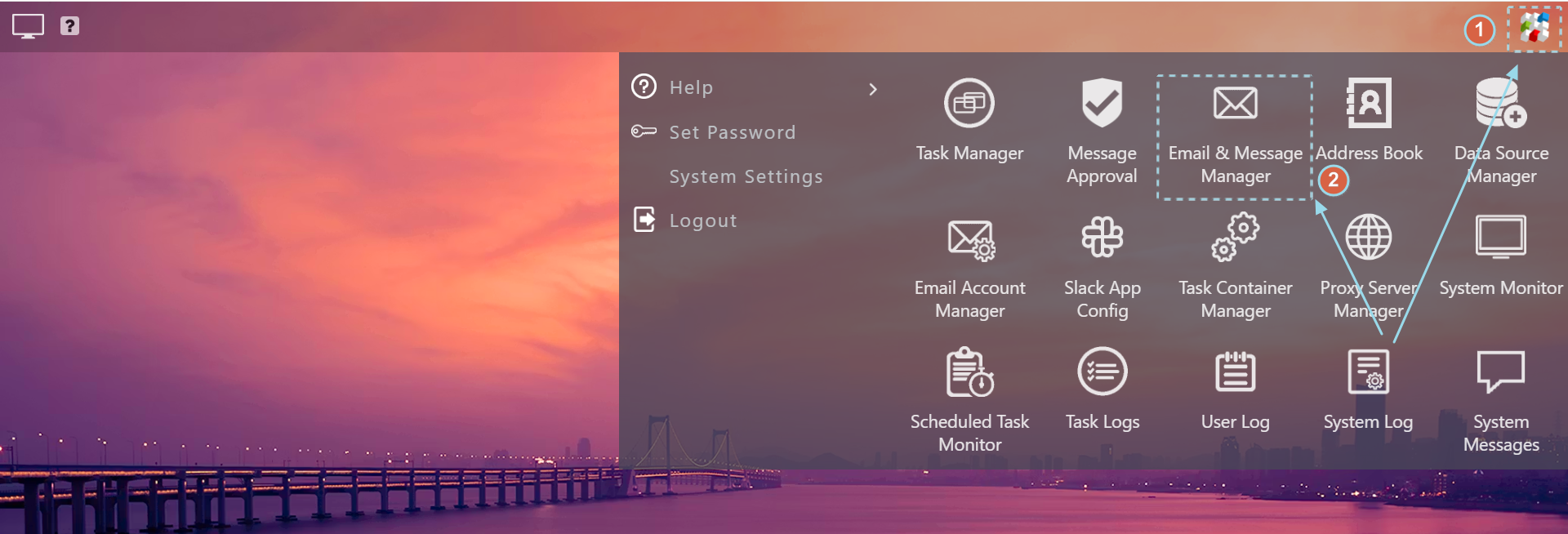
Open Email & Message Manager
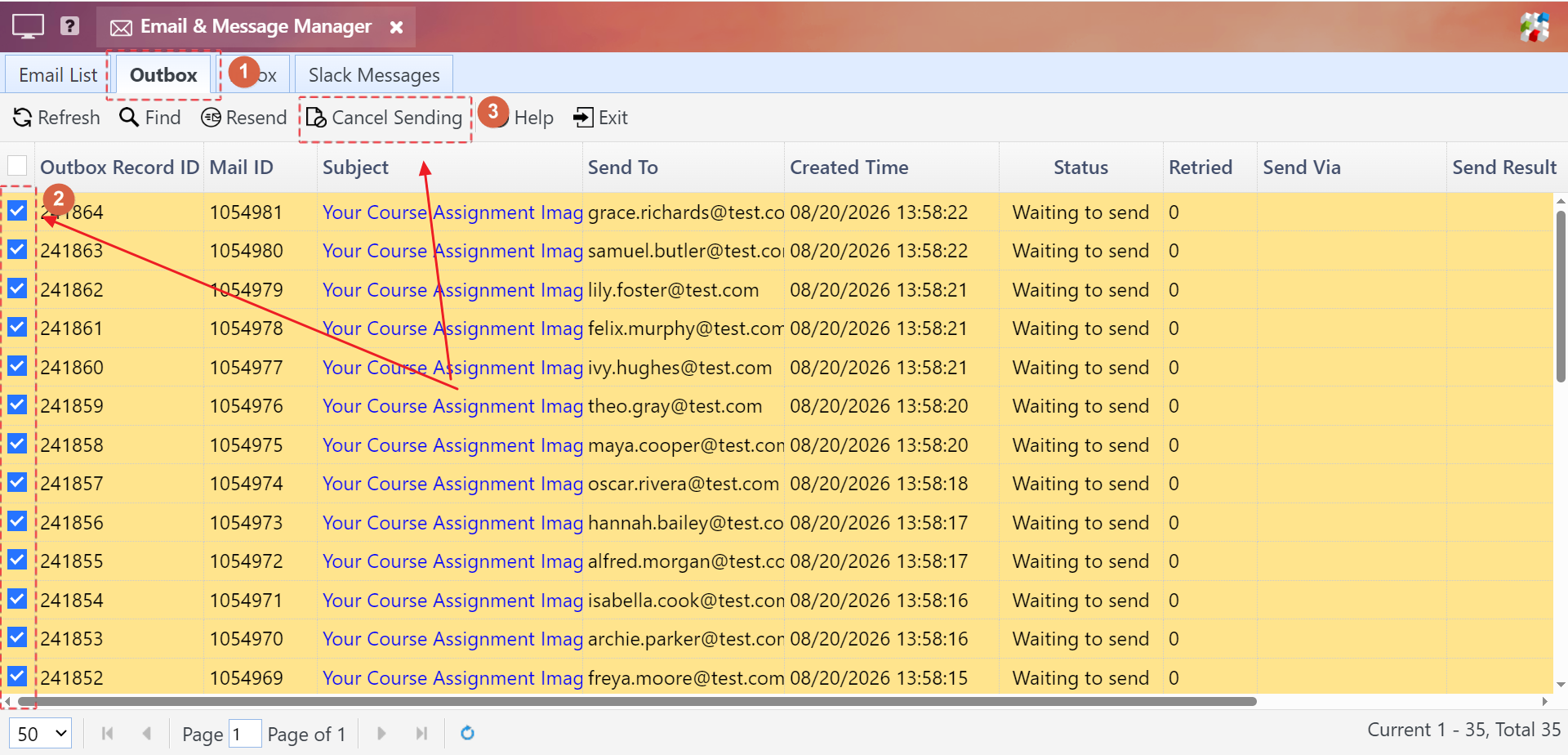
Select the emails to cancel in the Outbox, then click the Cancel Sending button to abort sending these emails
Step 3: Enable the email account in the Email Account Manager .