Home Docs Changelog Download Pricing Service Center Contact

How to configure an Oracle data source?

I want SQLMessenger to connect to an Oracle database. How should I configure it? Specifically, how should I fill in the Oracle TNS parameter?
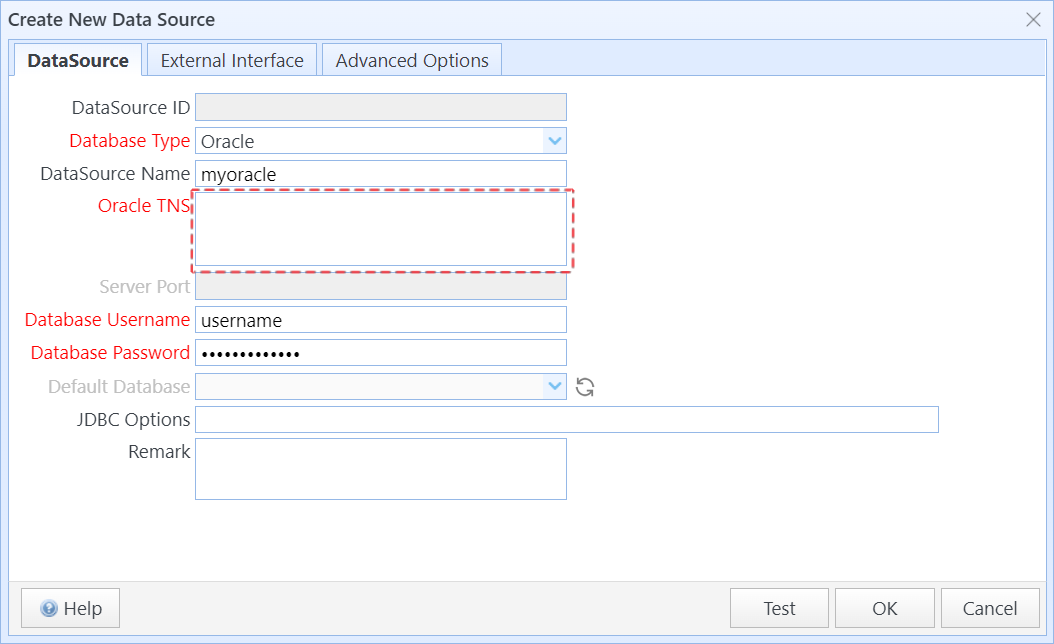
You can fill in the Oracle TNS in one of the following formats:

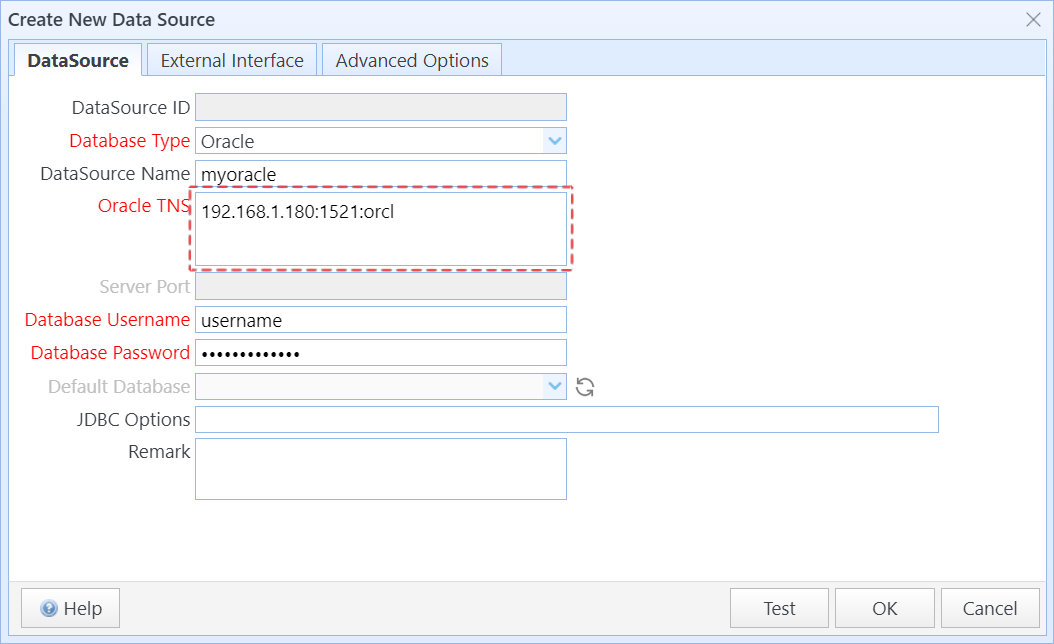
Format 1: IP Address or Hostname:Port:Service Name. For example, 192.168.1.180:1521:orcl
Format 2: IP Address or Hostname:Port/Service Name. For example, 192.168.1.180:1521/orcl
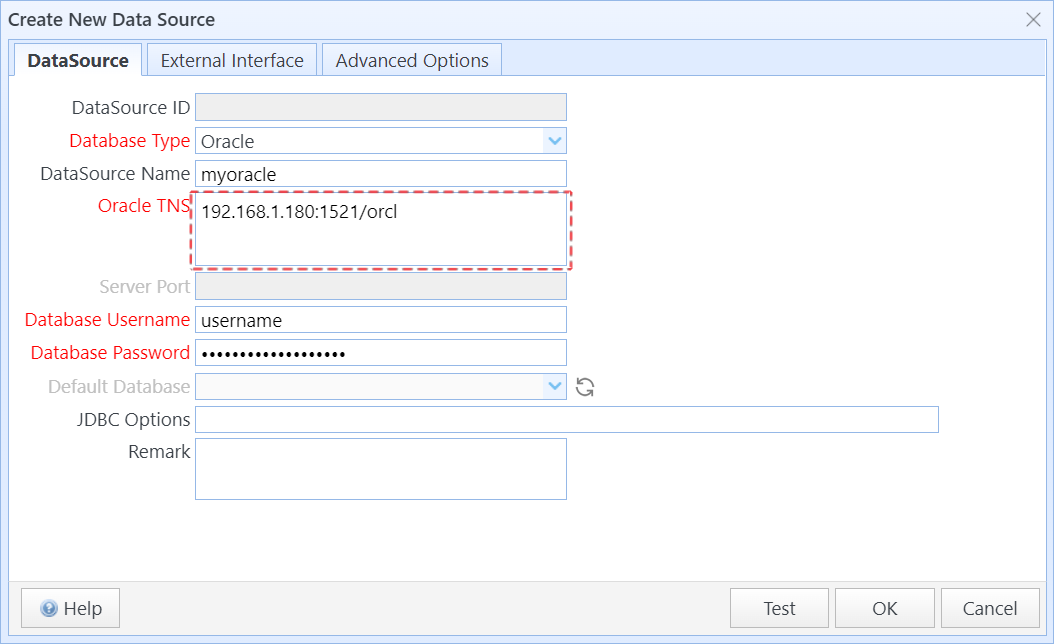
After filling it out, click Test to verify the configuration. Once the test is successful, click OK to save the configuration.

Related documentation: SQLMessenger User Manual - Data Source Management

Last updated on November 18, 2025

Cookie Settings

We use cookies to enhance your browsing experience, serve personalized content, and analyze our traffic. By clicking "Accept All", you consent to our use of cookies in accordance with our Cookie Policy.

You can change your preferences at any time by clicking on "Cookie Settings" in the website footer.

Cookie Preferences

Manage your cookie preferences. You can enable or disable different types of cookies below. Necessary cookies cannot be disabled as they are required for the website to function properly.

Necessary Cookies

Always active

These cookies are essential for the website to function and cannot be switched off. They are usually only set in response to actions made by you such as setting your privacy preferences, logging in or filling in forms.

Preferences Cookies

Makes the site easier to use

These cookies allow the website to remember choices you make and provide enhanced, more personal features.

Analytics Cookies

Helps us improve our website

These cookies help us understand how visitors interact with our website, which helps us improve our products and services.

Marketing Cookies

Used to track visitors across websites

These cookies are used to track visitors across websites. The intention is to display ads that are relevant and engaging.