I have forgotten my SQLMessenger system login password. How can I reset it?
I have forgotten my SQLMessenger system login password. How can I reset it?
You can use the setup.exe tool provided by SQLMessenger to reset your password.
Step1: Log in to Windows using the Administrator account or the user account that SQLMessenger was installed with.
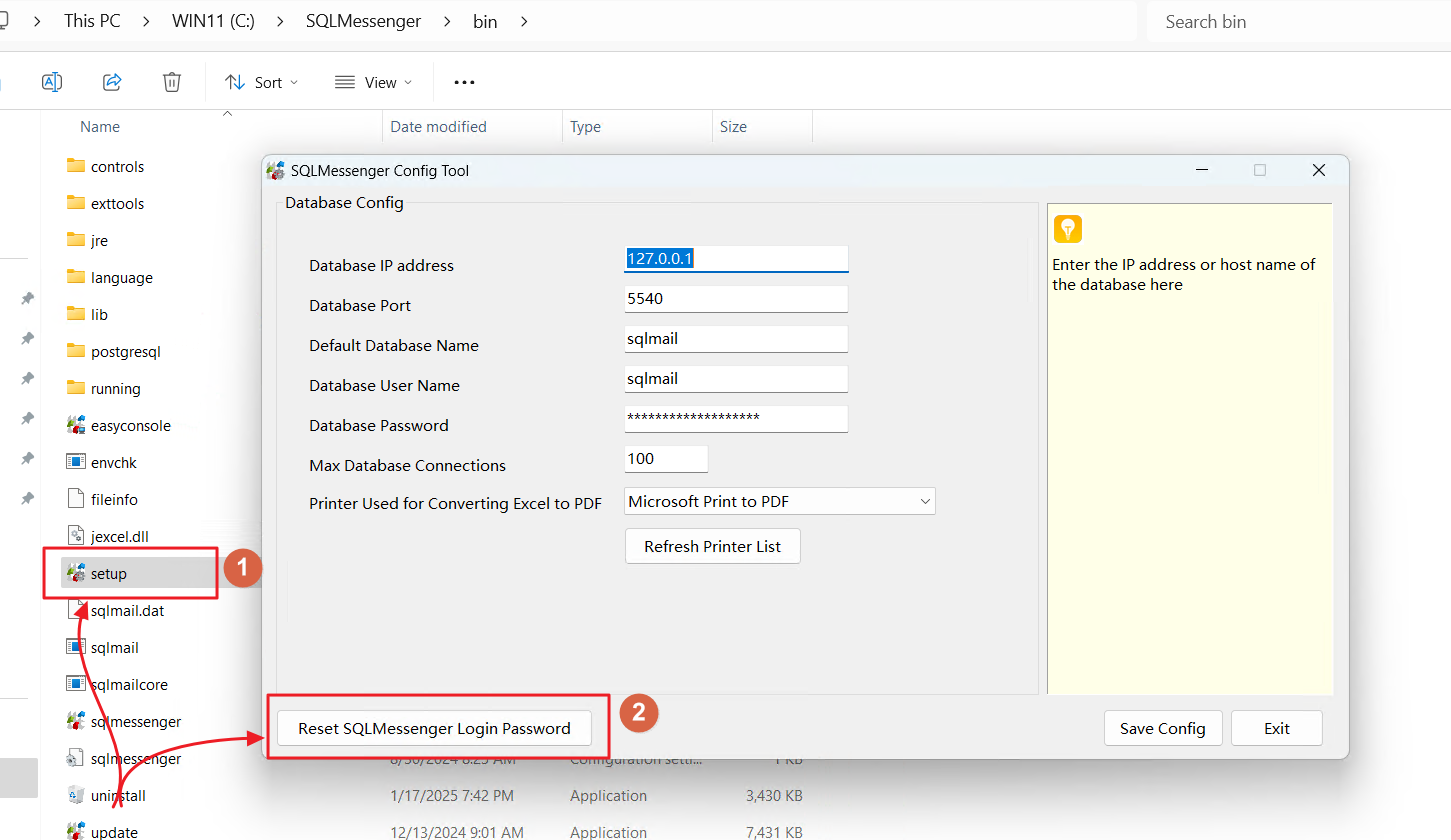
Step2: Run the setup.exe located in the bin folder of the SQLMessenger installation directory. Click on the "Reset SQLMessenger Login Password" button.
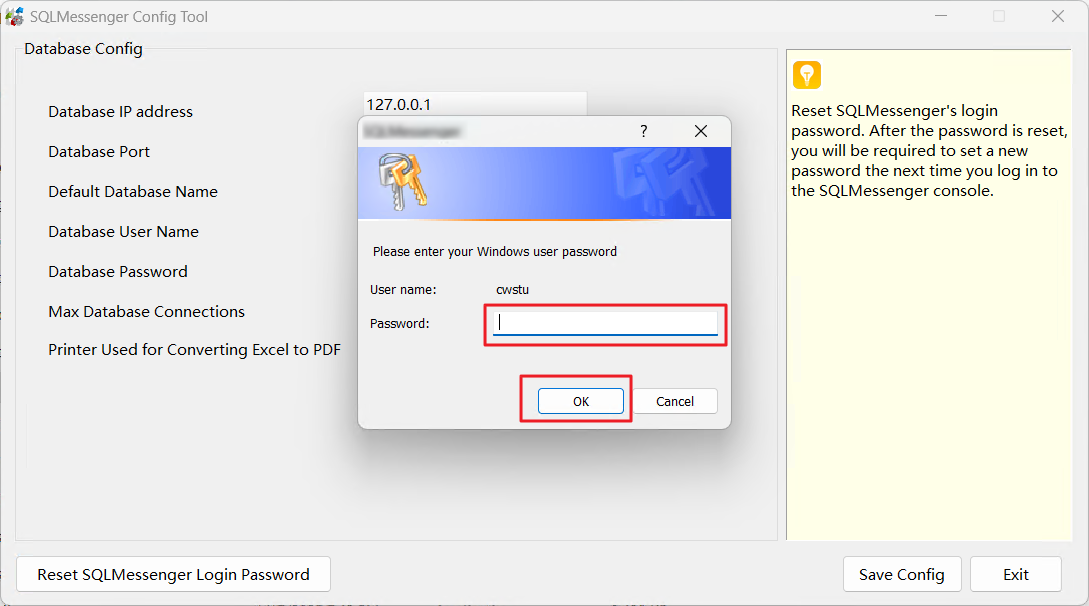
Step3: Enter your Windows login password and click "OK".
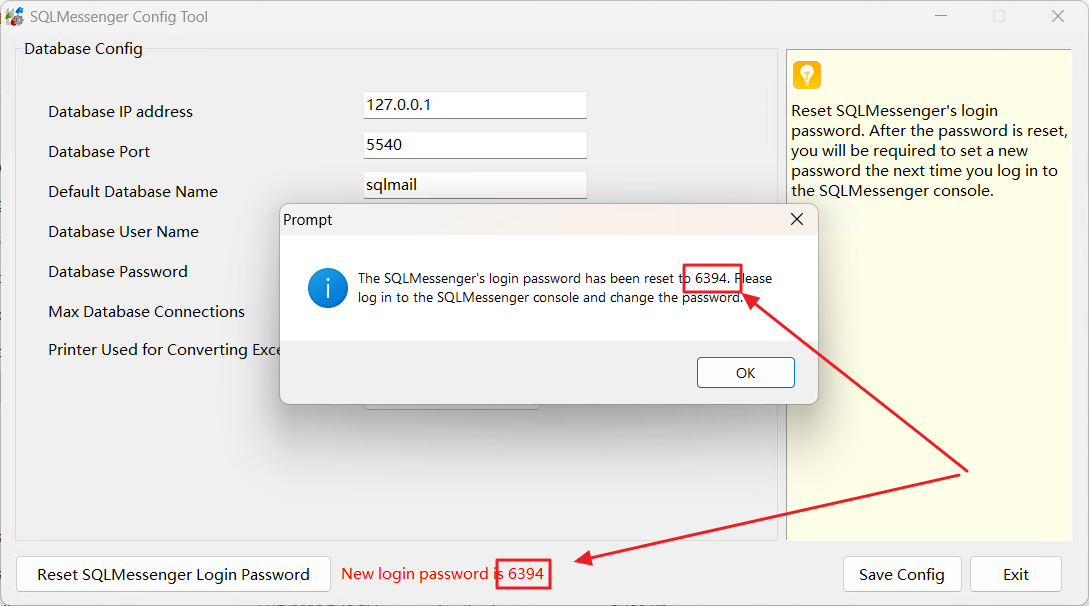
Step4: The setup.exe will reset the SQLMessenger login password to a 4-digit number and display the new password on the interface. You can use this new password to log in to the SQLMessenger console. After logging in, the system will prompt you to change your login password.